Playback starts YouTube’s embedded player (privacy-enhanced mode).
How to connect your ipod touch to the internet without a router
ChannelTechnologycrazyDescription from the creator
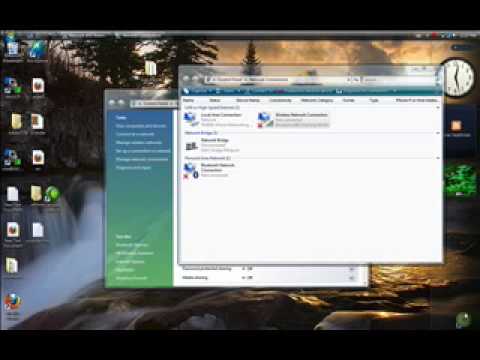
This tutorial gives a start to finish explanation of how to make an Internet Wi-Fi router with Windows Vista. With real time computer screen video and narrative, it is easy to follow along at home.
First, determine what network connections are available and in use on your computer. Once that's determined, the next step is making an ad hoc connection and naming this network.
Next, plug in an Ethernet cable to set up the wireless and return to find your LAN or high speed Internet connections under your network connections. For this to work, it requires allowing sharing of the connection.
The ipod touch lists the Wi-Fi connection. After it is chosen, reload Safari with this connection and it comes up very quickly.
Ipod touch website: www.technologycrazy.info
how to make a free router out of the vista easy.
check out my site at technologycrazy.co.nr/
** you need a wireless network adapter**
First, determine what network connections are available and in use on your computer. Once that's determined, the next step is making an ad hoc connection and naming this network.
Next, plug in an Ethernet cable to set up the wireless and return to find your LAN or high speed Internet connections under your network connections. For this to work, it requires allowing sharing of the connection.
The ipod touch lists the Wi-Fi connection. After it is chosen, reload Safari with this connection and it comes up very quickly.
Ipod touch website: www.technologycrazy.info
how to make a free router out of the vista easy.
check out my site at technologycrazy.co.nr/
** you need a wireless network adapter**
About this tutorial
Technologycrazy published this 5:52 video tutorial on November 12, 2009. It has been watched 252,959 times on YouTube.
- Channel
- Technologycrazy
- Category
- Science & Technology
- Duration
- 5:52
- Published
- November 12, 2009
- Views
- 252,959
- Likes
- 286
Share
This tutorial in other languages
- FRComment connecter votre iPod touch à Internet sans routeur
- ESCómo conectar el iPod touch a Internet sin un router
- PTComo ligar o seu iPod touch para a internet sem um roteador
- ITCome collegare il vostro iPod touch a Internet senza un router
- DEWie Sie Ihren iPod touch mit dem Internet, ohne einen Router anschließen
- NLHoe kunt u uw iPod touch aan het internet te verbinden zonder een router
- RUКак подключить Ipod Touch к Интернету без маршрутизатора
- PLJak podłączyć iPoda touch do internetu bez routera
- JAルータなしでインターネットにiPod touchを接続する方法
- ARكيفية توصيل آي بود تاتش الخاص بك إلى شبكة الإنترنت دون توجيه
- HIएक रूटर के बिना इंटरनेट से अपने आइपॉड टच कनेक्ट करने के लिए कैसे
- IDBagaimana menghubungkan ipod touch Anda ke internet tanpa router