Playback starts YouTube’s embedded player (privacy-enhanced mode).
How to convert jpg to pdf free
ChannelComputer TricksDescription from the creator
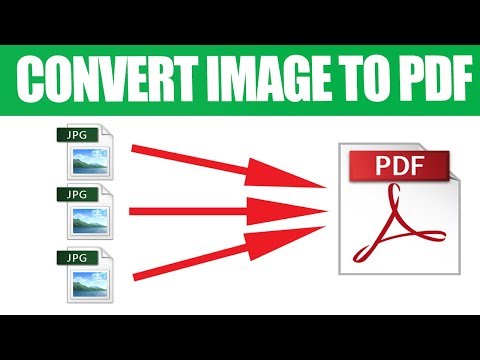
How to convert jpg to pdf or multiple pictures to one pdf in Windows 10 7 8.1 for free, fast. To Converting images to pdf without losing quality using PDF Shaper. It can convert jpeg to pdf, png to pdf too.
PDF Shaper is a freeware for Windows, that allows you to merge, split, encrypt and decrypt PDFs, convert images to PDF, convert PDF to RTF or images, extract text and images from PDF files. The highlight of this freeware is that it converts your .PDF files to .RTF format, so that you can edit the documents using Microsoft Word or other RTF supported processors.
This tool allows you to convert any image file to PDF.
To convert image to PDF, proceed as follows:
1. Click on Image to PDF in the Main Window.
2. Click Add, to select images, or simply drag images from Windows Explorer.
3. Use Move Up and Move Down, to change image order.
4. Select required options.
5. Click Process and specify destination PDF file, to start conversion.
Options:
Image scaling. Scale or stretch image, center vertically or horizontally.
Page size. Use Custom to specify page width and height in pixels.
Landscape layout. Leave unchecked, to use portrait page layout.
Save every image as separate PDF. Leave unchecked, to save all images in single PDF document.
Notes:
Doubleclick on any image, to preview it in default image viewer.
Click Open after process, to open destination file or folder.
Link download
pdfshaper.com/download.html
Link donate: paypal.com/paypalme/baphuc2020
PDF Shaper is a freeware for Windows, that allows you to merge, split, encrypt and decrypt PDFs, convert images to PDF, convert PDF to RTF or images, extract text and images from PDF files. The highlight of this freeware is that it converts your .PDF files to .RTF format, so that you can edit the documents using Microsoft Word or other RTF supported processors.
This tool allows you to convert any image file to PDF.
To convert image to PDF, proceed as follows:
1. Click on Image to PDF in the Main Window.
2. Click Add, to select images, or simply drag images from Windows Explorer.
3. Use Move Up and Move Down, to change image order.
4. Select required options.
5. Click Process and specify destination PDF file, to start conversion.
Options:
Image scaling. Scale or stretch image, center vertically or horizontally.
Page size. Use Custom to specify page width and height in pixels.
Landscape layout. Leave unchecked, to use portrait page layout.
Save every image as separate PDF. Leave unchecked, to save all images in single PDF document.
Notes:
Doubleclick on any image, to preview it in default image viewer.
Click Open after process, to open destination file or folder.
Link download
pdfshaper.com/download.html
Link donate: paypal.com/paypalme/baphuc2020
About this tutorial
Computer Tricks published this 3:37 video tutorial on November 2, 2018. It has been watched 111,180 times on YouTube.
- Channel
- Computer Tricks
- Category
- Science & Technology
- Duration
- 3:37
- Published
- November 2, 2018
- Views
- 111,180
- Likes
- 485
Tags
Share
This tutorial in other languages
- FRComment convertir jpg en pdf gratuit
- ESCómo convertir jpg a pdf gratis
- PTComo converter jpg para pdf livre
- ITCome convertire jpg a pdf gratuito
- DEWie konvertiert man jpg pdf kostenlos
- NLHoe kan jpg converteren naar pdf
- RUКак конвертировать JPG в PDF бесплатно
- PLJak przekonwertować jpg do PDF
- JAPDFファイルを無料にJPGに変換する方法
- ARكيفية تحويل JPG إلى PDF مجانا
- HIकैसे पीडीएफ मुक्त करने के लिए jpg कन्वर्ट करने के लिए
- IDBagaimana mengkonversi jpg ke pdf gratis