The creator does not allow this video to be played on other websites. You can watch it directly on YouTube.
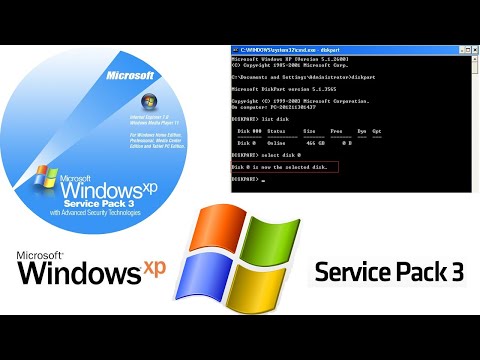
How to Create a Bootable USB in DiskPart For Windows XP
ChannelTiger TechnologyDescription from the creator
Windows XP, Vista, and 7 have a powerful command-line console named Diskpart for carrying out a variety of disk operations. These include RAID, partition and boot management.
Open a command prompt with administrator rights and enter the following sequence of commands.
Before carrying out an operation on a particular disk, partition, or volume it must first be selected with the "list disk", "list partition", or "list volume" sub-commands followed by a "select" command.
Diskpart command list
ACTIVE - Mark the selected partition as active.
ADD - Add a mirror to a simple volume.
ASSIGN - Assign a drive letter or mount point to the selected volume.
ATTRIBUTES - Manipulate volume or disk attributes.*
ATTACH - Attaches a virtual disk file.*
AUTOMOUNT - Enable and disable automatic mounting of basic volumes.*
BREAK - Break a mirror set.
CLEAN - Clear the configuration information, or all information, off the disk.
COMPACT - Attempts to reduce the physical size of the file.*
CONVERT - Convert between different disk formats.
CREATE - Create a volume, partition or virtual disk. (No virtual disk management in Windows XP.)
DELETE - Delete an object.
DETAIL - Provide details about an object.
DETACH - Detaches a virtual disk file.*
EXIT - Exit DiskPart.
EXTEND - Extend a volume.
EXPAND - Expands the maximum size available on a virtual disk.*
FILESYSTEMS - Display current and supported file systems on the volume.*
FORMAT - Format the volume or partition.*
GPT - Assign attributes to the selected GPT partition.*
HELP - Display a list of commands.
IMPORT - Import a disk group.
INACTIVE - Mark the selected partition as inactive.
LIST - Display a list of objects.
MERGE - Merges a child disk with its parents.*
ONLINE - Online an object that is currently marked as offline.
OFFLINE - Offline an object that is currently marked as online.
RECOVER - Refreshes the state of all disks in the selected pack. Attempts recovery on disks in the invalid pack, and resynchronizes mirrored volumes and RAID5 volumes that have stale plex or parity data.*
REM - Does nothing. This is used to comment scripts.
REMOVE - Remove a drive letter or mount point assignment.
REPAIR - Repair a RAID-5 volume with a failed member.
RESCAN - Rescan the computer looking for disks and volumes.
RETAIN - Place a retained partition under a simple volume.
SAN - Display or set the SAN policy for the currently booted OS.*
SELECT - Shift the focus to an object.
SETID - Change the partition type.*
SHRINK - Reduce the size of the selected volume.*
UNIQUEID - Displays or sets the GUID partition table (GPT) identifier or master boot record (MBR) signature of a disk.*
what are diskpart commands can diskpart fix bad sectors can diskpart convert mbr to gpt can diskpart fix mbr can diskpart format can diskpart extend diskpart in windows 10 do czego sluzy comandos do diskpart funções do diskpart does diskpart clean delete data does diskpart clean remove mbr does diskpart clean format does diskpart work on windows 10 diskpart does not list disk diskpart does not show hard drive diskpart does not see ssd diskpart does not work does freedos have diskpart how diskpart works how diskpart windows 10 diskpart how to delete partition diskpart how to create partition diskpart how to create volume diskpart how to assign drive letter diskpart how to clean disk diskpart how to extend partition is diskpart safe is diskpart clean all secure is diskpart clean secure is diskpart on windows 10 is diskpart free is diskpart dangerous is diskpart part of windows 10 is disparity a word how long should diskpart clean take diskpart was unable to process the parameters when was diskpart created was ist diskpart was macht diskpart was macht diskpart clean was bedeutet diskpart was macht diskpart clean all diskpart was ist das what diskpart clean does what diskpart does what diskpart command is used diskpart what is gpt diskpart what is offset diskpart what does active do what is diskpart command what does diskpart do diskpart when installing windows when to use diskpart when to use diskpart command where is diskpart located where is diskpart located in windows 10 where is diskpart system event log where is diskpart.exe located where is diskpart command where is diskpart in windows where is diskpart on windows 10 where to find diskpart which diskpart command is used diskpart which is efi partition diskpart which partition is active diskpart which partition should be active diskpart which volume is efi diskpart which disk is active who created diskpart who invented diskpart why diskpart not working why diskpart command is used why is diskpart so slow why use diskpart diskpart won't work will diskpart clean delete data diskpart will not clear readonly diskpart will not delete partition diskpart will not clean diskpart will not start diskpart will not load diskpart will not select partition diskpart will not clean usb drive
About this tutorial
Tiger Technology published this 3:49 video tutorial on October 21, 2020. It has been watched 868 times on YouTube.
- Channel
- Tiger Technology
- Category
- Science & Technology
- Duration
- 3:49
- Published
- October 21, 2020
- Views
- 868
- Likes
- 14
Tags
Share
Further reading
-
Creating Bootable Windows XP, 7, 8 & 10 USB Flash Drive ...
techgage.com
Windows XP Notes. If you are attempting to use Windows XP on a USB drive, there are a couple of things to bear in mind. First off, we strongly recommend using Rufus (32-bit version) to setup XP on a USB flash drive over…
-
Easily Create Windows (UEFI) Bootable USB Stick via Diskpart
diskpart.com
Create bootable USB for repairing via AOMEI Partition Assistant . Diskpart to create bootable USB in Windows 7, 8.1 is effective and advanced operation. If you are a novice to computer and looking for more graphical and…
-
Create Bootable Flash Drive to Install Windows XP from USB
techperiod.com
Create a bootable USB drive for Windows XP: Insert the USB drive to proper port and launch ‘Power ISO’. From the menu, navigate to Tools >> create bootable USB drive. The dialogue with “Create bootable USB Drive” appear…
This tutorial in other languages
- FRComment créer un USB bootable dans DiskPart Pour Windows XP
- ESCómo crear un USB de arranque en DiskPart Para Windows XP
- PTComo criar um USB inicializável no DiskPart Para o Windows XP
- ITCome creare un USB avviabile in DiskPart Per Windows XP
- DEWie ein Bootable USB in Diskpart für Windows XP erstellen
- NLHoe om een bootable USB in DiskPart Voor Windows XP maken
- RUКак создать загрузочный USB в DiskPart для Windows XP
- PLJak utworzyć bootowalną USB w DiskPart Dla Windows XP
- JAWindows XPの場合のDiskPartでブータブルUSBを作成する方法
- ARكيفية إنشاء USB قابل للتشغيل في DiskPart ولنظام التشغيل Windows XP
- HIDiskPart के लिए Windows XP में एक बूटेबल यूएसबी कैसे बनाएँ
- IDCara Membuat USB Bootable di DiskPart Untuk Windows XP