Playback starts YouTube’s embedded player (privacy-enhanced mode).
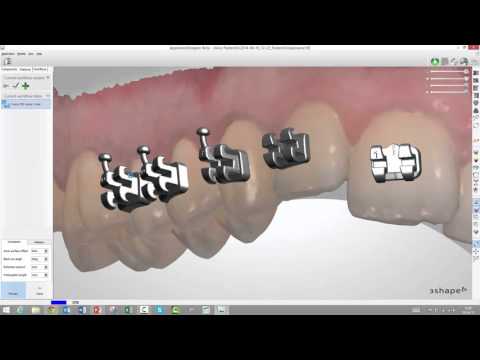
How to create a bracket transfer media in Appliance Designer
Channel3ShapeDescription from the creator
3shape.com/indirect-bonding
This video will show you how the brand new "Bracket Transfer" module works in the 3Shape Ortho System. This module allows you to create a bracket transfer media for Indirect Bonding, using a fully digital workflow.
This video will show you how the brand new "Bracket Transfer" module works in the 3Shape Ortho System. This module allows you to create a bracket transfer media for Indirect Bonding, using a fully digital workflow.
About this tutorial
3Shape published this 16:55 video tutorial on November 3, 2015. It has been watched 16,182 times on YouTube.
- Channel
- 3Shape
- Category
- Science & Technology
- Duration
- 16:55
- Published
- November 3, 2015
- Views
- 16,182
- Likes
- 50
Tags
Share
This tutorial in other languages
- FRComment créer un support de transfert de support dans Appliance Designer
- ESCómo crear un medio de transferencia de soporte en su aparato diseñador
- PTComo criar uma mídia de transferência suporte no Appliance Designer
- ITCome creare un supporto di trasferimento staffa in Appliance Designer
- DEWie eine Klammer Übertragungsmedien in Appliance Designer erstellen
- NLHoe maak je een beugel overdracht media in Appliance Designer creëren
- RUКак создать передаточную кронштейн носителя в Appliance Designer
- PLJak utworzyć nośnik transferu wspornik w Appliance Designer
- JAアプライアンスデザイナーでブラケット伝達媒体を作成する方法
- ARكيفية إنشاء وسائل الإعلام نقل قوس في الأجهزة مصمم
- HIउपकरण डिजाइनर में एक ब्रैकेट हस्तांतरण मीडिया बनाने के लिए कैसे
- IDCara membuat media perpindahan braket di Appliance Designer