Playback starts YouTube’s embedded player (privacy-enhanced mode).
How to create Agenda pages automatically in Powerpoint with Power-user
ChannelPower-user for PowerPoint, Excel & WordDescription from the creator
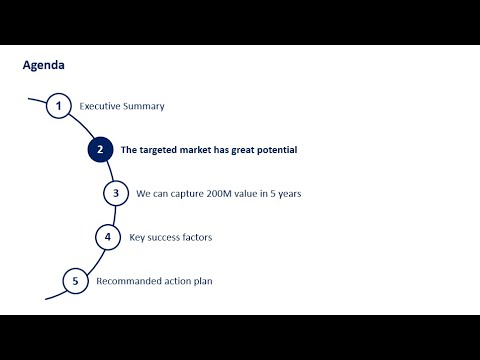
This is a video tutorial showing how you can automatically create Agenda pages in PowerPoint using the Power-user add-in.
Power-user is a powerful add-in for PowerPoint, Excel & Word:
- Access thousands of templates, icons, pictures and maps
- Design beautiful maps linked to Excel data
- Create advanced charts: Waterfalls, Mekkos, Sankeys, Tornado and Gantt
- Automate formatting of colors, fonts, language, bullets, titles or charts
- Create agenda pages automatically
- Clean your deck from typos, fix errors and optimize file size
- Easily move shapes: bring them closer or further, swap position, place shapes symmetrically, stack shapes, copy/paste shapes size or position and more
- Leverage powerful new Excel functions
- ... and more!
Discover Power-user on powerusersoftwares.com
Power-user is a powerful add-in for PowerPoint, Excel & Word:
- Access thousands of templates, icons, pictures and maps
- Design beautiful maps linked to Excel data
- Create advanced charts: Waterfalls, Mekkos, Sankeys, Tornado and Gantt
- Automate formatting of colors, fonts, language, bullets, titles or charts
- Create agenda pages automatically
- Clean your deck from typos, fix errors and optimize file size
- Easily move shapes: bring them closer or further, swap position, place shapes symmetrically, stack shapes, copy/paste shapes size or position and more
- Leverage powerful new Excel functions
- ... and more!
Discover Power-user on powerusersoftwares.com
About this tutorial
Power-user for PowerPoint, Excel & Word published this 3:49 video tutorial on December 28, 2019. It has been watched 28,742 times on YouTube.
- Category
- Science & Technology
- Duration
- 3:49
- Published
- December 28, 2019
- Views
- 28,742
- Likes
- 92
Tags
Share
This tutorial in other languages
- FRComment créer des pages Agenda automatiquement en Powerpoint avec l'utilisateur Puissance
- ESCómo crear páginas de la Agenda automáticamente en Powerpoint con Power-usuario
- PTComo criar páginas Agenda automaticamente em Powerpoint com Power-user
- ITCome creare pagine Agenda automaticamente in PowerPoint con Power-utente
- DEWie erfolgt die Agenda-Seiten automatisch in Powerpoint mit Power-Benutzer erstellen
- NLHoe kan Agenda pagina's automatisch in Powerpoint met Power-gebruiker te maken
- RUКак создавать страницы Повестки дня автоматически в Powerpoint с продвинутым пользователем
- PLJak tworzyć strony Agenda automatycznie Powerpoint z mocą użytkownika
- JAパワーユーザーでPowerPointで自動的にアジェンダのページを作成する方法
- ARكيفية إنشاء صفحات جدول أعمال تلقائيا في باور بوينت مع السلطة المستخدم
- HIपावर उपयोगकर्ता के साथ पावरपोइंट में एजेंडा पृष्ठ स्वचालित रूप से बनाने के लिए कैसे
- IDCara membuat halaman Agenda secara otomatis di Powerpoint dengan Power-pengguna