Playback starts YouTube’s embedded player (privacy-enhanced mode).
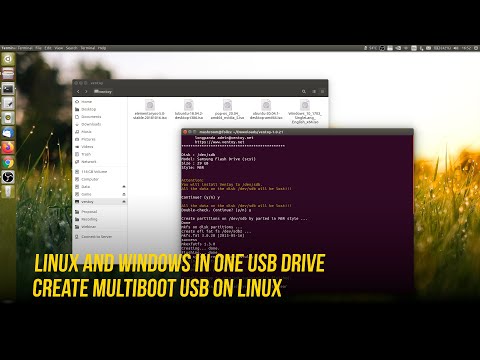
How to Create Multiboot USB on Linux - Ubuntu, Mint, Deepin, Etc + Windows 7/8/10 in 1 Flash Drive
ChannelTiwo SatriatamaDescription from the creator
Looking to create all-in-one USB drives to install multiple OS?. This guide explains how to create any number of bootable USB on Linux, so you can install Windows and Linux using the same USB stick without having to format it over and over.
How Fast Ubuntu First Boot on NVMe SSD Drive
youtube.com/shorts/ruEFIo-WrZA
Enable USB Support on Oracle VM Virtualbox
youtu.be/8W369auyQ8E
Use Nemo (Linux Mint) File Manager in Ubuntu
youtu.be/X1P2pmn6AYw
Install Chromium in Ubuntu 20.04 Without Snap
youtu.be/FJ-ymbDIths
Install and Remove GNOME Extensions Easily
youtu.be/CFytfdNepUI
VENTOY MULTI BOOTABLE USB CREATOR
Creating a bootable USB on Linux to install any operating system is usually involves reformatting flash drive, flash the ISO image, and then just boot it. But if you want to make another, you'll have to repeat the same process and lose the operating system already on the drive.
That's why Sardu, MultiBootUSB, Yumi (Your Universal Multiboot Installer), MultiSystem, Xboot, Ventoy, and other multiboot creator apps exist.
Ventoy has been tested with more than 260 ISO files, including Debian, Ubuntu (and its flavors), CentOS, RHEL, Deepin, Fedora, SLES, openSUSE, MX Linux, Manjaro, Linux Mint, Elementary OS, Pop!_OS, Solus OS, Zorin OS, Arch Linux, Puppy Linux, Tails, Slax, Kali Linux, Mageia, Slackware, Gentoo, NixOS, ALT Linux, KDE Neon, Windows 7, Windows 8 / 8.1, Windows 10, and Windows Server 2012 / 2012 RS, 2016 and 2019.
It supports persistence mode on Ubuntu, MX Linux, Linux Mint, Elementary OS and Zorin OS as well. For the Windows version, there is a handy Graphical User Interface (GUI) tool to make the tool even easier. Unfortunately, the Linux version comes with command line-only. But don't worry, Ventoy is extremely easy to use.
UPDATE!!! Finally, Ventoy for Linux has provided a web browser GUI since 1.0.36. The UI layout and usage have no difference with Ventoy2Disk.exe in Windows. Run VentoyWeb.sh with sudo privileges or VentoyWebDeepin.sh for Deepin/UOS.
Download latest Ventoy : bit.ly/2ZZml6S
VENTOY MAIN FEATURES
- 100% free open source
- Simple to use
- Fast (limited only by the speed of copying iso file)
- Directly boot from ISO / WIM / IMG / VHD(x) / EFI file, no extraction needed
- Legacy + UEFI supported in the same way
- UEFI Secure Boot supported (since 1.0.07+)
- Persistence supported (since 1.0.11+)
- MBR and GPT partition style supported (1.0.15+)
- WIM files boot supported (Legacy + UEFI) (1.0.12+)
- IMG files boot supported (Legacy + UEFI) (1.0.19+)
- Auto installation supported (1.0.09+)
- File injection supported (1.0.16+)
- ISO files larger than 4GB supported
- Native boot menu style for Legacy & UEFI
- Windows / WinPE / Linux / Unix / Vmware / Xen are supported
- More than 550 ISO files tested
- Not only boot but also complete installation process
- ISO files can be listed in List mode / TreeView mode
- "Ventoy Compatible" concept
- Plugin Framework
- Menu Alias / Menu Style / Customized Menu supported
- USB drive write-protected support
- USB normal use unaffected
- Data nondestructive during version upgrade
- No need to update Ventoy when a new distro is released
COMMANDS IN THE VIDEO
linuxslaves.com/2020/09/create-multiboot-usb-li…
Consider subscribing to get latest how to install, configure, tips, use Linux and Free Libre Open Source Software (FLOSS), or if you like what you see. Thanks for watching and being here!.
Music by soundcloud.com/roa_music1031
Copyright belongs to its respective owner(s)
Visit : linuxslaves.com
Facebook : facebook.com/linuxslaves
Twitter : twitter.com/tiwosatriatama
How Fast Ubuntu First Boot on NVMe SSD Drive
youtube.com/shorts/ruEFIo-WrZA
Enable USB Support on Oracle VM Virtualbox
youtu.be/8W369auyQ8E
Use Nemo (Linux Mint) File Manager in Ubuntu
youtu.be/X1P2pmn6AYw
Install Chromium in Ubuntu 20.04 Without Snap
youtu.be/FJ-ymbDIths
Install and Remove GNOME Extensions Easily
youtu.be/CFytfdNepUI
VENTOY MULTI BOOTABLE USB CREATOR
Creating a bootable USB on Linux to install any operating system is usually involves reformatting flash drive, flash the ISO image, and then just boot it. But if you want to make another, you'll have to repeat the same process and lose the operating system already on the drive.
That's why Sardu, MultiBootUSB, Yumi (Your Universal Multiboot Installer), MultiSystem, Xboot, Ventoy, and other multiboot creator apps exist.
Ventoy has been tested with more than 260 ISO files, including Debian, Ubuntu (and its flavors), CentOS, RHEL, Deepin, Fedora, SLES, openSUSE, MX Linux, Manjaro, Linux Mint, Elementary OS, Pop!_OS, Solus OS, Zorin OS, Arch Linux, Puppy Linux, Tails, Slax, Kali Linux, Mageia, Slackware, Gentoo, NixOS, ALT Linux, KDE Neon, Windows 7, Windows 8 / 8.1, Windows 10, and Windows Server 2012 / 2012 RS, 2016 and 2019.
It supports persistence mode on Ubuntu, MX Linux, Linux Mint, Elementary OS and Zorin OS as well. For the Windows version, there is a handy Graphical User Interface (GUI) tool to make the tool even easier. Unfortunately, the Linux version comes with command line-only. But don't worry, Ventoy is extremely easy to use.
UPDATE!!! Finally, Ventoy for Linux has provided a web browser GUI since 1.0.36. The UI layout and usage have no difference with Ventoy2Disk.exe in Windows. Run VentoyWeb.sh with sudo privileges or VentoyWebDeepin.sh for Deepin/UOS.
Download latest Ventoy : bit.ly/2ZZml6S
VENTOY MAIN FEATURES
- 100% free open source
- Simple to use
- Fast (limited only by the speed of copying iso file)
- Directly boot from ISO / WIM / IMG / VHD(x) / EFI file, no extraction needed
- Legacy + UEFI supported in the same way
- UEFI Secure Boot supported (since 1.0.07+)
- Persistence supported (since 1.0.11+)
- MBR and GPT partition style supported (1.0.15+)
- WIM files boot supported (Legacy + UEFI) (1.0.12+)
- IMG files boot supported (Legacy + UEFI) (1.0.19+)
- Auto installation supported (1.0.09+)
- File injection supported (1.0.16+)
- ISO files larger than 4GB supported
- Native boot menu style for Legacy & UEFI
- Windows / WinPE / Linux / Unix / Vmware / Xen are supported
- More than 550 ISO files tested
- Not only boot but also complete installation process
- ISO files can be listed in List mode / TreeView mode
- "Ventoy Compatible" concept
- Plugin Framework
- Menu Alias / Menu Style / Customized Menu supported
- USB drive write-protected support
- USB normal use unaffected
- Data nondestructive during version upgrade
- No need to update Ventoy when a new distro is released
COMMANDS IN THE VIDEO
linuxslaves.com/2020/09/create-multiboot-usb-li…
Consider subscribing to get latest how to install, configure, tips, use Linux and Free Libre Open Source Software (FLOSS), or if you like what you see. Thanks for watching and being here!.
Music by soundcloud.com/roa_music1031
Copyright belongs to its respective owner(s)
Visit : linuxslaves.com
Facebook : facebook.com/linuxslaves
Twitter : twitter.com/tiwosatriatama
About this tutorial
Tiwo Satriatama published this 9:12 video tutorial on October 13, 2020. It has been watched 8,547 times on YouTube.
- Channel
- Tiwo Satriatama
- Category
- Science & Technology
- Duration
- 9:12
- Published
- October 13, 2020
- Views
- 8,547
- Likes
- 173
Tags
Share
This tutorial in other languages
- FRComment créer multiboot USB sur Linux - Ubuntu, Mint, Deepin, Etc + 1 de Windows 7/8/10 dans Flash Drive
- ESCómo crear USB de arranque múltiple en Linux - Ubuntu, Mint, Deepin, etc + de Windows 7/8/10 en 1 Flash Drive
- PTComo criar Multiboot USB no Linux - Ubuntu, Mint, Deepin, Etc + do Windows 7/8/10 em 1 Flash Drive
- ITCome creare Multiboot USB su Linux - Ubuntu, Mint, Deepin, Etc + di Windows 7/8/10 in 1 Flash Drive
- DESo erstellen Sie Multiboot USB unter Linux - Ubuntu, Mint, Deepin, Etc + Windows-7/8/10 in 1 Flash-Laufwerk
- NLHoe te Multiboot USB op Linux Maak - Ubuntu, Mint, Deepin, Etc + Windows 7/8/10 in 1 Flash Drive
- RUКак создать Мультизагрузочный USB на Linux - Ubuntu, Монетный двор, Deepin, Etc + Windows 7/8/10 в 1 Flash Drive
- PLJak utworzyć Multiboot USB Linuksa - Ubuntu, Mint, Linux Deepin itp + Windows 7/8/10 w 1 Flash Drive
- JA1フラッシュドライブにUbuntuの、ミント、のDeepinなど+のWindows 7/8/10 - LinuxのマルチブートUSBを作成する方法
- ARكيفية إنشاء متعدد التشغيل USB على لينكس - أوبونتو، النعناع، لينكس ديبين، الخ + ويندوز 7/8/10 في 1 محرك فلاش
- HIलिनक्स पर मल्टीबूट यूएसबी कैसे बनाएँ - Ubuntu, मिंट, Deepin, आदि + विंडोज 7/8/10 1 फ्लैश ड्राइव में
- IDCara Membuat Multiboot USB di Linux - Ubuntu, Mint, Deepin, Etc + Windows 7/8/10 di 1 Flash Drive