Playback starts YouTube’s embedded player (privacy-enhanced mode).
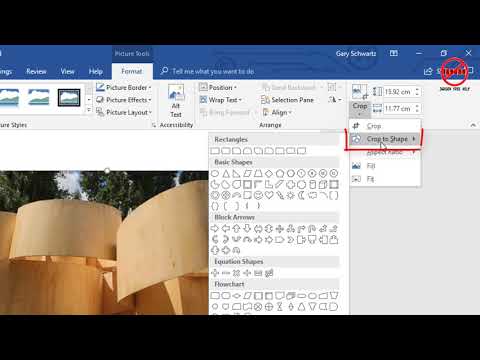
How to Crop Pictures in Word
ChanneljargonfreehelpDescription from the creator
If you are adding a picture into Microsoft Word you do not need to crop it first, it is possible to crop it directly in Word and then do some formatting such as having rounded corners. Here Gary Schwartz from jargonfreehelp.com shows us how.
This video, like many on my channel, has been created using Camtasia techsmith.z6rjha.net/zaqjq0
For more tutorials see my website jargonfreehelp.com
I am an Amazon an Techsmith affiliate and might earn when purchasing from any of these links. However, this does keep my free tutorials to you going.
This video, like many on my channel, has been created using Camtasia techsmith.z6rjha.net/zaqjq0
For more tutorials see my website jargonfreehelp.com
I am an Amazon an Techsmith affiliate and might earn when purchasing from any of these links. However, this does keep my free tutorials to you going.
About this tutorial
jargonfreehelp published this 4:48 video tutorial on November 2, 2018. It has been watched 171,964 times on YouTube.
- Channel
- jargonfreehelp
- Category
- Science & Technology
- Duration
- 4:48
- Published
- November 2, 2018
- Views
- 171,964
- Likes
- 504
Tags
Share
This tutorial in other languages
- FRComment découper vos photos dans Word
- ESCómo recortar imágenes en Word
- PTComo recortar imagens no Word
- ITCome tagliare Immagini in Word
- DEWie zuzuschneiden Bilder in Word
- NLHoe u foto's bijsnijden in Word
- RUКак Crop картинки в Слове
- PLJak Przycinanie zdjęć w programie Word
- JAWordで写真をトリミングする方法
- ARكيفية قص الصور في Word
- HIकैसे वर्ड में चित्र की काट-छाँट करने के लिए
- IDCara Memotong Gambar di Word