Playback starts YouTube’s embedded player (privacy-enhanced mode).
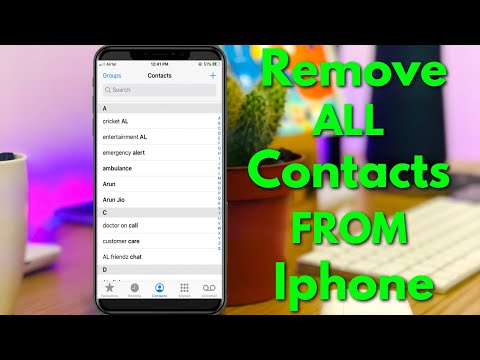
How To Delete Multiple Contacts In Iphone ios 14 - Remove All iphone Contacts
ChannelTheta BoxDescription from the creator
This tutorial is about how to delete contacts on iphone all at once.
Here i show the steps by using my 2022 released iphone se,and which is have operating system of ios 14.
At same time this trick also works on ios 13 based devices like iphone 4s,iphone 5c,iphone 5s,iphone 6,6 plus,iphone 7,7 plus,iphone 8 and 8 plus.
Similar iphone working models are iphone 10,iphone 11,iphone 11 pro max,iphone x,iphone xr and xs max.
Same way you can faster remove the one or more person number from ipad device.
This video has english subtitle at same time tamil,hindi,telugu,kannada and malayalam region people's are can easily understand it.
----------------------------------------------------------------------------------------------------------
►How To Check Warranty of iphone : youtu.be/NJw8h46JcVI
►How To Turn off Auto Brightness In Iphone : youtu.be/KCvT9FhB74Y
►How To Pin Your Instagram Comments : youtu.be/oueqk0dHgWs
----------------------------------------------------------------------------------------------------------
how to delete multiple contacts in iphone without app :
1.All the people's are know if we like to delete a single contact by selecting that contact and then we get the delete option.
2.But here i show the steps by using the icloud service.
3.But without icloud is not possible,because all the contact number is saved to this icloud.
4.So anyway if you like to remove contacts quickly in bulk or mass just open your settings menu.
5.Here you can goto Passwords & Accounts - icloud - icloud or gmail.
6.Finally you can click to turn off "Contacts" app,and then select "Delete from My iphone".
7.Once you done this process,all of your sim card contacts and google account contacts are deleted in permanently.
8.But if you want to merge your duplicate phone contact or sim card contact,just open this app setting.
9.And then select "Merge" option,and this is fast and secure method.
----------------------------------------------------------------------------------------------------------
#delete #contacts #iphone
Here i show the steps by using my 2022 released iphone se,and which is have operating system of ios 14.
At same time this trick also works on ios 13 based devices like iphone 4s,iphone 5c,iphone 5s,iphone 6,6 plus,iphone 7,7 plus,iphone 8 and 8 plus.
Similar iphone working models are iphone 10,iphone 11,iphone 11 pro max,iphone x,iphone xr and xs max.
Same way you can faster remove the one or more person number from ipad device.
This video has english subtitle at same time tamil,hindi,telugu,kannada and malayalam region people's are can easily understand it.
----------------------------------------------------------------------------------------------------------
►How To Check Warranty of iphone : youtu.be/NJw8h46JcVI
►How To Turn off Auto Brightness In Iphone : youtu.be/KCvT9FhB74Y
►How To Pin Your Instagram Comments : youtu.be/oueqk0dHgWs
----------------------------------------------------------------------------------------------------------
how to delete multiple contacts in iphone without app :
1.All the people's are know if we like to delete a single contact by selecting that contact and then we get the delete option.
2.But here i show the steps by using the icloud service.
3.But without icloud is not possible,because all the contact number is saved to this icloud.
4.So anyway if you like to remove contacts quickly in bulk or mass just open your settings menu.
5.Here you can goto Passwords & Accounts - icloud - icloud or gmail.
6.Finally you can click to turn off "Contacts" app,and then select "Delete from My iphone".
7.Once you done this process,all of your sim card contacts and google account contacts are deleted in permanently.
8.But if you want to merge your duplicate phone contact or sim card contact,just open this app setting.
9.And then select "Merge" option,and this is fast and secure method.
----------------------------------------------------------------------------------------------------------
#delete #contacts #iphone
About this tutorial
Theta Box published this 1:39 video tutorial on October 11, 2020. It has been watched 131,168 times on YouTube.
- Channel
- Theta Box
- Category
- Science & Technology
- Duration
- 1:39
- Published
- October 11, 2020
- Views
- 131,168
- Likes
- 656
Tags
Share
This tutorial in other languages
- FRComment faire pour supprimer plusieurs contacts dans l'iPhone ios 14 - Supprimer tous les contacts iPhone
- ESCómo borrar varios contactos de Iphone ios 14 - Eliminar todos los contactos de iPhone
- PTComo Para excluir vários contatos no iPhone iOS 14 - Remova todos os iPhone Contactos
- ITCome eliminare più contatti In Iphone ios 14 - Rimuovere tutti gli iPhone Contatti
- DEWie an mehrere Kontakte In Iphone ios 14 Löschen - Entfernen Sie alle iPhone Kontakte
- NLHoe te verwijderen meerdere contacten In Iphone ios 14 - Verwijder alle iPhone Contacten
- RUКак удалить несколько контактов в Iphone ИОС 14 - Удалить все iPhone Контакты
- PLJak usunąć wiele kontaktów w iPhone ios 14 - Usuń wszystkie iphone Kontakt
- JA14 IOSのiPhoneで複数の連絡先を削除する方法 - すべてのiPhoneの連絡先を削除します
- ARكيفية حذف متعددة اتصالات في اي فون دائرة الرقابة الداخلية 14 - إزالة جميع فون اتصالات
- HIIphone में एकाधिक संपर्कों को हटाने का तरीका 14 ios - सभी iPhone संपर्कों को निकालें
- IDCara Hapus Beberapa Kontak Di Iphone ios 14 - Hapus Semua Kontak iphone