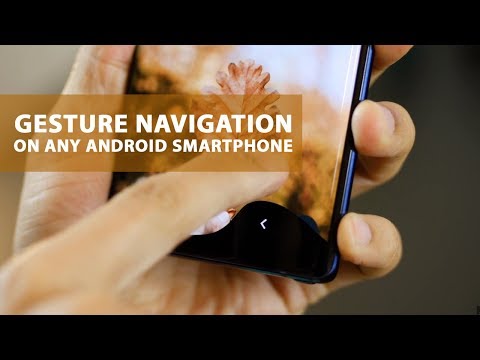
Playback starts YouTube’s embedded player (privacy-enhanced mode).
How to enable gesture navigation and hide navigation bar on any Android smartphone
ChannelmobiscrubDescription from the creator
A lot of phones like OnePlus, Vivo and Oppo come with navigation gesture and that has truly changed the way people navigate on their phones. It’s a lot faster when you get used to it. These phones have the option of enabling navigation gesture instead of navigation bar within the phone’s settings.
However, some Android phones even the latest ones, don’t have the option of Navigation gestures. In fact, they also don’t have the option of hiding the navigation bar.
Steps to do this (this is completely safe and genuine)
Install Fluid navigation gesture from the Play Store: play.google.com/store/apps/details?id=com.fb.fl…
Enable USB debugging on your phone
Go to settings
Go to software information or build number (look for it)
Tap on build number 7 times to unlock Developer Options
Go to settings and then Developer Options
Scroll down to Enable USB debugging
Download ADB drivers:adb.clockworkmod.com/
Download Platform Tools for Android: developer.android.com/studio/releases/platform-…
3. Extract all the contents of the zip file downloaded to a folder called ‘Android tools’
4. Run command prompt in windows - search ‘cmd’ after hitting windows key. Open the CMD prompt
5. Type c:\android tools\platform-tools and hit enter
6. Connect your phone to your laptop using a usb cable (type c or microUSB depending upon your phone’s USB port)
7. Now copy paste the following command in the command prompt and hit enter
adb shell pm grant com.fb.fluid android.permission.WRITE_SECURE_SETTINGS
And that’s it!
Now open the Fluid NG app and you can successfully hide navigation bar too.
After this, you just have to customize the actions associated with bottom bar and side-bars.
The royalty-free music used in this video is 'Back To The Stars' by Nazar Rybak.
(www.melodyloops.com), licensed under Creative Commons "Attribution 3.0". I have given credit for the use of this music at the end in the video description.
Here is a link to the terms of the license:
melodyloops.com/support/full-license/
creativecommons.org/licenses/by/3.0/legalcode
However, some Android phones even the latest ones, don’t have the option of Navigation gestures. In fact, they also don’t have the option of hiding the navigation bar.
Steps to do this (this is completely safe and genuine)
Install Fluid navigation gesture from the Play Store: play.google.com/store/apps/details?id=com.fb.fl…
Enable USB debugging on your phone
Go to settings
Go to software information or build number (look for it)
Tap on build number 7 times to unlock Developer Options
Go to settings and then Developer Options
Scroll down to Enable USB debugging
Download ADB drivers:adb.clockworkmod.com/
Download Platform Tools for Android: developer.android.com/studio/releases/platform-…
3. Extract all the contents of the zip file downloaded to a folder called ‘Android tools’
4. Run command prompt in windows - search ‘cmd’ after hitting windows key. Open the CMD prompt
5. Type c:\android tools\platform-tools and hit enter
6. Connect your phone to your laptop using a usb cable (type c or microUSB depending upon your phone’s USB port)
7. Now copy paste the following command in the command prompt and hit enter
adb shell pm grant com.fb.fluid android.permission.WRITE_SECURE_SETTINGS
And that’s it!
Now open the Fluid NG app and you can successfully hide navigation bar too.
After this, you just have to customize the actions associated with bottom bar and side-bars.
The royalty-free music used in this video is 'Back To The Stars' by Nazar Rybak.
(www.melodyloops.com), licensed under Creative Commons "Attribution 3.0". I have given credit for the use of this music at the end in the video description.
Here is a link to the terms of the license:
melodyloops.com/support/full-license/
creativecommons.org/licenses/by/3.0/legalcode
About this tutorial
mobiscrub published this 6:22 video tutorial on November 3, 2018. It has been watched 497,118 times on YouTube.
- Channel
- mobiscrub
- Category
- Science & Technology
- Duration
- 6:22
- Published
- November 3, 2018
- Views
- 497,118
- Likes
- 7,127
Share
This tutorial in other languages
- FRComment activer la navigation gestuelle et la barre de navigation cacher sur un smartphone Android
- ESCómo habilitar la navegación gesto y la barra de navegación de ocultar cualquier smartphone Android
- PTComo ativar a navegação gesto e bar hide navegação em qualquer smartphone Android
- ITCome attivare la navigazione gesto e barra di nascondere la navigazione su qualsiasi smartphone Android
- DEWie Geste Navigation und verbergen Navigationsleiste auf jedem Android-Smartphone aktivieren
- NLHoe gebaar navigatie en verberg navigatiebalk op elke Android-smartphone in te schakelen
- RUКак включить жест навигации и скрыть панель навигации на любом Android смартфон
- PLJak włączyć nawigację gest i bar ukryj nawigację na każdym smartfonie z Androidem
- JA任意のAndroidのスマートフォン上のジェスチャーナビゲーションと非表示ナビゲーションバーを有効にする方法
- ARكيفية تمكين التنقل فتة وإخفاء شريط التنقل على أي الروبوت الذكي
- HIइशारा नेविगेशन और किसी भी एंड्रॉयड स्मार्टफोन पर छिपाने नेविगेशन पट्टी कैसे सक्षम करें
- IDCara mengaktifkan navigasi gesture dan navigasi menyembunyikan bar pada setiap smartphone Android