Playback starts YouTube’s embedded player (privacy-enhanced mode).
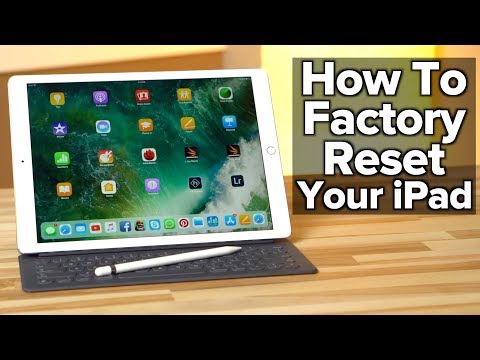
How to Erase and Factory Reset your iPad!
ChannelAppleInsiderIn brief
You’ll restore your iPad to factory settings—ready for resale or a fresh start—by backing up files, erasing storage, and setting up a new device. AppleInsider walks through the process in clear, quick steps, ideal for anyone preparing to sell or repurpose their iPad.
Description from the creator
Want to restore or sell your iPad? AppleInsider covers the step-by-step process of backing up your files, wiping the storage and restoring everything on a new iPad.
Lowest prices on iPads ► prices.appleinsider.com/ipad
$20 bonus on trades over $200 at BBW with coupon code APPLEINSIDER20 ► shrsl.com/bsb4
Our video gear: kit.com/AppleInsider/video-production
Lowest prices on iPads ► prices.appleinsider.com/ipad
$20 bonus on trades over $200 at BBW with coupon code APPLEINSIDER20 ► shrsl.com/bsb4
Our video gear: kit.com/AppleInsider/video-production
About this tutorial
AppleInsider published this 4:56 video tutorial on October 26, 2018. It has been watched 3,027,157 times on YouTube.
- Channel
- AppleInsider
- Category
- Science & Technology
- Duration
- 4:56
- Published
- October 26, 2018
- Views
- 3,027,157
- Likes
- 15,661
Tags
Share
This tutorial in other languages
- FRComment effacer et Réinit.d'usine votre iPad!
- ESCómo borrar y Factory Reset su iPad!
- PTComo apagar e Factory Reset seu iPad!
- ITCome cancellare e ripristino di fabbrica del iPad!
- DEWie zu löschen und Factory Reset Ihr iPad!
- NLHoe te wissen en Factory Reset uw iPad!
- RUКак удалить и Завод.настройки свой IPad!
- PLJak usunąć i fabryczne iPada!
- JAどのように消去し、工場出荷時にiPadをリセット!
- ARكيفية محو ومصنع إعادة تعيين باد الخاص بك!
- HIकैसे मिटा करने के लिए और फैक्टरी अपने iPad को रीसेट करें!
- IDCara Menghapus dan Factory Reset iPad Anda!