Playback starts YouTube’s embedded player (privacy-enhanced mode).
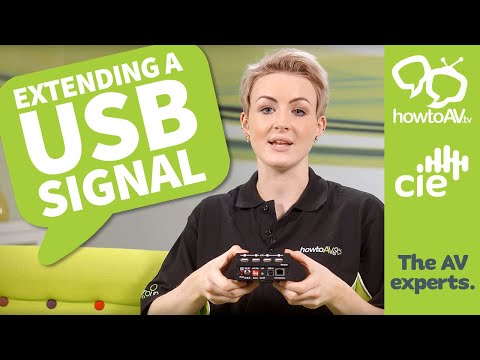
How to extend a USB Signal transmission distance
ChannelHowToAV.tvDescription from the creator
USB - or Universal Serial Bus - is the standard cable interface to transfer data and power between PCs, laptops, handheld and portable devices and a whole whole of peripheral devices.
READ MORE: cie-group.com/how-to-av/videos-and-blogs/how-to…
HowToAV.tv looks at the limitations of USB signal transfer distances.
• USB 2.0 is limited to 5 metre transmission distance.
• USB 3.0 and 3.1 are limited to between 3 and 4 metres.
So how do you extend the transmission distance of a USB signal?..
1. Use high grade USB cable for best signal transmission performance.
2. Connecting 2 or more PASSIVE USB cables together simply won't work!
However, ACTIVE USB Extender Cables (also referrred to as Repeater Cables) exist which will regenerate a USB signal before sending it over an extended distance.
3. A USB Hub will regenerate the USB signal and effectively 'amplify' the signal for connecting multiple USB cables together for longer transmission distances.
4. USB Extender Kits - featuring Transmitter and Receiver devices - will allow USB signals to be transmitted over distances of up to 100 metres via standard Cat5/6/7 Ethernet cable.
Contact us on Twitter: twitter.com/HowToAV
Where to Buy: cie-group.com/
READ MORE: cie-group.com/how-to-av/videos-and-blogs/how-to…
HowToAV.tv looks at the limitations of USB signal transfer distances.
• USB 2.0 is limited to 5 metre transmission distance.
• USB 3.0 and 3.1 are limited to between 3 and 4 metres.
So how do you extend the transmission distance of a USB signal?..
1. Use high grade USB cable for best signal transmission performance.
2. Connecting 2 or more PASSIVE USB cables together simply won't work!
However, ACTIVE USB Extender Cables (also referrred to as Repeater Cables) exist which will regenerate a USB signal before sending it over an extended distance.
3. A USB Hub will regenerate the USB signal and effectively 'amplify' the signal for connecting multiple USB cables together for longer transmission distances.
4. USB Extender Kits - featuring Transmitter and Receiver devices - will allow USB signals to be transmitted over distances of up to 100 metres via standard Cat5/6/7 Ethernet cable.
Contact us on Twitter: twitter.com/HowToAV
Where to Buy: cie-group.com/
About this tutorial
HowToAV.tv published this 5:30 video tutorial on November 12, 2015. It has been watched 42,045 times on YouTube.
- Channel
- HowToAV.tv
- Category
- Science & Technology
- Duration
- 5:30
- Published
- November 12, 2015
- Views
- 42,045
- Likes
- 341
Share
This tutorial in other languages
- FRComment prolonger une transmission USB du signal La distance
- ESCómo extender una señal de distancia de transmisión USB
- PTComo estender um sinal de distância de transmissão USB
- ITCome estendere una distanza di trasmissione del segnale USB
- DEWie eine USB-Signalübertragungsdistanz zu verlängern
- NLHoe maak je een USB signaaloverdracht afstand uit te breiden
- RUКак продлить USB-сигнала расстояние передачи
- PLJak rozszerzyć zasięg transmisji sygnału USB
- JAUSB信号の伝送距離を延長する方法
- ARكيفية تمديد USB الإشارة بعد انتقال
- HIकैसे एक यूएसबी सिग्नल संचरण दूरी का विस्तार करने के
- IDBagaimana untuk memperpanjang USB Signal jarak transmisi