Playback starts YouTube’s embedded player (privacy-enhanced mode).
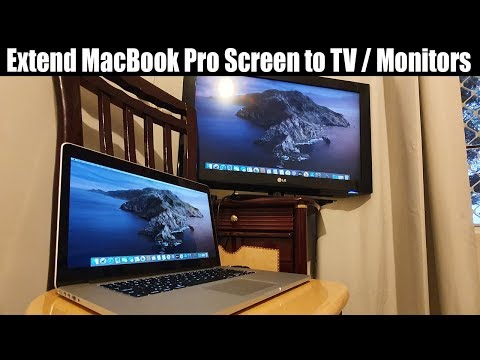
How to Extend MacBook Pro 2015 Screen To a TV or Multiple Monitors (HDMI / ThunderBolt)
ChannelITJunglesDescription from the creator
Learn how you can extend or mirror the MacBook Pro 2015 screen to a TV or Multiple monitors. You can connect using the HDMI cable or the Apple thunderbolt 2 cable.
UGREEN Mini DisplayPort to HDMI VGA Adapter: amzn.to/2TJxXa7
AmazonBasics Mini DisplayPort to HDMI Display Adapter Cable: amzn.to/2VQUwMA
AmazonBasics High-Speed HDMI Cable: amzn.to/2vKKi5N
FOLLOW US ON TWITTER: bit.ly/10Glst1
LIKE US ON FACEBOOK: on.fb.me/ZKP4nU
itjungles.com
ITJungles assumes no liability for property damage or injury incurred as a result of any of the information contained in this video. ITJungles recommends safe practices when working with electrical tools, power equipment, automotive lifts, lifting tools, electrical equipment, blunt instruments, chemicals, lubricants, expensive electronics, or any other tools or equipment seen or implied in this video. Due to factors beyond the control of ITJungles, no information contained in this video shall create any express or implied warranty or guarantee of any particular result. Any injury, damage or loss that may result from improper use of these tools, equipment, or the information contained in this video is the sole responsibility of the user and not ITJungles. Some repairs are easy while others maybe difficult. The level of difficulty depend on your personal experience. Only attempt your own repairs if you can accept personal responsibility for the results, whether they are good or bad.
The above may contain affiliate links.
UGREEN Mini DisplayPort to HDMI VGA Adapter: amzn.to/2TJxXa7
AmazonBasics Mini DisplayPort to HDMI Display Adapter Cable: amzn.to/2VQUwMA
AmazonBasics High-Speed HDMI Cable: amzn.to/2vKKi5N
FOLLOW US ON TWITTER: bit.ly/10Glst1
LIKE US ON FACEBOOK: on.fb.me/ZKP4nU
itjungles.com
ITJungles assumes no liability for property damage or injury incurred as a result of any of the information contained in this video. ITJungles recommends safe practices when working with electrical tools, power equipment, automotive lifts, lifting tools, electrical equipment, blunt instruments, chemicals, lubricants, expensive electronics, or any other tools or equipment seen or implied in this video. Due to factors beyond the control of ITJungles, no information contained in this video shall create any express or implied warranty or guarantee of any particular result. Any injury, damage or loss that may result from improper use of these tools, equipment, or the information contained in this video is the sole responsibility of the user and not ITJungles. Some repairs are easy while others maybe difficult. The level of difficulty depend on your personal experience. Only attempt your own repairs if you can accept personal responsibility for the results, whether they are good or bad.
The above may contain affiliate links.
About this tutorial
ITJungles published this 2:27 video tutorial on March 10, 2020. It has been watched 42,619 times on YouTube.
- Channel
- ITJungles
- Category
- Science & Technology
- Duration
- 2:27
- Published
- March 10, 2020
- Views
- 42,619
- Likes
- 223
Tags
Share
This tutorial in other languages
- FRComment étendre MacBook Pro 2015 Écran Pour un des écrans de télévision ou plusieurs (HDMI / ThunderBolt)
- ESCómo ampliar el MacBook Pro 2015 de la pantalla a un televisor o varios monitores (HDMI / ThunderBolt de)
- PTComo estender MacBook Pro 2015 Tela a uma TV ou monitores múltiplos (HDMI / Thunderbolt)
- ITCome estendere MacBook Pro 2015 schermo a un televisore o monitor multipli (HDMI / ThunderBolt)
- DEWie zu verlängern MacBook Pro 2015-Bildschirm an ein Fernsehgerät oder mehreren Monitoren (HDMI / ThunderBolt)
- NLHoe kan uitbreiden MacBook Pro 2015 scherm om een tv of meerdere beeldschermen (HDMI / Thunderbolt)
- RUКак продлить MacBook Pro 2015 Экран к телевизору или нескольких мониторов (HDMI / ThunderBolt)
- PLJak przedłużyć MacBook Pro 2015 ekran telewizora lub wielu monitorów (HDMI / Thunderbolt)
- JAテレビやマルチモニタにMacBook Proの2015画面を拡張する方法(HDMI /サンダーボルト)
- ARكيفية توسيع ماك بوك برو 2015 شاشة لجهاز تلفزيون أو متعددة الشاشات (HDMI / الصاعقة)
- HIकैसे एक टीवी या एकाधिक पर नज़र रखता है के लिए मैकबुक प्रो 2015 स्क्रीन का विस्तार करने के (HDMI / थंडरबोल्ट)
- IDBagaimana Perluas MacBook Pro 2015 Layar Untuk TV atau Multiple Monitor (HDMI / Thunderbolt)