Playback starts YouTube’s embedded player (privacy-enhanced mode).
How to Factory Restore Hard Reset or Password Wipe the Apple iPod Touch All Generations
ChannelResetpediaDescription from the creator
All Generations 1st 2nd 3rd 4th Generation. Even Your iPhone.
Locked Out?
iPod is disabled?
Forgot Password?
Wanna return back to factory settings?
Warning: All Data will be lost!!!!
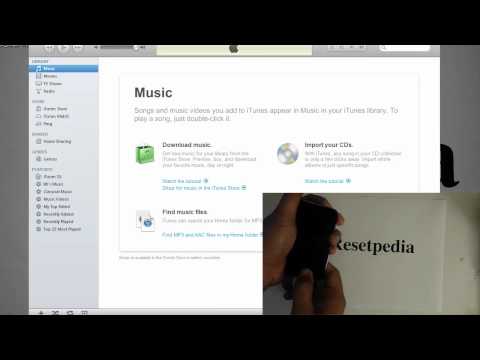
1. Open iTunes on Computer
2. Plug Device in.
3. Press and hold both the HOME button and POWER button simultaneously until the screen blacks out. Count 1-2-3
4. Let go of the POWER button but keep holding the HOME button.
5. In about 20-30 seconds your computer will make a sound and dialog box from iTunes will pop up saying your device needs restore.
6. Itunes will give you the option to restore. Hit the restore button and click OK to anything that pops up.
7. Sit back relax and enjoy!
8. Subscribe! Comment! Like! Thumbs up!
Locked Out?
iPod is disabled?
Forgot Password?
Wanna return back to factory settings?
Warning: All Data will be lost!!!!
1. Open iTunes on Computer
2. Plug Device in.
3. Press and hold both the HOME button and POWER button simultaneously until the screen blacks out. Count 1-2-3
4. Let go of the POWER button but keep holding the HOME button.
5. In about 20-30 seconds your computer will make a sound and dialog box from iTunes will pop up saying your device needs restore.
6. Itunes will give you the option to restore. Hit the restore button and click OK to anything that pops up.
7. Sit back relax and enjoy!
8. Subscribe! Comment! Like! Thumbs up!
About this tutorial
Resetpedia published this 4:48 video tutorial on November 7, 2012. It has been watched 778,948 times on YouTube.
- Channel
- Resetpedia
- Category
- Science & Technology
- Duration
- 4:48
- Published
- November 7, 2012
- Views
- 778,948
- Likes
- 4,566
Tags
Share
This tutorial in other languages
- FRComment restaurer l'usine Hard Reset ou mot de passe Essuyez l'Apple iPod Touch toutes les générations
- ESCómo restauración de fábrica restablecimiento de hardware o contraseña Limpie los Apple iPod Touch todas las generaciones
- PTComo Fábrica Restaurar Hard Reset ou senha Limpe as Apple iPod Touch todas as gerações
- ITCome fabbrica ripristinare un reset hardware o password Pulire iPod Touch tutte le generazioni
- DEWie man auf Werkseinstellungen Hard Reset oder Passwort Wischen Sie die Apple iPod Touch Alle Generationen
- NLHoe kan Factory Restore harde reset of wachtwoord Veeg de Apple iPod Touch alle generaties
- RUКак Factory Restore Hard Reset или пароль Протрите компании Apple Ipod Touch всех поколений
- PLJak Fabryki Restore twardy reset lub hasło Przetrzyj Apple iPod touch wszystkich pokoleń
- JA工場出荷時にアップルのiPod touchのすべての世代を拭きハードリセットまたはパスワードを復元する方法
- ARكيفية استعادة مصنع إعادة تعيين كلمة المرور الصلب أو مسح آبل آي بود تاتش جميع الأجيال
- HIकैसे फैक्टरी के लिए हार्ड रीसेट पुनर्स्थापित या पासवर्ड साफ कर लें एप्पल आइपॉड टच सभी पीढ़ियों
- IDCara Factory Restore Hard Reset atau Password Lap Apple iPod Touch Semua Generasi