Playback starts YouTube’s embedded player (privacy-enhanced mode).
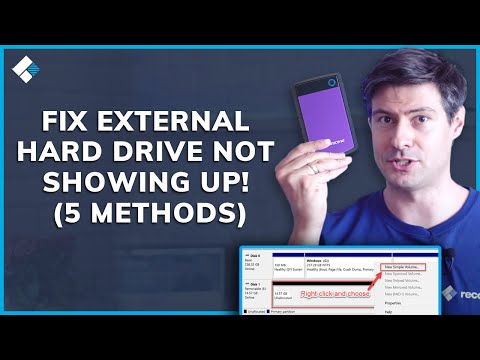
How to Fix External Hard Drive Not Showing Up
ChannelWondershare Recoverit Data RecoveryIn brief
If your external hard drive isn’t appearing in Windows, you’ll troubleshoot detection issues, assign a drive letter, and check file systems—all before deciding whether to recover files or reformat. This guide focuses on Windows users dealing with drives that vanish, refuse to open, or show up as unreadable.
Key steps
- Open Disk Management to check if the drive appears but lacks a letter
- Assign a drive letter if missing via Disk Management’s context menu
- Avoid formatting until you’ve ruled out recoverable files
Chapters
Description from the creator
An external hard drive not showing up in Windows can mean the drive is not detected, has no drive letter, or has a file system issue that blocks access to your files. This video shows how to fix an external hard drive not showing up in Windows, what causes the problem, and when data recovery should come before formatting or partition changes. If the drive is missing, inaccessible, or unreadable, Recoverit can help recover files from external hard drives and other storage devices: bit.ly/3LQg98c
In this video:
00:00 External hard drive not showing up in Windows
00:37 Why an external hard drive may not appear
01:21 Check cables, ports, and Disk Management
02:34 Assign a drive letter and inspect file system issues
03:46 Fix driver or hardware-related detection problems
05:02 Recover files before formatting the drive
This tutorial is for Windows users whose external hard drive is not detected, not recognized, or not visible in File Explorer and who need a safe fix path.
It covers the most common causes, the correct Windows checks to run first, and when to shift from troubleshooting into file recovery.
#ExternalHardDriveNotShowingUp #Windows #DataRecovery
In this video:
00:00 External hard drive not showing up in Windows
00:37 Why an external hard drive may not appear
01:21 Check cables, ports, and Disk Management
02:34 Assign a drive letter and inspect file system issues
03:46 Fix driver or hardware-related detection problems
05:02 Recover files before formatting the drive
This tutorial is for Windows users whose external hard drive is not detected, not recognized, or not visible in File Explorer and who need a safe fix path.
It covers the most common causes, the correct Windows checks to run first, and when to shift from troubleshooting into file recovery.
#ExternalHardDriveNotShowingUp #Windows #DataRecovery
About this tutorial
Wondershare Recoverit Data Recovery published this 7:00 video tutorial on October 26, 2019. It has been watched 3,588,755 times on YouTube.
- Category
- Science & Technology
- Duration
- 7:00
- Published
- October 26, 2019
- Views
- 3,588,755
- Likes
- 27,259
Tags
Share
This tutorial in other languages
- FRComment réparer le disque dur externe ne se présente pas
- ESCómo corregir un disco duro externo que no aparecen
- PTComo corrigir rígido externo não aparecendo
- ITCome risolvere Hard disk esterno non presentandosi
- DEWie Fix externe Festplatte nicht angezeigt
- NLHow To Fix externe harde schijf niet te zien
- RUКак исправить внешний жесткий диск не отображается
- PLJak naprawić zewnętrzny dysk twardy nie wyświetla się
- JA外付けハードドライブが表示されない修正する方法
- ARكيفية إصلاح محرك الأقراص الصلبة الخارجية لا تظهر
- HIठीक करने के लिए कैसे बाहरी हार्ड ड्राइव से नहीं दिखाई दे
- IDCara Memperbaiki Hard Drive Eksternal Tidak Menampilkan Up