Playback starts YouTube’s embedded player (privacy-enhanced mode).
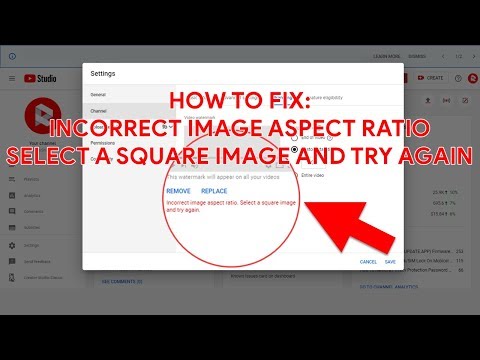
How To Fix "Incorrect image aspect ratio. Select a square image and try again." on YouTube
ChannelRomShillzzDescription from the creator
This video is a tutorial on How To Fix "Incorrect image aspect ratio. Select a square image and try again" When adding a YouTube Branding Watermark without cropping the image.
Follow the video carefully.
Please Note: All described operations you are doing at your own risk.
________________________________
✔ Subscribe: youtube.com/romshillzz?sub_confirmation=1
Subscription is fast, simple and absolutely free! Click on the link above to subscribe, then hit the bell icon 🔔 to turn on notifications!
________________________________
Check out our Blog:
Blog: romshillzzblog.com
________________________________
We're Social:
► Facebook: facebook.com/romshillzz
► Twitter: twitter.com/romshillzz
► Instagram: instagram.com/romshillzz
► WhatsApp: wa.link/97yhc7
► Telegram: t.me/romshillzz
________________________________
We're Open to Donations:
♥ paypal.me/romshillzz
Copyright © RomShillzz
________________________________
Song: Jebase - Hold On (Vlog No Copyright Music)
Music provided by Vlog No Copyright Music.
Video Link: youtu.be/yrH17aIR-Sw
Follow the video carefully.
Please Note: All described operations you are doing at your own risk.
________________________________
✔ Subscribe: youtube.com/romshillzz?sub_confirmation=1
Subscription is fast, simple and absolutely free! Click on the link above to subscribe, then hit the bell icon 🔔 to turn on notifications!
________________________________
Check out our Blog:
Blog: romshillzzblog.com
________________________________
We're Social:
► Facebook: facebook.com/romshillzz
► Twitter: twitter.com/romshillzz
► Instagram: instagram.com/romshillzz
► WhatsApp: wa.link/97yhc7
► Telegram: t.me/romshillzz
________________________________
We're Open to Donations:
♥ paypal.me/romshillzz
Copyright © RomShillzz
________________________________
Song: Jebase - Hold On (Vlog No Copyright Music)
Music provided by Vlog No Copyright Music.
Video Link: youtu.be/yrH17aIR-Sw
About this tutorial
RomShillzz published this 4:36 video tutorial on April 13, 2020. It has been watched 5,774 times on YouTube.
- Channel
- RomShillzz
- Category
- Science & Technology
- Duration
- 4:36
- Published
- April 13, 2020
- Views
- 5,774
- Likes
- 90
Tags
Share
This tutorial in other languages
- FRComment réparer « format d'image incorrect. Sélectionnez une image carrée et essayez à nouveau. » sur Youtube
- ESCómo corregir "relación de aspecto incorrecta. Seleccionar una imagen cuadrada y vuelve a intentarlo." en Youtube
- PTComo corrigir "relação de aspecto de imagem incorreto. Selecione uma imagem quadrada e tente novamente." no YouTube
- ITCome risolvere "non corretto rapporto di aspetto delle immagini. Selezionare un'immagine quadrata e riprovare." su Youtube
- DEHow To Fix „Falsche Bildseitenverhältnis. Wählen Sie ein quadratisches Bild und versuchen Sie es erneut.“ auf Youtube
- NLHow To Fix "Onjuiste beeldverhouding. Selecteer een vierkante afbeelding en probeer het opnieuw." op Youtube
- RUКак исправить «Неправильное соотношение сторон изображения. Выберите квадратное изображение и повторите попытку.» на ютубе
- PLJak naprawić „Niewłaściwe proporcje obrazu. Wybierz kwadratowy obraz i spróbuj ponownie.” na YouTube
- JA修正するにはどのように「誤った画像の縦横比を。正方形の画像を選択して、やり直してください。」ユーチューブで
- ARكيفية إصلاح "نسبة صورة الجانب غير صحيحة. اختر صورة مربعة وحاول مرة أخرى." على يوتيوب
- HIकैसे ठीक करने के लिए "गलत छवि पहलू अनुपात। वर्गाकार छवि का चयन करें और फिर कोशिश करें।" यूट्यूब पर
- IDBagaimana Untuk Perbaiki "rasio aspek gambar salah. Pilih gambar persegi dan coba lagi." di Youtube