Playback starts YouTube’s embedded player (privacy-enhanced mode).
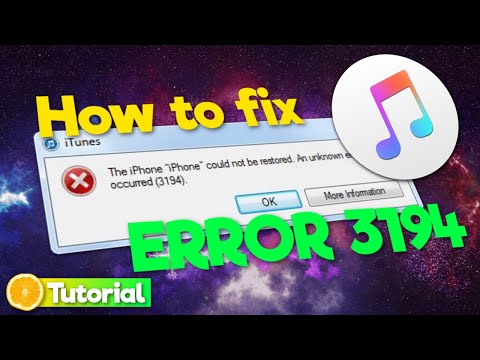
How to fix iTunes Error 3194 on Windows 10/8/7 (Tutorial | 2020)
ChanneliBungler - Tech VideosDescription from the creator
This is a tutorial in which I show you, how to fix iTunes Error 3194 on Windows! (still works in 2021)
*📁 lines to paste into the hosts file (first one worked fine in my case):
74.208.10.249 gs.apple.com
#127.0.0.1 gs.apple.com
----
# 74.208.10.249 gs.apple.com
#127.0.0.1 gs.apple.com
---
*❗ If you want to restore to a signed .ipsw not downloaded from iTunes you might also need to downgrade your iTunes to version 11. If you want to restore or update to an ipsw file which was directly downloaded by iTunes you'll have to remove the named lines in your hosts file.
But, you know, we're still talking about iTunes, so if I was you, I would try it anyway :D
❗ If this video didn't solve your problem, you should check if there's anything blocking the iTunes connection or the ports in your router.
Often wrongdoers are: communication programs like Skype, children security software or two anti virus softwares overlapping !
I hope I was able to help you!
*📁 lines to paste into the hosts file (first one worked fine in my case):
74.208.10.249 gs.apple.com
#127.0.0.1 gs.apple.com
----
# 74.208.10.249 gs.apple.com
#127.0.0.1 gs.apple.com
---
*❗ If you want to restore to a signed .ipsw not downloaded from iTunes you might also need to downgrade your iTunes to version 11. If you want to restore or update to an ipsw file which was directly downloaded by iTunes you'll have to remove the named lines in your hosts file.
But, you know, we're still talking about iTunes, so if I was you, I would try it anyway :D
❗ If this video didn't solve your problem, you should check if there's anything blocking the iTunes connection or the ports in your router.
Often wrongdoers are: communication programs like Skype, children security software or two anti virus softwares overlapping !
I hope I was able to help you!
About this tutorial
iBungler - Tech Videos published this 2:17 video tutorial on February 3, 2020. It has been watched 149,536 times on YouTube.
- Channel
- iBungler - Tech Videos
- Category
- Science & Technology
- Duration
- 2:17
- Published
- February 3, 2020
- Views
- 149,536
- Likes
- 635
Tags
Share
This tutorial in other languages
- FRComment réparer une erreur d'iTunes sur Windows 3194 10/8/7 (Tutoriel | 2020)
- ESCómo corregir iTunes Error 3194 en Windows 10/8/7 (Tutorial | 2020)
- PTComo corrigir iTunes Erro 3194 no Windows 10/8/7 (Tutorial | 2020)
- ITCome risolvere iTunes Errore 3194 su Windows 10/8/7 (Tutorial | 2020)
- DEWie iTunes 3194 unter Windows 10/8/7 Fehler beheben (Tutorial | 2020)
- NLHoe op te lossen iTunes Error 3194 op Windows 10/8/7 (Tutorial | 2020)
- RUКак исправить ITunes Ошибка 3194 на Windows, 10/8/7 (Учебное пособие | 2020)
- PLJak naprawić iTunes Błąd 3194 na Windows 10/8/7 (samouczek | 2020)
- JAWindowsの10/8/7(| 2020チュートリアル)上のiTunesのエラー3194を修正する方法
- ARكيفية إصلاح خطأ ايتون 3194 على ويندوز 10/8/7 (دروس | 2020)
- HIकैसे iTunes विंडोज 10/8/7 पर 3194 त्रुटि को ठीक करने के लिए (ट्यूटोरियल | 2020)
- IDCara untuk memperbaiki iTunes Kesalahan 3194 pada Windows 10/8/7 (Tutorial | 2020)