Playback starts YouTube’s embedded player (privacy-enhanced mode).
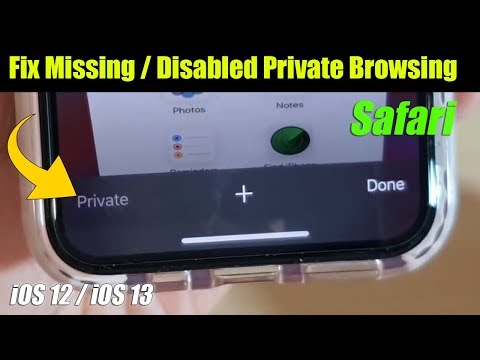
How to Fix Missing / Disabled Safari Private Browsing Button on iPhone / iPad | iOS 12 / iOS 13
ChannelITJunglesDescription from the creator
Learn how you can fix missing or disabled Safari private browsing button on iPhone or iPad running iOS 12 or iOS 13.
FOLLOW US ON TWITTER: bit.ly/10Glst1
LIKE US ON FACEBOOK: on.fb.me/ZKP4nU
itjungles.com
ITJungles assumes no liability for property damage or injury incurred as a result of any of the information contained in this video. ITJungles recommends safe practices when working with electrical tools, power equipment, automotive lifts, lifting tools, electrical equipment, blunt instruments, chemicals, lubricants, expensive electronics, or any other tools or equipment seen or implied in this video. Due to factors beyond the control of ITJungles, no information contained in this video shall create any express or implied warranty or guarantee of any particular result. Any injury, damage or loss that may result from improper use of these tools, equipment, or the information contained in this video is the sole responsibility of the user and not ITJungles. Some repairs are easy while others maybe difficult. The level of difficulty depend on your personal experience. Only attempt your own repairs if you can accept personal responsibility for the results, whether they are good or bad.
The above may contain affiliate links.
FOLLOW US ON TWITTER: bit.ly/10Glst1
LIKE US ON FACEBOOK: on.fb.me/ZKP4nU
itjungles.com
ITJungles assumes no liability for property damage or injury incurred as a result of any of the information contained in this video. ITJungles recommends safe practices when working with electrical tools, power equipment, automotive lifts, lifting tools, electrical equipment, blunt instruments, chemicals, lubricants, expensive electronics, or any other tools or equipment seen or implied in this video. Due to factors beyond the control of ITJungles, no information contained in this video shall create any express or implied warranty or guarantee of any particular result. Any injury, damage or loss that may result from improper use of these tools, equipment, or the information contained in this video is the sole responsibility of the user and not ITJungles. Some repairs are easy while others maybe difficult. The level of difficulty depend on your personal experience. Only attempt your own repairs if you can accept personal responsibility for the results, whether they are good or bad.
The above may contain affiliate links.
About this tutorial
ITJungles published this 1:33 video tutorial on March 8, 2020. It has been watched 153,173 times on YouTube.
- Channel
- ITJungles
- Category
- Science & Technology
- Duration
- 1:33
- Published
- March 8, 2020
- Views
- 153,173
- Likes
- 888
Tags
Share
This tutorial in other languages
- FRComment réparer manquant / Désactivé Safari Bouton de navigation privée sur iPhone / iPad | iOS 12/13 iOS
- ESCómo arreglar Missing / botón discapacitados Safari Navegación privada en el iPhone / iPad | iOS 12 / IOS 13
- PTComo corrigir ausente / Disabled Safari Privado de Navegação Botão no iPhone / iPad | iOS 12/13 iOS
- ITCome risolvere mancante / pulsante disabili Safari navigazione privata su iPhone / iPad | IOS 12/13 IOS
- DEWie Fix Fehlende / Disabled Safari Private Browsing-Knopf auf dem iPhone / iPad | IOS 12 / IOS 13
- NLHoe kan ik Fix Missing / handicap Safari Private Browsing Button op de iPhone / iPad | IOS 12/13 IOS
- RUКак исправить Отсутствует / Disabled Safari Private Browsing кнопки на iPhone / IPad | IOS-12 / IOS, 13
- PLJak naprawić brakujące / Disabled Safari Private Browsing przycisku na iPhone / iPad | iOS 12 / iOS 13
- JAiPhone / iPadの欠落/障害者Safariのプライベートブラウズボタンを修正する方法| iOSの12 / iOSの13
- ARكيفية إصلاح مفقود / المعاقين سفاري التصفح الخاصة زر على اي فون / آي باد | دائرة الرقابة الداخلية 12/13 دائرة الرقابة الداخلية
- HIकैसे गुम / iPhone / iPad पर विकलांग सफारी निजी ब्राउजिंग बटन ठीक करने के लिए | आईओएस 12 / आईओएस 13
- IDCara Perbaiki Hilang / cacat Safari Private Browsing Tombol pada iPhone / iPad | iOS 12 / iOS 13