Playback starts YouTube’s embedded player (privacy-enhanced mode).
How to fix This file contains characters in Unicode format which will be lost-Notepad
ChannelTheta BoxDescription from the creator
How to fix This file contains characters in Unicode format which will be lost-Notepad-this file contains characters in unicode format which will be lost notepad-notepad ansi encoding.
I get the following error message/notification while try to save the Notepad text into my local drive:
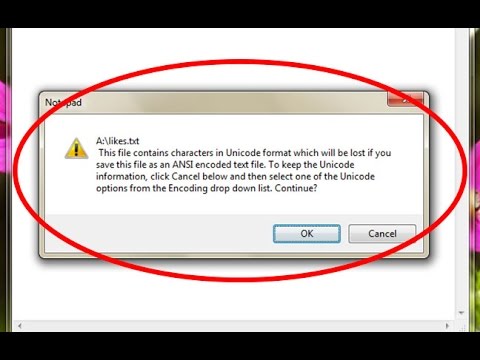
This file contains characters in Unicode format which will be lost if you save this file as an ANSI encoded text file.To keep the Unicode information,click Cancel below and then select one of the Unicode options from the Encoding drop down list.Continue?
Ok Cancel
🎥 👍 💞✔✅LIKE &💖.✔✅SHARE 🐠 💞✔ COMMENTS💞✔ 💯
This problem solution is also common for windows 7,windows 8,windows 8.1,windows 10 also.
Solution:
1.Goto File - Save.
2.Type the file name.
3.Now goto "Encoding" option, in this section you can choose"Unicode" option.
4.Finally click to save the file.
5.The problem is solved and the Notepad file is saved successfully.
I get the following error message/notification while try to save the Notepad text into my local drive:
This file contains characters in Unicode format which will be lost if you save this file as an ANSI encoded text file.To keep the Unicode information,click Cancel below and then select one of the Unicode options from the Encoding drop down list.Continue?
Ok Cancel
🎥 👍 💞✔✅LIKE &💖.✔✅SHARE 🐠 💞✔ COMMENTS💞✔ 💯
This problem solution is also common for windows 7,windows 8,windows 8.1,windows 10 also.
Solution:
1.Goto File - Save.
2.Type the file name.
3.Now goto "Encoding" option, in this section you can choose"Unicode" option.
4.Finally click to save the file.
5.The problem is solved and the Notepad file is saved successfully.
About this tutorial
Theta Box published this 1:21 video tutorial on October 28, 2017. It has been watched 78,774 times on YouTube.
- Channel
- Theta Box
- Category
- Science & Technology
- Duration
- 1:21
- Published
- October 28, 2017
- Views
- 78,774
- Likes
- 646
Tags
Share
This tutorial in other languages
- FRComment corriger Ce fichier contient des caractères au format Unicode qui seront perdus-Bloc-notes
- ESCómo corregir Este archivo contiene caracteres Unicode en el formato que se perdieron-Bloc de notas
- PTComo corrigir Este arquivo contém caracteres em formato Unicode que serão perdidos-Notepad
- ITCome risolvere Questo file contiene caratteri in formato Unicode che verranno persi-Notepad
- DEWie Diese Datei enthält Zeichen im Unicode-Format zu beheben, das lost-Editor wird
- NLHoe op te lossen Dit bestand bevat tekens in Unicode-formaat, die zal worden verloren Notepad
- RUКак исправить этот файл содержит символы в формате Unicode, которые будут потеряны, Notepad
- PLJak naprawić ten plik zawiera znaki w formacie Unicode, które zostaną utracone-Notepad
- JAこのファイルは、メモ帳失われますUnicode形式の文字が含まれている修正する方法
- ARكيفية إصلاح هذا الملف يحتوي على أحرف بتنسيق Unicode التي ستفقد-المفكرة
- HIकैसे तय करने के लिए इस फ़ाइल को यूनिकोड प्रारूप में पात्रों जो खो-नोटपैड हो जाएंगे
- IDCara untuk memperbaiki File ini berisi karakter dalam format Unicode yang akan hilang-Notepad