Playback starts YouTube’s embedded player (privacy-enhanced mode).
How to Force Restart, Enter DFU, Recovery Mode on iPhone 11/11 Pro
ChannelMacRumorsIn brief
You’ll learn the exact button combinations to force restart, enter DFU mode, or recovery mode on an iPhone 11, 11 Pro, or 11 Pro Max—useful for troubleshooting or software updates. The video covers each method clearly, including why these modes exist and when you might need them.
Questions & answers
Will these steps work on an iPhone 11 Pro Max?
Yes, the same button combinations apply to all iPhone 11 models, including the Pro Max.
Description from the creator
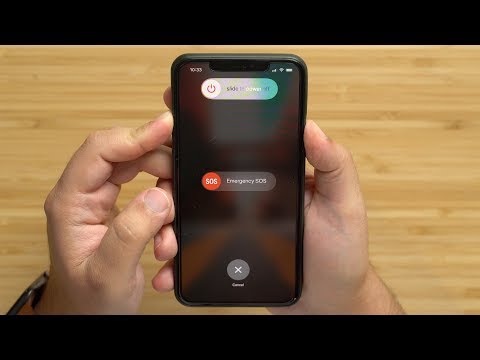
Apple's newest range of smartphones, the iPhone 11, iPhone 11 Pro and iPhone Pro Max, share the same overall design of last year's iPhone XR, XS, and XS Max. As such, the physical buttons have inherited the same range of functions, including powering on and off, forcing a restart, entering DFU mode, entering recovery mode, activating Emergency SOS, and temporarily disabling Face ID.
In this video, you'll find step-by-step guides for performing the button combinations of all of the above functions, along with explanations of what the more obscure ones do and why they might one day come in useful.
read more - macrumors.com/how-to/force-restart-iphone-11-ip…
This video is sponsored by Defense Brand! Check out bit.ly/2PcoqG5 for more information
In this video, you'll find step-by-step guides for performing the button combinations of all of the above functions, along with explanations of what the more obscure ones do and why they might one day come in useful.
read more - macrumors.com/how-to/force-restart-iphone-11-ip…
This video is sponsored by Defense Brand! Check out bit.ly/2PcoqG5 for more information
About this tutorial
MacRumors published this 5:42 video tutorial on November 27, 2019. It has been watched 3,413,522 times on YouTube.
- Channel
- MacRumors
- Category
- Science & Technology
- Duration
- 5:42
- Published
- November 27, 2019
- Views
- 3,413,522
- Likes
- 14,587
Tags
Share
This tutorial in other languages
- FRComment forcer Restart, Entrez DFU, le mode de récupération sur iPhone 11/11 Pro
- ESCómo forzar reinicio, Ingrese DFU, el modo de recuperación en el iPhone 11/11 Pro
- PTComo forçar Restart, Enter DFU, modo de recuperação no iPhone 11/11 Pro
- ITCome Forza Restart, Enter DFU, modalità di recupero su iPhone 11/11 Pro
- DEWie man Neustart erzwingen, Enter DFU, Recovery Mode auf dem iPhone 11/11 Pro
- NLHoe te Force Restart, Enter DFU, Recovery Mode op iPhone 11/11 Pro
- RUКак Force Restart, Enter DFU, режим восстановления на iPhone Pro 11/11
- PLJak zmusić Restart, Enter DFU, tryb odzyskiwania na iPhone 11/11 Pro
- JAどのように強制的に再起動するには、iPhone 11/11プロにDFU、リカバリモードを入力します。
- ARكيفية إعادة قوة، أدخل DFU، وضع الاسترداد على اي فون 11/11 برو
- HIकैसे सेना पुनः प्रारंभ करने के लिए, DFU, पुनर्प्राप्ति मोड में जाने iPhone 11/11 प्रो पर
- IDCara Angkatan Restart, Masukkan DFU, Recovery Mode di iPhone 11/11 Pro