Playback starts YouTube’s embedded player (privacy-enhanced mode).
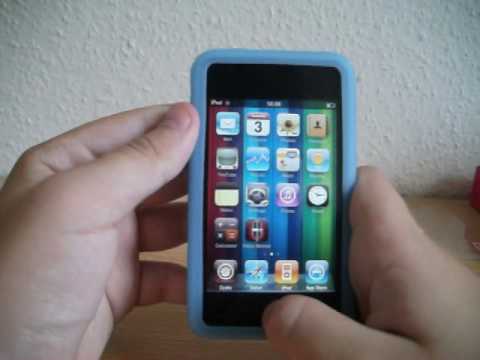
How To Get Multitasking And Wallpapers On iPod Touch 2G (NO COMPUTER)
ChanneliPodTechUKDescription from the creator
Hey guys, this is how you can get the ios4 features on an ipod touch 2g which sadly apple didnt allow multitasking and backgrounds on 2G
1 - Go to cydia and then go to search
2 - Search for Features, you should see 2 options. Pick the one which corresponds to your generation.
3 - Tap install and install features, you will need winterboard. If you dont have winterboard, it shall be installed with features.
4 - Go to springboard and go on winterboard, tap select themes and tap what you want on (Backgrounds, Multitasking or Both)
5 - Now press the home button and wait for your ipod to respring.
Congratulations you now have ios4 features.
To activate multitasking double tap home button.
To put on a wallpaper, go to settings, then wallpaper then pick and scale your desired photo.
Have fun, iPodTechUK
1 - Go to cydia and then go to search
2 - Search for Features, you should see 2 options. Pick the one which corresponds to your generation.
3 - Tap install and install features, you will need winterboard. If you dont have winterboard, it shall be installed with features.
4 - Go to springboard and go on winterboard, tap select themes and tap what you want on (Backgrounds, Multitasking or Both)
5 - Now press the home button and wait for your ipod to respring.
Congratulations you now have ios4 features.
To activate multitasking double tap home button.
To put on a wallpaper, go to settings, then wallpaper then pick and scale your desired photo.
Have fun, iPodTechUK
About this tutorial
iPodTechUK published this 3:20 video tutorial on November 1, 2010. It has been watched 48,293 times on YouTube.
- Channel
- iPodTechUK
- Category
- Science & Technology
- Duration
- 3:20
- Published
- November 1, 2010
- Views
- 48,293
- Likes
- 140
Tags
Share
This tutorial in other languages
- FRComment faire pour obtenir Multitâche et fonds d'écran sur iPod Touch 2G (NO ORDINATEUR)
- ESCómo conseguir multitarea y fondos de pantalla en el iPod touch 2G (ninguna computadora)
- PTComo obter multitarefa e Wallpapers no iPod Touch 2G (NO COMPUTADOR)
- ITCome ottenere il multitasking e sfondi su iPod Touch 2G (nessun computer)
- DEWie Multitasking und Tapeten auf dem iPod Touch 2G (NO COMPUTER) bekommen
- NLHow To Get Multitasking en wallpapers op de iPod touch 2G (geen computer)
- RUКак получить многозадачность и обои на IPod Touch 2G (NO КОМПЬЮТЕР)
- PLJak zdobyć Wielozadaniowość I Tapety Na iPod Touch 2G (NO komputera)
- JAマルチタスクや壁紙にはiPod touchの2G(NO COMPUTER)を取得する方法
- ARكيفية الحصول على تعدد المهام وخلفيات على آي بود تاتش 2G (NO COMPUTER)
- HIकैसे प्राप्त करने के लिए मल्टीटास्किंग और वॉलपेपर पर आइपॉड टच 2 जी (कोई कंप्यूटर)
- IDCara Dapatkan Multitasking Dan Wallpaper Pada iPod Touch 2G (NO COMPUTER)