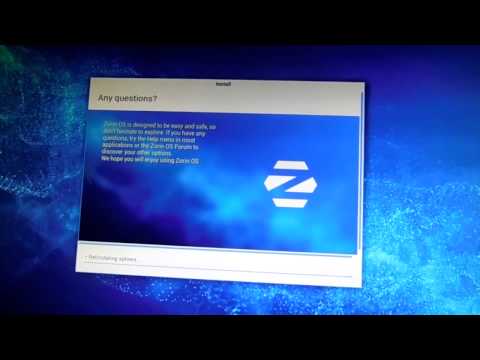
Playback starts YouTube’s embedded player (privacy-enhanced mode).
How to install any Linux Distro (Zorin OS 9) in windows without CD/DVD/USB ISO Boot WUBI Hack
ChannelB ing Su/ManDescription from the creator
Here I'm gonna show you how to install any Linux Distro along with Windows using WUBI.
If you are Migrating from Windows and trying Linux for the first time, I would recommend Zorin OS as it feels like you're at Home. You can try Linux Mint or any other linux distro as well.
Visit Zorin OS Home page - zorin-os.com/
Zorin OS is a multi-functional operating system designed specifically for newcomers to Linux. If you are familiar with Windows and want to try Linux Zorin is most windows lookalike linux distro, plus it comes with WINE pre-installed which helps you to run any windows application.
WUBI is awindows executable program that installs Ubuntu OS inside Windows. You can uninstall the OS from CONTROL PANEL just like any other windows programs.
WUBI is made for selected UBUNTU based Distros like UBUNTU, LUBUNTU, XUBUNTU. Most of the OS wants separate partition to work along side Windows.
If you just try a new Linux distro you can
1. Download the ISO file from their website (visit distrowatch.com/ for more info)
2. burn ISO into CD/DVD
3. Boot from LIVE CD
or,
you can use VirtualBOX / GRUB4DOS / memdisk to boot from ISO
or
you can use Unetbootin and similar softwares to make a bootable usb installation
or,
You can Hack WUBi by forging any OS as Ubuntu.
Here I'm gonna telll you about the 3rd Choice:
you will need another Ubuntu ISO image alongside Zorin ISO image.here i have choosen lubuntu (700Mb).
1. extract WUBI.exe from UBUNTU.ISO file
2. put UBUNTU.ISO & WUBI.exe at Drive C://
3. Run WUBI and continue installing UBUNTU.
When it asks for a reboot to continue, just click reboot later.
Now here comes the tricky part.
1. goto C://Ubuntu/install/boot
2. replace
'VMLINUZ'
'INITRD.LZ'
'MD5SUM'
with the same files from your choosen Linux distro ISO file. Most of the time you can get those file from the 'CASPER' folder of the ISO file.
3.replace C://install/installtion.iso file with your choosen Linux distro ISO file.
Thats it. Now you are ready to install any Linux distro using WUBI.
Note. Some linux distro has different INITRD file extension like .GZ .XZ, etc; You will need to modify the C://ubuntu/install/boot/grub/grub.cfg according to the file extension.
Reboot and Bingo.
If you are Migrating from Windows and trying Linux for the first time, I would recommend Zorin OS as it feels like you're at Home. You can try Linux Mint or any other linux distro as well.
Visit Zorin OS Home page - zorin-os.com/
Zorin OS is a multi-functional operating system designed specifically for newcomers to Linux. If you are familiar with Windows and want to try Linux Zorin is most windows lookalike linux distro, plus it comes with WINE pre-installed which helps you to run any windows application.
WUBI is awindows executable program that installs Ubuntu OS inside Windows. You can uninstall the OS from CONTROL PANEL just like any other windows programs.
WUBI is made for selected UBUNTU based Distros like UBUNTU, LUBUNTU, XUBUNTU. Most of the OS wants separate partition to work along side Windows.
If you just try a new Linux distro you can
1. Download the ISO file from their website (visit distrowatch.com/ for more info)
2. burn ISO into CD/DVD
3. Boot from LIVE CD
or,
you can use VirtualBOX / GRUB4DOS / memdisk to boot from ISO
or
you can use Unetbootin and similar softwares to make a bootable usb installation
or,
You can Hack WUBi by forging any OS as Ubuntu.
Here I'm gonna telll you about the 3rd Choice:
you will need another Ubuntu ISO image alongside Zorin ISO image.here i have choosen lubuntu (700Mb).
1. extract WUBI.exe from UBUNTU.ISO file
2. put UBUNTU.ISO & WUBI.exe at Drive C://
3. Run WUBI and continue installing UBUNTU.
When it asks for a reboot to continue, just click reboot later.
Now here comes the tricky part.
1. goto C://Ubuntu/install/boot
2. replace
'VMLINUZ'
'INITRD.LZ'
'MD5SUM'
with the same files from your choosen Linux distro ISO file. Most of the time you can get those file from the 'CASPER' folder of the ISO file.
3.replace C://install/installtion.iso file with your choosen Linux distro ISO file.
Thats it. Now you are ready to install any Linux distro using WUBI.
Note. Some linux distro has different INITRD file extension like .GZ .XZ, etc; You will need to modify the C://ubuntu/install/boot/grub/grub.cfg according to the file extension.
Reboot and Bingo.
About this tutorial
B ing Su/Man published this 4:37 video tutorial on November 4, 2015. It has been watched 38,880 times on YouTube.
- Channel
- B ing Su/Man
- Category
- Science & Technology
- Duration
- 4:37
- Published
- November 4, 2015
- Views
- 38,880
- Likes
- 172
Tags
Share
This tutorial in other languages
- FRComment installer une distribution Linux (Zorin OS 9) dans les fenêtres sans CD / DVD / USB ISO Boot Wubi Hack
- ESComo instalar cualquier distribución de Linux (Zorin OS 9) en las ventanas sin CD / DVD / USB de arranque ISO WUBI Hack
- PTComo instalar qualquer Distro Linux (Zorin OS 9) em janelas sem CD / DVD / USB ISO Bota Wubi Corte
- ITCome installare qualsiasi Distro Linux (Zorin OS 9) in finestre senza CD / DVD / USB ISO Boot Wubi Hack
- DEWie jeden Linux-Distro (Zorin OS 9) in den Fenstern ohne CD / DVD / USB-ISO-Boot-Wubi Hack installieren
- NLHoe een Linux distro (Zorin OS 9) in Windows te installeren zonder CD / DVD / USB ISO Boot Wubi Hack
- RUКак установить любой Linux Distro (Зорин OS 9) в окнах без CD / DVD / USB ISO загрузки Wubi Hack
- PLJak instalować żadnego distro linux (Zorin OS 9) w oknach bez CD / DVD / USB ISO Boot Wubi Hack
- JACD / DVD / USB ISOブートWubiをハックすることなく、ウィンドウ内の任意のLinuxディストリビューション(Zorin OS 9)をインストールする方法
- ARكيفية تثبيت أي توزيعة لينكس (زورين OS 9) في ويندوز بدون CD / DVD / USB ISO التمهيد وبي هاك
- HIबिना सीडी / डीवीडी / USB आईएसओ बूट Wubi हैक खिड़कियों में किसी भी Linux distro (Zorin ओएस 9) स्थापित करने के लिए
- IDBagaimana menginstal Linux Distro (Zorin OS 9) di windows tanpa CD / DVD / USB ISO Boot Wubi Hack