Playback starts YouTube’s embedded player (privacy-enhanced mode).
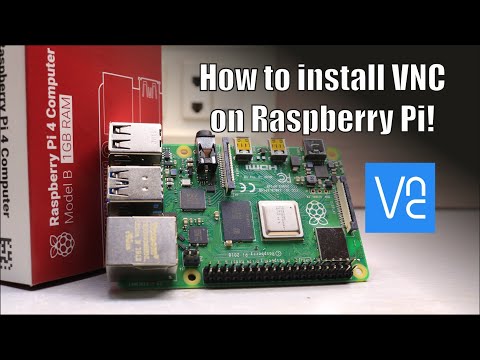
How to install VNC on Raspberry pi | Remote Access
ChannelNematicsLabDescription from the creator
More project information(Code,Schematic,etc):- nematicslab.com/how-to-install-vnc-on-raspberry…
Music: Ice Cream by Joey Pecoraro
Website,
NematicsLab.com
Patreon,
patreon.com/NematicsLab
For Sponsorships or Endorsements ONLY!
[email protected]
For project-related questions use Facebook or Twitter @NematicsLab
Electronics Starter kit Tools:
Soldering Iron - banggood.in/custlink/DKGKUAqCKa
Solder wire - banggood.in/custlink/mv3vks2ROf
Helping Hands - banggood.in/custlink/vmvmMAqd0C
Hot Glue - banggood.in/custlink/D3GDMAkWDS
---------- Links For Raspberry Pi----------
1)Raspberry Pi 4 Model B -banggood.in/custlink/Gv3m9Ngcyt
2)Raspberry Pi 3 Model B+ - banggood.in/custlink/GmGDIjNzE8
3)5V 2.5A US/EU Plug Power Supply Adapter - banggood.in/custlink/v3DDILbMCj
4)5V Type C adapter - banggood.in/custlink/33KDiA4Jh6
5)Pi 3B+Heatsink - banggood.in/custlink/DmvmILbqp7
---------- Affiliate ----------
Gearbest- bit.ly/2KD54KD
Banggod- bit.ly/36IMEiy
LCSC - bit.ly/2KD0hJ0
---------- Social Media ----------
Facebook - bit.ly/2FC5lJz
Instagram - bit.ly/2XddQpe
Twitter - bit.ly/2IUhqMm
----------------Littel information about Video-------------------
Sometimes it is not convenient to work directly on the Raspberry Pi. Maybe you would like to work on it from another device by remote control.
VNC is a graphical desktop sharing system that allows you to remotely control the desktop interface of one computer (running VNC Server) from another computer or mobile device (running VNC Viewer). VNC Viewer transmits the keyboard and either mouse or touch events to VNC Server and receives updates to the screen in return.
You will see the desktop of the Raspberry Pi inside a window on your computer or mobile device. You'll be able to control it as though you were working on the Raspberry Pi itself.
VNC Connect from RealVNC is included with Raspbian. It consists of both VNC Server, which allows you to control your Raspberry Pi remotely and VNC Viewer, which allows you to control desktop computers remotely from your Raspberry Pi should you want to.
Music: Ice Cream by Joey Pecoraro
Website,
NematicsLab.com
Patreon,
patreon.com/NematicsLab
For Sponsorships or Endorsements ONLY!
[email protected]
For project-related questions use Facebook or Twitter @NematicsLab
Electronics Starter kit Tools:
Soldering Iron - banggood.in/custlink/DKGKUAqCKa
Solder wire - banggood.in/custlink/mv3vks2ROf
Helping Hands - banggood.in/custlink/vmvmMAqd0C
Hot Glue - banggood.in/custlink/D3GDMAkWDS
---------- Links For Raspberry Pi----------
1)Raspberry Pi 4 Model B -banggood.in/custlink/Gv3m9Ngcyt
2)Raspberry Pi 3 Model B+ - banggood.in/custlink/GmGDIjNzE8
3)5V 2.5A US/EU Plug Power Supply Adapter - banggood.in/custlink/v3DDILbMCj
4)5V Type C adapter - banggood.in/custlink/33KDiA4Jh6
5)Pi 3B+Heatsink - banggood.in/custlink/DmvmILbqp7
---------- Affiliate ----------
Gearbest- bit.ly/2KD54KD
Banggod- bit.ly/36IMEiy
LCSC - bit.ly/2KD0hJ0
---------- Social Media ----------
Facebook - bit.ly/2FC5lJz
Instagram - bit.ly/2XddQpe
Twitter - bit.ly/2IUhqMm
----------------Littel information about Video-------------------
Sometimes it is not convenient to work directly on the Raspberry Pi. Maybe you would like to work on it from another device by remote control.
VNC is a graphical desktop sharing system that allows you to remotely control the desktop interface of one computer (running VNC Server) from another computer or mobile device (running VNC Viewer). VNC Viewer transmits the keyboard and either mouse or touch events to VNC Server and receives updates to the screen in return.
You will see the desktop of the Raspberry Pi inside a window on your computer or mobile device. You'll be able to control it as though you were working on the Raspberry Pi itself.
VNC Connect from RealVNC is included with Raspbian. It consists of both VNC Server, which allows you to control your Raspberry Pi remotely and VNC Viewer, which allows you to control desktop computers remotely from your Raspberry Pi should you want to.
About this tutorial
NematicsLab published this 3:35 video tutorial on November 8, 2019. It has been watched 71,109 times on YouTube.
- Channel
- NematicsLab
- Category
- Science & Technology
- Duration
- 3:35
- Published
- November 8, 2019
- Views
- 71,109
- Likes
- 786
Tags
Share
This tutorial in other languages
- FRComment installer VNC sur Raspberry Pi | Accès à distance
- ESComo instalar VNC en Raspberry Pi | Acceso remoto
- PTComo instalar VNC no Raspberry Pi | Acesso remoto
- ITCome installare VNC su Raspberry Pi | Accesso remoto
- DEWie installieren VNC auf Raspberry Pi | Fernzugriff
- NLHoe kan ik VNC installeren op Raspberry Pi | Toegang op afstand
- RUКак установить VNC на Raspberry Pi | Удаленный доступ
- PLJak zainstalować VNC na Raspberry Pi | Dostęp zdalny
- JAラズベリーパイにVNCをインストールする方法|リモートアクセス
- ARكيفية تثبيت VNC على التوت بي | الوصول عن بعد
- HIरास्पबेरी पाई पर VNC स्थापित करने के लिए | दूरस्थ पहुँच
- IDBagaimana menginstal VNC pada Raspberry pi | remote Access