Playback starts YouTube’s embedded player (privacy-enhanced mode).
How To: Installing A Motherboard
ChannelSimple Tech ReviewersDescription from the creator
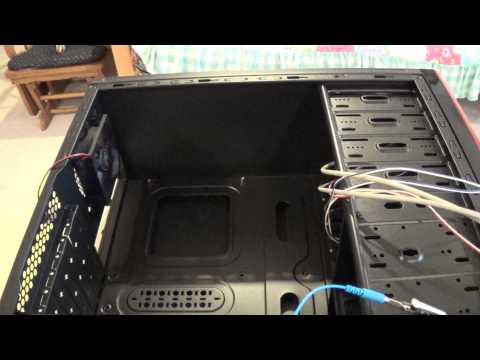
Kevin here on behalf of Simple Tech Reviews doing another How To video on installing our MSI motherboard into a computer case. A few steps to follow but a fairly simple process. Install the I/O shield plate first into the case, clear out any wires that are in the way, screw in the motherboard standoffs into the case and use the appropriate amount for your motherboard, then slide the motherboard into the case and bolt it down using the screws. Please remember to like, comment, and subscribe to our channel! Thanks for watching!
About this tutorial
Simple Tech Reviewers published this 6:07 video tutorial on November 4, 2014. It has been watched 69,850 times on YouTube.
- Channel
- Simple Tech Reviewers
- Category
- Science & Technology
- Duration
- 6:07
- Published
- November 4, 2014
- Views
- 69,850
- Likes
- 369
Tags
Share
This tutorial in other languages
- FRComment faire pour l'installation d'une carte mère
- ESCómo: Instalación La placa base
- PTComo: Instalar um Motherboard
- ITCome: Installazione di uno scheda madre
- DEHow To: Installieren von A Motherboard
- NLHow To: Het installeren van een moederbord
- RUКак: Установка материнской платы
- PLJak: Instalowanie płyty głównej
- JA方法:インストールAマザーボード
- ARكيفية: تثبيت اللوحة
- HIकैसे: स्थापित कर रहा है एक मदरबोर्ड
- IDCara: Instalasi A Motherboard