Playback starts YouTube’s embedded player (privacy-enhanced mode).
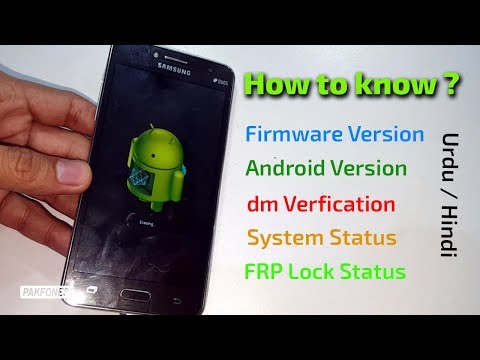
How to Know Samsung Android Version / Firmware / dm verification / FRP Lock Status / System Status
ChannelPAKFONESDescription from the creator
▼Video Created at #PAKFONES for educational purpose
In this video i have described about Samsung Android Version / Firmware / dm verification / FRP Lock Status / System Status on bricked or none working Samsung phones. This video is based on Urdu language but if you don't understand Urdu you can read subtitles to understand.
If you think i done something quickly you can pause or rewind video to understand.
▼How to Boot Samsung into Recovery Mode?
♦ - Turn off your Samsung phone
♦ - Press and hold volume up + home keys
♦ - Press power on button
♦ - Release power button on vibrate or logo appear on screen
♦ - You will be in recovery mode now!
♦ - If you see only droid logo on screen then press power button once again, if still not get recovery then press all keys at same time for a second.
▼How to boot Samsung into Download mode?
♦ - Turn off you Samsung phone
♦ - Press and hold Home + VOL Down + Power ON
♦ - Warning screen will be displayed
♦ - Press VOL UP to conform for Samsung download mode
Video Content:
0:05 - How to boot Samsung Grand Prime Plus into Recovery Mode?
1:05 - How to check Samsung dm verification?
1:38 - How to check Samsung Android Version?
1:43 - Check Samsung Firmware Version on none working phone?
2:00 - How to Hard Reset Samsung Grand Prime Plus?
2:12 - How to check Samsung FRP Lock Status?
2:35 - How to check Samsung System Status?
2:35 - How to check Samsung Current Binary?
▼For Business Inquiry▼
Only for people who can pay for solving their problems privately!
Whatsapp! ⚠️(Messages Only)
✉ +92-300-4537-079
♦ Subscribe for more!
Make sure you have pressed (🔔)
➜ goo.gl/VNmko3
#️Website
➜ pakfones.com/
▼Follow Us on Google Plus - Get notified on every new post
➜ plus.google.com/+pakfones
Our Social Media Links!
Facebook: facebook.com/pakfones
Twitter: twitter.com/PakFoneOfficial
Instagram: instagram.com/pakfones/
linkedin: linkedin.com/in/pakfones/
Pinterest: pinterest.com/pakfones/
Dailymotion: dailymotion.com/pakfones
Note: We uploaded this video for educational purpose, For those who willing to learn, You don't have permission to re-upload or use our guides for illegal purpose.
▼Watch More Videos About on Cellphone Tips & Tricks▼
How To Bypass Google Account Samsung Core Prime new security 2016
➜ youtube.com/watch?v=NEF2NmsJ-EE
Huawei Y6 Google Account Bypass New Security 2016
➜ youtube.com/watch?v=-l9XJZraUk8
Samsung Digital Mic Replacement full hd video Part-1
➜ youtube.com/watch?v=nDJg8kSbzEQ
Samsung Note5 frp unlock new security 2016 Android 6.0.1
➜ youtube.com/watch?v=KQ1rr0p2nq4
How To Upgrade Samsung J5 To Marshmallow 6.0.1 Free
➜ youtube.com/watch?v=QRZDjXFNP7g
Bypass Google Account on Motorola Moto E 2nd Gen, Droid turbo, Turbo 2, G4, G4 Play, G4 Plus
➜ youtube.com/watch?v=EoVhTpoDgc8
How to Fix LG G4 bootloop - With Battery
➜ youtube.com/watch?v=lbpRhbvST4o
Motorola Google Account Bypass Android 6.0.1 - Latest Update till 2017
➜ youtube.com/watch?v=ipiG_G7eTQc
Samsung Galaxy A7 2016 Hard Reset
➜ youtube.com/watch?v=OR3t7ZYd1RE
In this video i have described about Samsung Android Version / Firmware / dm verification / FRP Lock Status / System Status on bricked or none working Samsung phones. This video is based on Urdu language but if you don't understand Urdu you can read subtitles to understand.
If you think i done something quickly you can pause or rewind video to understand.
▼How to Boot Samsung into Recovery Mode?
♦ - Turn off your Samsung phone
♦ - Press and hold volume up + home keys
♦ - Press power on button
♦ - Release power button on vibrate or logo appear on screen
♦ - You will be in recovery mode now!
♦ - If you see only droid logo on screen then press power button once again, if still not get recovery then press all keys at same time for a second.
▼How to boot Samsung into Download mode?
♦ - Turn off you Samsung phone
♦ - Press and hold Home + VOL Down + Power ON
♦ - Warning screen will be displayed
♦ - Press VOL UP to conform for Samsung download mode
Video Content:
0:05 - How to boot Samsung Grand Prime Plus into Recovery Mode?
1:05 - How to check Samsung dm verification?
1:38 - How to check Samsung Android Version?
1:43 - Check Samsung Firmware Version on none working phone?
2:00 - How to Hard Reset Samsung Grand Prime Plus?
2:12 - How to check Samsung FRP Lock Status?
2:35 - How to check Samsung System Status?
2:35 - How to check Samsung Current Binary?
▼For Business Inquiry▼
Only for people who can pay for solving their problems privately!
Whatsapp! ⚠️(Messages Only)
✉ +92-300-4537-079
♦ Subscribe for more!
Make sure you have pressed (🔔)
➜ goo.gl/VNmko3
#️Website
➜ pakfones.com/
▼Follow Us on Google Plus - Get notified on every new post
➜ plus.google.com/+pakfones
Our Social Media Links!
Facebook: facebook.com/pakfones
Twitter: twitter.com/PakFoneOfficial
Instagram: instagram.com/pakfones/
linkedin: linkedin.com/in/pakfones/
Pinterest: pinterest.com/pakfones/
Dailymotion: dailymotion.com/pakfones
Note: We uploaded this video for educational purpose, For those who willing to learn, You don't have permission to re-upload or use our guides for illegal purpose.
▼Watch More Videos About on Cellphone Tips & Tricks▼
How To Bypass Google Account Samsung Core Prime new security 2016
➜ youtube.com/watch?v=NEF2NmsJ-EE
Huawei Y6 Google Account Bypass New Security 2016
➜ youtube.com/watch?v=-l9XJZraUk8
Samsung Digital Mic Replacement full hd video Part-1
➜ youtube.com/watch?v=nDJg8kSbzEQ
Samsung Note5 frp unlock new security 2016 Android 6.0.1
➜ youtube.com/watch?v=KQ1rr0p2nq4
How To Upgrade Samsung J5 To Marshmallow 6.0.1 Free
➜ youtube.com/watch?v=QRZDjXFNP7g
Bypass Google Account on Motorola Moto E 2nd Gen, Droid turbo, Turbo 2, G4, G4 Play, G4 Plus
➜ youtube.com/watch?v=EoVhTpoDgc8
How to Fix LG G4 bootloop - With Battery
➜ youtube.com/watch?v=lbpRhbvST4o
Motorola Google Account Bypass Android 6.0.1 - Latest Update till 2017
➜ youtube.com/watch?v=ipiG_G7eTQc
Samsung Galaxy A7 2016 Hard Reset
➜ youtube.com/watch?v=OR3t7ZYd1RE
About this tutorial
PAKFONES published this 3:38 video tutorial on November 10, 2018. It has been watched 21,048 times on YouTube.
- Channel
- PAKFONES
- Category
- Science & Technology
- Duration
- 3:38
- Published
- November 10, 2018
- Views
- 21,048
- Likes
- 130
Tags
Share
This tutorial in other languages
- FRComment savoir Samsung Android Version / Firmware / dm vérification / FRP verrouillage État / État du système
- ES¿Cómo saber Samsung Android Versión / firmware / dm verificación / FRP estado de bloqueo / Estado del sistema
- PTComo saber Samsung versão Android / Firmware / dm verificação / FRP Bloqueio Status / Status do sistema
- ITCome sapere Samsung Android versione / Firmware / dm verifica / FRP blocco di stato / stato del sistema
- DEWie kann man wissen Samsung Android Version / Firmware / dm Verifizierung / FRP Sperrstatus / Systemstatus
- NLHoe om te weten Samsung Android Version / Firmware / dm verificatie / FRP Lock Status / systeemstatus
- RUКак узнать, Samsung Android версия / прошивки / ую проверка / Статус FRP Блокировка / Состояние системы
- PLJak poznać Samsung Android wersja / Firmware / dm weryfikacji / FRP Blokada Stan / status systemu
- JA方法を知っているサムスンのAndroidバージョン/ファームウェア/ DM検証/ FRPロックステータス/システムステータスへ
- ARكيفية معرفة سامسونج الروبوت النسخة / الثابتة / دسم التحقق / FRP قفل الحالة / حالة النظام
- HIकैसे पता सैमसंग Android संस्करण / फर्मवेयर / dm सत्यापन / एफ आर पी लॉक स्थिति / सिस्टम स्थिति को
- IDCara Tahu Samsung Android Versi / Firmware / dm verifikasi / FRP Lock Status / Status Sistem