Playback starts YouTube’s embedded player (privacy-enhanced mode).
How to know where you visited using iPhone location history | significant locations iPhone
ChannelKundan BhattaraiDescription from the creator
How to track location using iPhone location history
This video also answers some of the queries below:
Find iPhone location history
know where you visited using iPhone location history
significant locations iPhone
apple location history
iOS location history
If you want to know where you visited last week then you can use your iPhone or iPad to see the location history. But for this one you must have enabled location services in your iPhone so that your iPhone can track and store the location you visited.
Tap on “settings”.
Scroll down and select “Privacy”.
Select “location services”.
Scroll down and select “system services”.
Select “significant locations”.
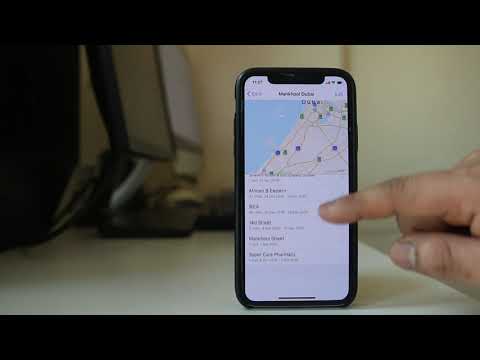
Now under “history” you can see different locations I had visited.
Suppose if I select “Dubai”, I can see the locations I visited.
I will select one location and It will give me the date and time when I visited that particular location.
Similarly you can see the date and time for other locations too.
You can also check the following videos:
Play store not downloading apps
youtu.be/iGtEfYFJxUM
iPhone can not find Bluetooth devices
youtu.be/VsdsFu21ohk
How to clear cache, cookies, history and app cache in iPhone
youtu.be/Mm_YnaEnkLM
How to set contact photo in Samsung
youtu.be/-1QDCEZBVpY
WiFi of iPhone disconnects when it goes to sleep mode
youtu.be/W42wMKf9w5A
This video also answers some of the queries below:
Find iPhone location history
know where you visited using iPhone location history
significant locations iPhone
apple location history
iOS location history
If you want to know where you visited last week then you can use your iPhone or iPad to see the location history. But for this one you must have enabled location services in your iPhone so that your iPhone can track and store the location you visited.
Tap on “settings”.
Scroll down and select “Privacy”.
Select “location services”.
Scroll down and select “system services”.
Select “significant locations”.
Now under “history” you can see different locations I had visited.
Suppose if I select “Dubai”, I can see the locations I visited.
I will select one location and It will give me the date and time when I visited that particular location.
Similarly you can see the date and time for other locations too.
You can also check the following videos:
Play store not downloading apps
youtu.be/iGtEfYFJxUM
iPhone can not find Bluetooth devices
youtu.be/VsdsFu21ohk
How to clear cache, cookies, history and app cache in iPhone
youtu.be/Mm_YnaEnkLM
How to set contact photo in Samsung
youtu.be/-1QDCEZBVpY
WiFi of iPhone disconnects when it goes to sleep mode
youtu.be/W42wMKf9w5A
About this tutorial
Kundan Bhattarai published this 2:14 video tutorial on May 13, 2020. It has been watched 255,514 times on YouTube.
- Channel
- Kundan Bhattarai
- Category
- Science & Technology
- Duration
- 2:14
- Published
- May 13, 2020
- Views
- 255,514
- Likes
- 1,065
Tags
Share
This tutorial in other languages
- FRComment savoir où vous avez visité en utilisant l'histoire de l'emplacement iPhone | les principaux sites iPhone
- ESCómo saber dónde ha visitado el uso de iPhone historial de ubicaciones | lugares significativos iPhone
- PTComo saber onde você visitou usando iPhone histórico de localização | locais significativos iPhone
- ITCome sapere dove avete visitato utilizzando iPhone posizione storia | luoghi significativi iPhone
- DEWie kann man wissen, wo man iPhone Standort Geschichte besucht mit | signifikante Stellen iPhone
- NLHoe om te weten waar je hebt bezocht met behulp van iPhone locatie geschiedenis | belangrijke locaties iPhone
- RUКак узнать, где вы побывали, используя iPhone историю местоположений | значимые места iPhone
- PLJak wiemy, gdzie odwiedził przy użyciu iPhone historii lokalizacji | znaczące lokalizacje iPhone
- JAあなたはiPhoneのロケーション履歴を利用して訪れた場所を知る方法|重要な拠点iPhone
- ARكيفية معرفة الأماكن التي قمت بزيارتها باستخدام اي فون سجل المواقع | مواقع هامة فون
- HIकैसे पता करने के लिए आप जहां iPhone स्थान इतिहास का उपयोग का दौरा किया | महत्वपूर्ण स्थानों iPhone
- IDBagaimana mengetahui di mana Anda mengunjungi menggunakan riwayat lokasi iPhone | lokasi yang signifikan iPhone