Playback starts YouTube’s embedded player (privacy-enhanced mode).
How to leverage data assets with intelligent data catalogs
ChannelZeenea Data CatalogDescription from the creator
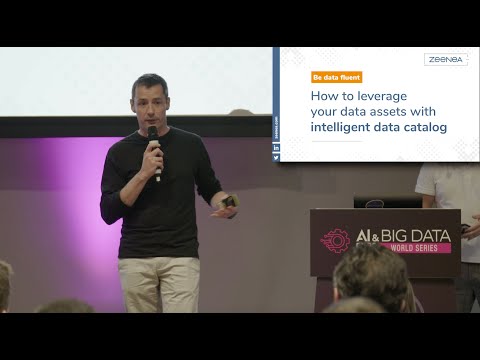
Given at the AI & Big Data Expo Europe 2019 in Amsterdam last June, Guillaume Bodet (VP Product of Zeenea) presented “How to leverage data assets with intelligent data catalogs” at the Big Data Business Solutions Track.
The new generation of intelligent data catalogs has stepped in, providing a means to pull data and curate them from a variety of sources in order to leverage assets. Powered by AI, they provide automated capabilities to show the true value of an enterprise’s data assets, connecting the business and technology sides of companies.
By exploiting AI & Machine Learning, intelligent data catalogs provide an in-depth understanding of data spread across the enterprise. We will answer the biggest questions:
- How can analysts and business decision makers understand and enrich their documentation?
- How do you make them trust these assets?
- Who do they contact when they have questions?
- How do they use data to make confident and informed decisions?
About Zeenea
Founded in 2017, Zeenea is a modern data catalog that connects an enterprise’s data storages to an intuitive and easy-to-use platform. It automatically imports and updates the metadata into a central data repository, identifying the relevant data and curating them. The tool allows anyone — with the allotted allowances — to discover, understand and trust in the enterprise’s data assets. Zeenea uses artificial intelligence and human collaboration to promote data-driven decision making. Based in Paris, France, Zeenea promotes the concept of data-fluency: Be Data Fluent!
Website: zeenea.com/
Socials:
LinkedIn: linkedin.com/company/zeenea/
Twitter: twitter.com/ZeeneaSoftware
The new generation of intelligent data catalogs has stepped in, providing a means to pull data and curate them from a variety of sources in order to leverage assets. Powered by AI, they provide automated capabilities to show the true value of an enterprise’s data assets, connecting the business and technology sides of companies.
By exploiting AI & Machine Learning, intelligent data catalogs provide an in-depth understanding of data spread across the enterprise. We will answer the biggest questions:
- How can analysts and business decision makers understand and enrich their documentation?
- How do you make them trust these assets?
- Who do they contact when they have questions?
- How do they use data to make confident and informed decisions?
About Zeenea
Founded in 2017, Zeenea is a modern data catalog that connects an enterprise’s data storages to an intuitive and easy-to-use platform. It automatically imports and updates the metadata into a central data repository, identifying the relevant data and curating them. The tool allows anyone — with the allotted allowances — to discover, understand and trust in the enterprise’s data assets. Zeenea uses artificial intelligence and human collaboration to promote data-driven decision making. Based in Paris, France, Zeenea promotes the concept of data-fluency: Be Data Fluent!
Website: zeenea.com/
Socials:
LinkedIn: linkedin.com/company/zeenea/
Twitter: twitter.com/ZeeneaSoftware
About this tutorial
Zeenea Data Catalog published this 15:01 video tutorial on November 13, 2019. It has been watched 639 times on YouTube.
- Channel
- Zeenea Data Catalog
- Category
- Science & Technology
- Duration
- 15:01
- Published
- November 13, 2019
- Views
- 639
- Likes
- 1
Tags
Share
This tutorial in other languages
- FRComment les actifs de données de levier avec des catalogues de données intelligents
- ESComo los activos de datos de apalancamiento con catálogos de datos inteligentes
- PTComo os ativos de dados alavancagem com catálogos de dados inteligentes
- ITCome patrimonio di dati di leva con cataloghi di dati intelligenti
- DEWie erfolgt die Hebeldatenbestände mit intelligenten Datenkataloge
- NLHoe wordt leverage gegevens activa met intelligente data catalogi
- RUКак активы левереджа данных с интеллектуальными каталогами данных
- PLJak dźwigni zasobów danych z inteligentnych katalogów danych
- JAインテリジェントなデータカタログでどのように活用してデータ資産
- ARكيفية أصول البيانات النفوذ مع كتالوجات البيانات الذكية
- HIकैसे लाभ उठाने डेटा संपत्ति के लिए बुद्धिमान डेटा कैटलॉग के साथ
- IDCara aset leverage yang data dengan katalog data yang cerdas