Playback starts YouTube’s embedded player (privacy-enhanced mode).
How to Make NON COPYRIGHT Songs for YouTube Vide
ChannelTech BooniDescription from the creator
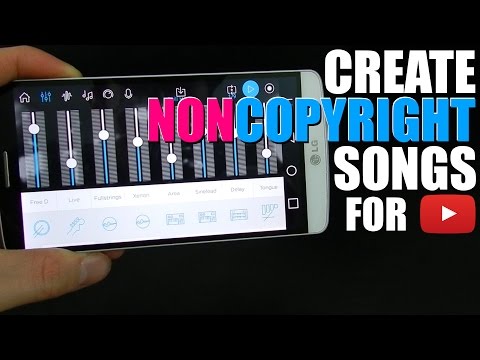
Hey what's up guys, in this video i will be showing how to make your very own songs for your YouTube videos. Be creative, have fun with the app! It is 100% free and only costs if you want more styles.
Download it from official links down below
Android users from Google Play Store: goo.gl/I1KUST
iOS users from iTunes: goo.gl/nACsH7
The app can also be used with tablets of any size
Official Music Maker Jam website
music-maker.com/us/music-maker-jam/
Thanks for watching! Have fun! Please subscribe to show some support :)
Description of the app:
Create your own tracks with Music Maker Jam! Whether hip hop, dubstep, rock or EDM - a complete range of over 100 music styles and an 8-channel mixer give you plenty of room to express your creativity. With the voice recording feature you can record your own vocals while our music community let's you showcase your talent worldwide.
Music Maker Jam is simple and easy to use, allowing you to achieve professional results with minimal effort. Don't have any experience making music? You don't need any.
Music Maker Jam offers intuitive controls and amazing results. Choose from thousands of professional loops and bring your musical ideas to life. We release new style packages every week offering the latest trends in music. Record your own vocals and use the 8-channel mixer to give your mix the right balance. All your tracks stay perfectly in rhythm as you put your samples together, and the harmony editor provides even more possibilities for customizing your music. Define new genres by combining different style packs into a sound of your own and share your finished tracks worldwide!
- Choose from over 100 styles, such as hip hop, dubstep, rock, funk, trap, drum & bass, techno, house, ambient, jazz, and movie scores
- Easily combine samples from different music genres in the same project
- Create a perfect mixdown on the 8-channel mixer
- Thousands of professionally produced loops: From soul vocals to saxophone samples and wobble bass lines
- Adjust tempo and harmonies
- Edit song parts and structure
- Play with spectacular real-time effects
- Remix tracks by shaking your device
- Record your own vocals
- Share your tracks and discover fresh music in our global community
JAM - just add music
Download it from official links down below
Android users from Google Play Store: goo.gl/I1KUST
iOS users from iTunes: goo.gl/nACsH7
The app can also be used with tablets of any size
Official Music Maker Jam website
music-maker.com/us/music-maker-jam/
Thanks for watching! Have fun! Please subscribe to show some support :)
Description of the app:
Create your own tracks with Music Maker Jam! Whether hip hop, dubstep, rock or EDM - a complete range of over 100 music styles and an 8-channel mixer give you plenty of room to express your creativity. With the voice recording feature you can record your own vocals while our music community let's you showcase your talent worldwide.
Music Maker Jam is simple and easy to use, allowing you to achieve professional results with minimal effort. Don't have any experience making music? You don't need any.
Music Maker Jam offers intuitive controls and amazing results. Choose from thousands of professional loops and bring your musical ideas to life. We release new style packages every week offering the latest trends in music. Record your own vocals and use the 8-channel mixer to give your mix the right balance. All your tracks stay perfectly in rhythm as you put your samples together, and the harmony editor provides even more possibilities for customizing your music. Define new genres by combining different style packs into a sound of your own and share your finished tracks worldwide!
- Choose from over 100 styles, such as hip hop, dubstep, rock, funk, trap, drum & bass, techno, house, ambient, jazz, and movie scores
- Easily combine samples from different music genres in the same project
- Create a perfect mixdown on the 8-channel mixer
- Thousands of professionally produced loops: From soul vocals to saxophone samples and wobble bass lines
- Adjust tempo and harmonies
- Edit song parts and structure
- Play with spectacular real-time effects
- Remix tracks by shaking your device
- Record your own vocals
- Share your tracks and discover fresh music in our global community
JAM - just add music
About this tutorial
Tech Booni published this 6:40 video tutorial on October 31, 2016. It has been watched 115,538 times on YouTube.
- Channel
- Tech Booni
- Category
- Science & Technology
- Duration
- 6:40
- Published
- October 31, 2016
- Views
- 115,538
- Likes
- 1,724
Tags
Share
This tutorial in other languages
- FRComment faire NON DROIT D'AUTEUR Songs for YouTube Vide
- ESCómo hacer NO canciones derechos de autor para YouTube Vide
- PTComo fazer NÃO Canções de direitos autorais para o YouTube Vide
- ITCome fare NON Songs copyright per YouTube Vide
- DEWie man NON Urheber Songs für YouTube Vide Stellen
- NLHoe maak NON COPYRIGHT Songs for YouTube Vide
- RUКак сделать NON АВТОРСКИХ песни для YouTube Вида
- PLJak zrobić NON utwory autorskie do YouTube Vide
- JAYouTubeのVideのためのNON著作権曲を作る方法
- ARكيفية جعل NON أغاني حقوق الطبع والنشر ليوتيوب إنظر
- HIकैसे यूट्यूब ख़बरदार के लिए गैर कॉपीराइट गीत बनाने के लिए
- IDCara Membuat NON Lagu HAK CIPTA untuk YouTube Vide