Playback starts YouTube’s embedded player (privacy-enhanced mode).
How to Make Virtual Machines Talk to Each Other in VirtualBox
ChannelAlpine SecurityDescription from the creator
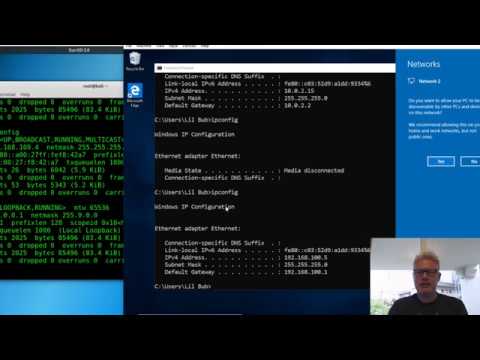
How do you make two virtual machines talk to each other and the Internet in VirtualBox? This video explains how to do this.
Short answer:
1. Create a new NAT Network in VirtualBox, by going to Tools in VirtualBox Manager / Network.
2. Click on the + sign to add a new NAT network.
3. Click on the Gear icon to change the new NAT network settings.
4. Add each guest (virtual machine) to this new NAT network - in the guest menu, go to Machine / Settings / Network.
5. Change "Attach to:" to "NAT Network" and select the NAT Network you created.
Alpine Security is now a wholly owned member of the CISO Global family of companies.
#virtualbox #networking #virtualboxnat
Short answer:
1. Create a new NAT Network in VirtualBox, by going to Tools in VirtualBox Manager / Network.
2. Click on the + sign to add a new NAT network.
3. Click on the Gear icon to change the new NAT network settings.
4. Add each guest (virtual machine) to this new NAT network - in the guest menu, go to Machine / Settings / Network.
5. Change "Attach to:" to "NAT Network" and select the NAT Network you created.
Alpine Security is now a wholly owned member of the CISO Global family of companies.
#virtualbox #networking #virtualboxnat
About this tutorial
Alpine Security published this 4:53 video tutorial on November 10, 2019. It has been watched 212,526 times on YouTube.
- Channel
- Alpine Security
- Category
- Science & Technology
- Duration
- 4:53
- Published
- November 10, 2019
- Views
- 212,526
- Likes
- 3,178
Tags
Share
This tutorial in other languages
- FRComment faire des machines virtuelles Parlez à l'autre dans VirtualBox
- ESCómo hacer Máquinas Virtuales hablar unos con otros en VirtualBox
- PTComo fazer Virtual Machines falar uns aos outros no VirtualBox
- ITCome fare macchine virtuali parlare tra loro in VirtualBox
- DEVirtuelle Maschinen miteinander reden in VirtualBox Stellen
- NLHoe maak je virtuele machines te laten praten met elkaar in VirtualBox
- RUКак сделать виртуальные машины говорить друг с другом в VirtualBox
- PLJak zrobić maszynami wirtualnymi rozmawiać ze sobą w VirtualBox
- JAVirtualBoxの中でお互いに仮想マシンの話を作る方法
- ARكيفية جعل الظاهري آلات التحدث مع بعضهم البعض في فيرتثلبوإكس
- HIकैसे VirtualBox में एक दूसरे के लिए वर्चुअल मशीनें टॉक बनाने के लिए
- IDCara Membuat Virtual Machines Berbicara dengan Setiap Lain di VirtualBox