Playback starts YouTube’s embedded player (privacy-enhanced mode).
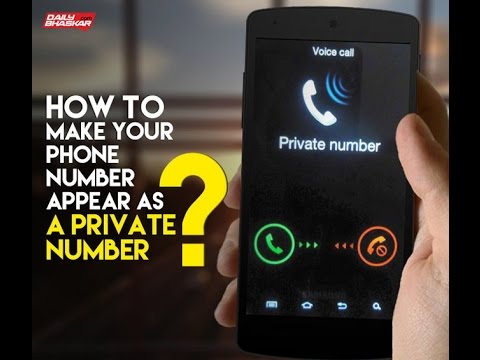
How To Make Your Phone Number Appear As A PRIVATE NUMBER
Channelonly entertainment very funnyDescription from the creator
You want to call someone from your number but don’t want them to get your number? Well, right from signing in to an online dating site to avoiding those phone marketers from calling you, there are times when it is perfectly okay to keep your number private. So here’s what you can do if you do not want all sorts of people to reach you through your phone number- you can simply hide your number from appearing on their caller ID.
For all those who are looking for some tricks for telephone anonymity, here’s a guide to make your number appear as a private number.
For android 4.1 and newer versions:
Step 1: Open the Phone app
Step 2: Click on the 3 dots on the upper right hand corner.
Step 3: Call --- More Settings ---Show My Caller ID
Step 4: Select your option
FOR IPHONE USERS
Step 1: Go to Settings and click on the Phone icon.
Step 2: Click on Show My Caller ID
Step 3: Switch off the option.
FOR WINDOWS USERS
Step 1: Go to your Phone app
Step 2: Click on More (...)
Step 3: Click on Settings --Show My Caller ID
Step 4: Choose the desired option.
subscribe to my channel youtube.com/channel/UC4Np8RJCPEDZSBUmZP-EtCA
-~-~~-~~~-~~-~-
Please watch: "whats app tricks"
youtube.com/watch?v=sOZFOI4qq4U
-~-~~-~~~-~~-~-
For all those who are looking for some tricks for telephone anonymity, here’s a guide to make your number appear as a private number.
For android 4.1 and newer versions:
Step 1: Open the Phone app
Step 2: Click on the 3 dots on the upper right hand corner.
Step 3: Call --- More Settings ---Show My Caller ID
Step 4: Select your option
FOR IPHONE USERS
Step 1: Go to Settings and click on the Phone icon.
Step 2: Click on Show My Caller ID
Step 3: Switch off the option.
FOR WINDOWS USERS
Step 1: Go to your Phone app
Step 2: Click on More (...)
Step 3: Click on Settings --Show My Caller ID
Step 4: Choose the desired option.
subscribe to my channel youtube.com/channel/UC4Np8RJCPEDZSBUmZP-EtCA
-~-~~-~~~-~~-~-
Please watch: "whats app tricks"
youtube.com/watch?v=sOZFOI4qq4U
-~-~~-~~~-~~-~-
About this tutorial
only entertainment very funny published this 2:00 video tutorial on November 5, 2017. It has been watched 428 times on YouTube.
- Category
- Science & Technology
- Duration
- 2:00
- Published
- November 5, 2017
- Views
- 428
- Likes
- 5
Tags
Share
This tutorial in other languages
- FRComment faire votre numéro de téléphone apparaîtra comme un numéro privé
- ESCómo hacer que su número de teléfono aparecerá como un NÚMERO PRIVADO
- PTComo fazer o seu número de telefone aparecer como um privado Número
- ITCome creare il vostro numero di telefono apparire come un Privato Numero
- DEWie Sie Ihre Telefonnummer als eine private Nummer angezeigt
- NLHow To Make uw telefoonnummer verschijnen als een PRIVENUMMER
- RUКак сделать свой номер телефона Появиться Как личный номер
- PLJak sprawić, by Twój numer telefonu pojawi się jako prywatny numer
- JAあなたの電話番号がAS A PRIVATE NUMBERを見えるようにする方法
- ARكيف يصبح لديك رقم الهاتف تبدو وكأنها PRIVATE رقم
- HIआपका फ़ोन नंबर दिखाई देते हैं एक निजी नंबर बनाने के लिए
- IDCara Membuat Nomor Telepon Anda Muncul Sebagai PRIVATE NOMOR