Playback starts YouTube’s embedded player (privacy-enhanced mode).
How to merge multiple text files using cmd?
ChannelhowtoDescription from the creator
Instead of copying pasting content from multiple text file you can use a simple command to merge all the text files in same folder.
1) gather all text in same folder
2) open cmd navigate to respective folder
3) type fowling command:
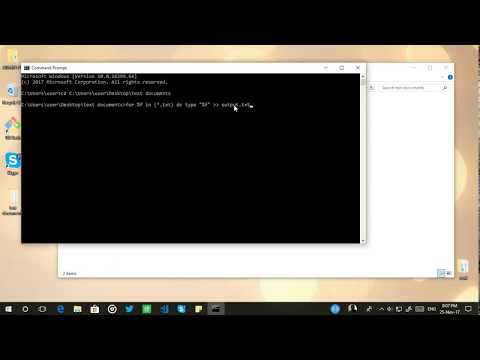
for %f in (*.txt) do type "%f" ANGELBRACKETS2 output.txt
4) Done! Here the output.txt is your new merged file
PS: in case if you find all content inline then simply add an extra line in each file and re-run the command! ;)
1) gather all text in same folder
2) open cmd navigate to respective folder
3) type fowling command:
for %f in (*.txt) do type "%f" ANGELBRACKETS2 output.txt
4) Done! Here the output.txt is your new merged file
PS: in case if you find all content inline then simply add an extra line in each file and re-run the command! ;)
About this tutorial
howto published this 1:14 video tutorial on November 6, 2018. It has been watched 18,202 times on YouTube.
- Channel
- howto
- Category
- Science & Technology
- Duration
- 1:14
- Published
- November 6, 2018
- Views
- 18,202
- Likes
- 66
Tags
Share
This tutorial in other languages
- FRComment fusionner plusieurs fichiers texte en utilisant cmd?
- ES¿Cómo unir varios archivos de texto utilizando cmd?
- PTComo mesclar vários arquivos de texto usando cmd?
- ITCome unire più file di testo utilizzando cmd?
- DEWie mehrere Textdateien mit cmd fusionieren?
- NLHoe meerdere tekst bestanden samen te voegen met behulp van cmd?
- RUКак объединить несколько текстовых файлов с помощью CMD?
- PLJak połączyć wiele plików tekstowych za pomocą cmd?
- JACMDを使用して、複数のテキストファイルをマージするには?
- ARكيفية دمج ملفات نصية متعددة باستخدام كمد؟
- HIकैसे cmd का उपयोग कर कई पाठ फ़ाइलें विलय करने के लिए?
- IDCara menggabungkan beberapa file teks menggunakan cmd?