Playback starts YouTube’s embedded player (privacy-enhanced mode).
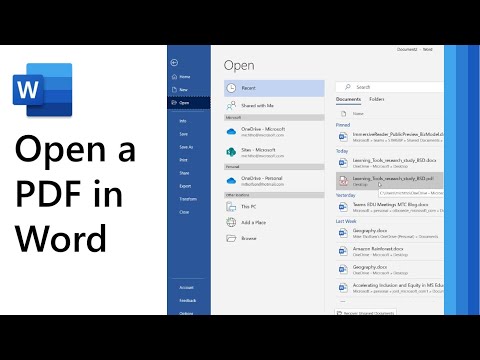
How to open a PDF in Microsoft Word and then use Immersive Reader or Translate
ChannelMike TholfsenDescription from the creator
A step-by-step tutorial on how to open a PDF in Microsoft Word Desktop and then convert to a Word document. Then use Immersive Reader or Translate the document for ensure full accessibility and inclusion for all.
NOTE: This is a personal project and the opinions expressed in this video are my own, not those of my employer (Microsoft.)
✅ More details on how to Open a PDF in MS Word: support.office.com/en-us/article/save-or-conver…
✅ For a Microsoft Word tutorial and lots of tips and tricks, check out my Word Playlist: youtube.com/playlist?list=PLdHjJccRYryMFaiRPc7Z…
✅ I am always creating more quick tip Word tutorials, so let me know in the comments about other features you'd like to see videos for.
------------------------------------------------------------------------------------------
🔔 Subscribe to my YouTube Channel: aka.ms/MikeYouTubeSubscribe
*Connect with me on Social:
Twitter: twitter.com/mtholfsen
LinkedIn: linkedin.com/in/miketholfsen/
Instagram: instagram.com/mtholfsen
Pinterest: pinterest.com/miketholfsen
TikTok: tiktok.com/@mtholfsen
Wakelet: wakelet.com/@mtholfsen
*Distance Learning Resources:
Microsoft EDU Remote site: microsoft.com/en-us/education/remote-learning
Teams EDU Quick Start Guide: aka.ms/TeamsEDUQuickGuide
Webinar series: aka.ms/RemoteLearningPlaylist
Resource, training and tips collection: aka.ms/RemoteLearningWakelet
NOTE: This is a personal project and the opinions expressed in this video are my own, not those of my employer (Microsoft.)
✅ More details on how to Open a PDF in MS Word: support.office.com/en-us/article/save-or-conver…
✅ For a Microsoft Word tutorial and lots of tips and tricks, check out my Word Playlist: youtube.com/playlist?list=PLdHjJccRYryMFaiRPc7Z…
✅ I am always creating more quick tip Word tutorials, so let me know in the comments about other features you'd like to see videos for.
------------------------------------------------------------------------------------------
🔔 Subscribe to my YouTube Channel: aka.ms/MikeYouTubeSubscribe
*Connect with me on Social:
Twitter: twitter.com/mtholfsen
LinkedIn: linkedin.com/in/miketholfsen/
Instagram: instagram.com/mtholfsen
Pinterest: pinterest.com/miketholfsen
TikTok: tiktok.com/@mtholfsen
Wakelet: wakelet.com/@mtholfsen
*Distance Learning Resources:
Microsoft EDU Remote site: microsoft.com/en-us/education/remote-learning
Teams EDU Quick Start Guide: aka.ms/TeamsEDUQuickGuide
Webinar series: aka.ms/RemoteLearningPlaylist
Resource, training and tips collection: aka.ms/RemoteLearningWakelet
About this tutorial
Mike Tholfsen published this 2:35 video tutorial on April 7, 2020. It has been watched 98,427 times on YouTube.
- Channel
- Mike Tholfsen
- Category
- Science & Technology
- Duration
- 2:35
- Published
- April 7, 2020
- Views
- 98,427
- Likes
- 270
Tags
Share
This tutorial in other languages
- FRComment ouvrir un fichier PDF dans Microsoft Word, puis utilisez Immersive Reader ou Traduire
- ES¿Cómo abrir un archivo PDF en Microsoft Word y luego usar Immersive Reader o Traducir
- PTComo abrir um PDF no Microsoft Word e, em seguida, usar Immersive Reader ou Traduzir
- ITCome aprire un file PDF in Microsoft Word e quindi utilizzare Immersive Reader o Tradurre
- DEWie man ein PDF in Microsoft Word öffnen und dann Fesselnde Reader verwenden oder Übersetzen
- NLHoe maak je een PDF-bestand in Microsoft Word te openen en vervolgens Immersive Reader of Translate
- RUКак открыть PDF в Microsoft Word, а затем использовать Immersive чтения или Перевести
- PLJak otworzyć plik PDF w programie Microsoft Word, a następnie wykorzystać wciągające Reader lub Przekłada
- JAMicrosoft WordでPDFを開き、没入型リーダーを使用したり、変換する方法
- ARكيفية فتح PDF في Microsoft Word ثم استخدام غامرة القارئ أو ترجمة
- HIकैसे माइक्रोसॉफ्ट वर्ड में एक पीडीएफ खोलने के लिए और उसके बाद इमर्सिव रीडर का उपयोग करें या अनुवाद
- IDBagaimana membuka PDF di Microsoft Word dan kemudian menggunakan Immersive Reader atau Terjemahkan