Playback starts YouTube’s embedded player (privacy-enhanced mode).
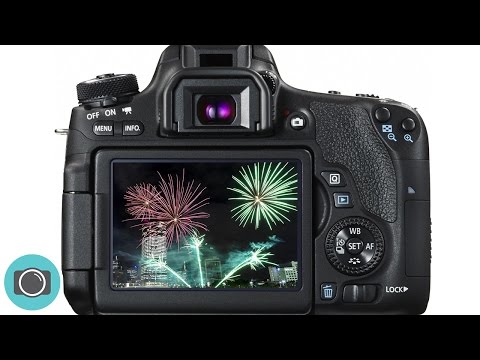
How to photograph fireworks tips tricks settings and gear for beginners
ChannelPhoto GeniusDescription from the creator
In this video I explain the basics for taking amazing photos of Fireworks, including camera settings and recommended gear.
MY GEAR LIST (2021 update)
Nikon Z6 : geni.us/nikz6II
Nikkor 14-30mm f4 : geni.us/O5B5AFJ
Nikkor 24-70mm f4 : geni.us/6JBBD
Nikkor 85mm f1.8 : geni.us/gR6B3
Nikon FTZ : geni.us/B1nK4Sa
Nikon 70-200mm f2.8 : geni.us/49l6y
Nikon D3500 : geni.us/qPIjqT7
Nikon 35mm f1.8 : geni.us/n759CgX
Canon 80D / 90D : geni.us/can90d
Canon EOS 1500D / T7 : geni.us/P7IyCB
Canon 50mm f1.8 (nifty fifty) : geni.us/s6um
Canon 10-18mm wide : geni.us/vuMlB
Canon 18-55mm kit lens : geni.us/z2U1
GoPro Hero 9 : geni.us/0iaR
Rode Wireless Go Mic : geni.us/lVeB
Rode Videomic Pro : geni.us/iRBZ1P
For a full gear list visit : photogenius.com.au/gear-guide
CAMERA BAGS
Think Tank Airport Commuter : geni.us/w0VvvaW
Think Tank Airport Essentials : geni.us/bBMB
Think Tank Retrospective 20 : geni.us/T2A0p
Think Tank Retrospective 10 : geni.us/9X3rpW0
TRIPODSMain studio tripod : geni.us/UhzVX
Everyday tripod : geni.us/jdNV4
Travel tripod : geni.us/hxyn
PIX EVO mini tripod : geni.us/iwgT
ATOMOS Ninja V : geni.us/4nSye
LED LIGHTSLume Cube lighting : glnk.io/nn4/photo-genius
Nikon MLL3 remote : geni.us/myxA
Canon RC6 remote : geni.us/Df83KGl
FOLLOW ME
Instagram : instagram.com/photogeniusbrisbane
Facebook : facebook.com/PhotoGeniusBrisbane
Website : photogenius.com.au
WHAT GEAR?
A tripod is essential for camera stability as we don’t want blurry photos. A remote is also worth using if you have one but if you don’t then use the self timer.
COMPOSITION / WHICH LENS?
Arrive early to set up, compose your photo and do some test shots. Use the widest lens you have (smallest focal length for example 18mm).
FOCUS
Auto focus struggles in low light so turning off Auto Focus and using Manual focus may be the best option.
CAMERA SETTINGS
1. Shutter priority
In shutter priority you control the shutter speed and ISO and the camera looks after Aperture.
Select S (Tv on Canon cameras) on the camera mode dial.
Change ISO to 400.
Select a shutter speed of 5 seconds (this is shown as 5” on your camera).
Take a photo.
Experiment with different shutter speeds, 4 - 10 seconds works well.
1. Manual mode
In Manual mode you control the shutter speed, aperture and ISO.
Select M on the camera mode dial.
Change ISO to 400.
Select a shutter speed of 5 seconds (this is shown as 5” on your camera).
Change aperture (f number) to f11.
Take a photo.
If your photo is too dark open up the aperture by changing the f number from f11 to a smaller number.
If photos look too bright close the aperture by selecting a larger f number.
Experiment with different shutter speeds, 4 - 10 seconds works well.
Take lots of photos - have fun and enjoy.
My photography gear guide : goo.gl/4oCzAm
This video is NOT sponsored.
Some product links are affiliates links- this helps provide us with the necessary funds required to produce video content by earning a commission on sales at absolutely NO cost to you.
About this video : Essential tips on how to take great photos of fireworks - including camera settings.
#photography #PhotoGenius #fireworks
MY GEAR LIST (2021 update)
Nikon Z6 : geni.us/nikz6II
Nikkor 14-30mm f4 : geni.us/O5B5AFJ
Nikkor 24-70mm f4 : geni.us/6JBBD
Nikkor 85mm f1.8 : geni.us/gR6B3
Nikon FTZ : geni.us/B1nK4Sa
Nikon 70-200mm f2.8 : geni.us/49l6y
Nikon D3500 : geni.us/qPIjqT7
Nikon 35mm f1.8 : geni.us/n759CgX
Canon 80D / 90D : geni.us/can90d
Canon EOS 1500D / T7 : geni.us/P7IyCB
Canon 50mm f1.8 (nifty fifty) : geni.us/s6um
Canon 10-18mm wide : geni.us/vuMlB
Canon 18-55mm kit lens : geni.us/z2U1
GoPro Hero 9 : geni.us/0iaR
Rode Wireless Go Mic : geni.us/lVeB
Rode Videomic Pro : geni.us/iRBZ1P
For a full gear list visit : photogenius.com.au/gear-guide
CAMERA BAGS
Think Tank Airport Commuter : geni.us/w0VvvaW
Think Tank Airport Essentials : geni.us/bBMB
Think Tank Retrospective 20 : geni.us/T2A0p
Think Tank Retrospective 10 : geni.us/9X3rpW0
TRIPODSMain studio tripod : geni.us/UhzVX
Everyday tripod : geni.us/jdNV4
Travel tripod : geni.us/hxyn
PIX EVO mini tripod : geni.us/iwgT
ATOMOS Ninja V : geni.us/4nSye
LED LIGHTSLume Cube lighting : glnk.io/nn4/photo-genius
Nikon MLL3 remote : geni.us/myxA
Canon RC6 remote : geni.us/Df83KGl
FOLLOW ME
Instagram : instagram.com/photogeniusbrisbane
Facebook : facebook.com/PhotoGeniusBrisbane
Website : photogenius.com.au
WHAT GEAR?
A tripod is essential for camera stability as we don’t want blurry photos. A remote is also worth using if you have one but if you don’t then use the self timer.
COMPOSITION / WHICH LENS?
Arrive early to set up, compose your photo and do some test shots. Use the widest lens you have (smallest focal length for example 18mm).
FOCUS
Auto focus struggles in low light so turning off Auto Focus and using Manual focus may be the best option.
CAMERA SETTINGS
1. Shutter priority
In shutter priority you control the shutter speed and ISO and the camera looks after Aperture.
Select S (Tv on Canon cameras) on the camera mode dial.
Change ISO to 400.
Select a shutter speed of 5 seconds (this is shown as 5” on your camera).
Take a photo.
Experiment with different shutter speeds, 4 - 10 seconds works well.
1. Manual mode
In Manual mode you control the shutter speed, aperture and ISO.
Select M on the camera mode dial.
Change ISO to 400.
Select a shutter speed of 5 seconds (this is shown as 5” on your camera).
Change aperture (f number) to f11.
Take a photo.
If your photo is too dark open up the aperture by changing the f number from f11 to a smaller number.
If photos look too bright close the aperture by selecting a larger f number.
Experiment with different shutter speeds, 4 - 10 seconds works well.
Take lots of photos - have fun and enjoy.
My photography gear guide : goo.gl/4oCzAm
This video is NOT sponsored.
Some product links are affiliates links- this helps provide us with the necessary funds required to produce video content by earning a commission on sales at absolutely NO cost to you.
About this video : Essential tips on how to take great photos of fireworks - including camera settings.
#photography #PhotoGenius #fireworks
About this tutorial
Photo Genius published this 7:21 video tutorial on October 28, 2017. It has been watched 107,597 times on YouTube.
- Channel
- Photo Genius
- Category
- Science & Technology
- Duration
- 7:21
- Published
- October 28, 2017
- Views
- 107,597
- Likes
- 3,325
Tags
Share
This tutorial in other languages
- FRComment photographier les paramètres des feux d'artifice Conseils d'astuces et d'engins pour les débutants
- ESCómo fotografiar fuegos artificiales Consejos Trucos ajustes y mecanismos para los principiantes
- PTComo fotografar fogos de artifício dicas truques configurações e engrenagem para iniciantes
- ITCome fotografare i fuochi d'artificio suggerimenti trucchi impostazioni e gli attrezzi per i principianti
- DEWie Feuerwerk Tipps Tricks Einstellungen und Ausrüstung für Anfänger fotografieren
- NLHoe te fotograferen vuurwerk tips tricks instellingen en toestel voor beginners
- RUКак фотографировать фейерверк советы приемы настройки и снаряжение для начинающих
- PLJak fotografować fajerwerki wskazówki sztuczki ustawień i narzędzi dla początkujących
- JA初心者のためのどの写真に花火のヒントトリックの設定とギア
- ARكيفية تصوير الألعاب النارية نصائح الحيل الإعدادات والعتاد للمبتدئين
- HIआतिशबाजी की तस्वीर कैसे युक्तियाँ चाल शुरुआती के लिए सेटिंग्स और गियर
- IDCara memotret kembang api kiat trik pengaturan dan gigi untuk pemula