Playback starts YouTube’s embedded player (privacy-enhanced mode).
How to Play YouTube Videos in Background on iPhone and Android? (2020)
ChannelTechReviewProDescription from the creator
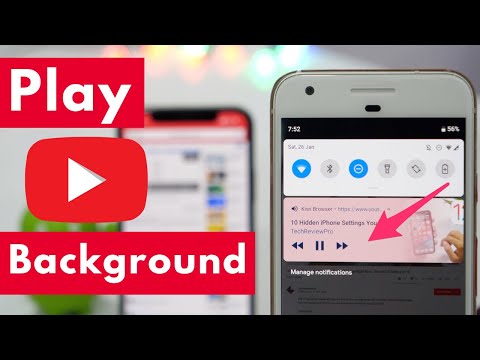
Ever tried playing YouTube in background? Here is how to play YouTube in background on iPhone as well as Android phones. So if you are looking for a quick and easy solution to play YouTube videos in background, then watch this video.
You don't need a rooted device to play YouTube in background on Android. Also, no additional tweaks are required in order to play YouTube videos in background.
Similarly, for iPhone users, you can follow the methods shown in this video to learn how to play YouTube in background on iPhone - no jailbreak is needed, even no additional apps are required.
Enter the Giveaway: techreviewpro.com/giveaway
Join VIP Facebook group: techreviewpro.com/community
If you are looking for a quick and easy solution for playing YouTube in background on iOS as well as Android, watch this video because, in this video, I have shown a simple trick to play YouTube videos in background.
Stop looking for apps to play YouTube in background because in this video, first I'll show how to play YouTube in background on iPhone or iPad, and later, you'll learn how to do the same on Android devices as well.
Hope this video tutorial will end your search for ways to playing YouTube in the background. However, if you encounter any errors while following the steps shown in this video, you can always write in the comments below to let me know. I'll try my best to help you solve the issue.
As always, thanks for watching!
If you enjoyed watching this video, feel free to like, comment, share, and subscribe to the TechReviewPro channel.
Check out our video production kit and gears here: techreviewpro.com/resources
Subscribe for More (It's FREE): techreviewpro.com/yt
🔥🔥TRP Hindi (Hindi Channel): techreviewpro.com/hindi 🔥🔥
✅✅✅Business Email: [email protected] ✅✅✅
Let's connect on social media:
🔥🔥Facebook: techreviewpro.com/facebook
🔥🔥Facebook VIP Group: techreviewpro.com/community
🔥🔥Twitter: techreviewpro.com/twitter
🔥🔥Instagram: techreviewpro.com/instagram
🔥🔥Visit: techreviewpro.com
🔔🔔🔔🔔🔔🔔🔔🔔▂ ▂ ▂ ▂ ▂ ▂ ▂🔔🔔🔔🔔🔔🔔🔔🔔🔔
Music Credit: soundcloud.com/yourrapbeatstv (Licensed under Creative Commons CC 3.0.)
Privacy Policy and Legal Disclosure:
👉TechReviewPro is a participant in the Amazon Services LLC Associates Program, an affiliate advertising program designed to provide a means for sites to earn advertising fees by advertising and linking to amazon.com. Also, this video contains other affiliate links and product recommendations.
👉If you purchase something from our affiliate links, we get a small commission at no extra cost to you. But our recommendation is always based on the merit of the products and not influenced by other factors. This supports us financially to purchase better gadgets and gear and this is the reason why we are able to bring more free information in the form of high-quality exclusive videos for you. Thank you! Disclosure: techreviewpro.com/disclosure
👉On YouTube, we DO NOT collect, store, use, or share any data about you. Read our privacy policy: techreviewpro.com/privacy-policy
You don't need a rooted device to play YouTube in background on Android. Also, no additional tweaks are required in order to play YouTube videos in background.
Similarly, for iPhone users, you can follow the methods shown in this video to learn how to play YouTube in background on iPhone - no jailbreak is needed, even no additional apps are required.
Enter the Giveaway: techreviewpro.com/giveaway
Join VIP Facebook group: techreviewpro.com/community
If you are looking for a quick and easy solution for playing YouTube in background on iOS as well as Android, watch this video because, in this video, I have shown a simple trick to play YouTube videos in background.
Stop looking for apps to play YouTube in background because in this video, first I'll show how to play YouTube in background on iPhone or iPad, and later, you'll learn how to do the same on Android devices as well.
Hope this video tutorial will end your search for ways to playing YouTube in the background. However, if you encounter any errors while following the steps shown in this video, you can always write in the comments below to let me know. I'll try my best to help you solve the issue.
As always, thanks for watching!
If you enjoyed watching this video, feel free to like, comment, share, and subscribe to the TechReviewPro channel.
Check out our video production kit and gears here: techreviewpro.com/resources
Subscribe for More (It's FREE): techreviewpro.com/yt
🔥🔥TRP Hindi (Hindi Channel): techreviewpro.com/hindi 🔥🔥
✅✅✅Business Email: [email protected] ✅✅✅
Let's connect on social media:
🔥🔥Facebook: techreviewpro.com/facebook
🔥🔥Facebook VIP Group: techreviewpro.com/community
🔥🔥Twitter: techreviewpro.com/twitter
🔥🔥Instagram: techreviewpro.com/instagram
🔥🔥Visit: techreviewpro.com
🔔🔔🔔🔔🔔🔔🔔🔔▂ ▂ ▂ ▂ ▂ ▂ ▂🔔🔔🔔🔔🔔🔔🔔🔔🔔
Music Credit: soundcloud.com/yourrapbeatstv (Licensed under Creative Commons CC 3.0.)
Privacy Policy and Legal Disclosure:
👉TechReviewPro is a participant in the Amazon Services LLC Associates Program, an affiliate advertising program designed to provide a means for sites to earn advertising fees by advertising and linking to amazon.com. Also, this video contains other affiliate links and product recommendations.
👉If you purchase something from our affiliate links, we get a small commission at no extra cost to you. But our recommendation is always based on the merit of the products and not influenced by other factors. This supports us financially to purchase better gadgets and gear and this is the reason why we are able to bring more free information in the form of high-quality exclusive videos for you. Thank you! Disclosure: techreviewpro.com/disclosure
👉On YouTube, we DO NOT collect, store, use, or share any data about you. Read our privacy policy: techreviewpro.com/privacy-policy
About this tutorial
TechReviewPro published this 4:47 video tutorial on November 13, 2019. It has been watched 559,788 times on YouTube.
- Channel
- TechReviewPro
- Category
- Science & Technology
- Duration
- 4:47
- Published
- November 13, 2019
- Views
- 559,788
- Likes
- 3,933
Tags
Share
This tutorial in other languages
- FRComment lire des vidéos YouTube en arrière-plan sur iPhone et Android? (2020)
- ESCómo jugar los vídeos de YouTube en segundo plano en el iPhone y Android? (2020)
- PTComo Jogar vídeos do YouTube em fundo no iPhone e Android? (2020)
- ITCome giocare i video di YouTube in background su iPhone e Android? (2020)
- DEWie spielt man YouTube Videos im Hintergrund auf iPhone und Android? (2020)
- NLHoe kan ik YouTube-video's af op de achtergrond op de iPhone en Android? (2020)
- RUКак играть в YouTube видео в фоновом режиме на iPhone и Android? (2020)
- PLJak grać w YouTube wideo w tle na iPhone i Androida? (2020)
- JAiPhoneとAndroidのバックグラウンドでYouTubeの動画を再生するには? (2020年)
- ARكيفية اللعب أشرطة فيديو يوتيوب في الخلفية على iPhone و Android؟ (2020)
- HIकैसे iPhone और Android पर पृष्ठभूमि में यूट्यूब वीडियो खेलने के लिए? (2020)
- IDCara Bermain YouTube Video di Background pada iPhone dan Android? (2020)