Playback starts YouTube’s embedded player (privacy-enhanced mode).
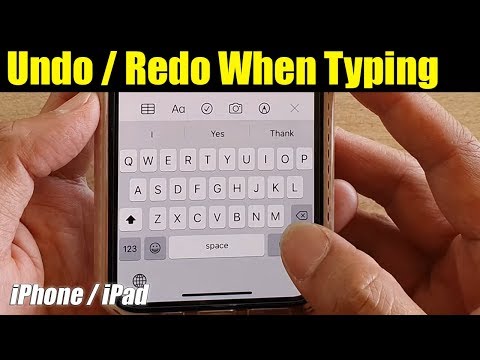
How to Quickly Undo / Redo When Typing on iPhone 11 / 11 Pro Max
ChannelITJunglesDescription from the creator
Learn how you can quickly undo / redo when typing on the keyboard on iPhone 11, iPhone 11 Pro/ 11 Pro Max.
iOS 13.
FOLLOW US ON TWITTER: bit.ly/10Glst1
LIKE US ON FACEBOOK: on.fb.me/ZKP4nU
itjungles.com
ITJungles assumes no liability for property damage or injury incurred as a result of any of the information contained in this video. ITJungles recommends safe practices when working with electrical tools, power equipment, automotive lifts, lifting tools, electrical equipment, blunt instruments, chemicals, lubricants, expensive electronics, or any other tools or equipment seen or implied in this video. Due to factors beyond the control of ITJungles, no information contained in this video shall create any express or implied warranty or guarantee of any particular result. Any injury, damage or loss that may result from improper use of these tools, equipment, or the information contained in this video is the sole responsibility of the user and not ITJungles. Some repairs are easy while others maybe difficult. The level of difficulty depend on your personal experience. Only attempt your own repairs if you can accept personal responsibility for the results, whether they are good or bad.
The above may contain affiliate links.
iOS 13.
FOLLOW US ON TWITTER: bit.ly/10Glst1
LIKE US ON FACEBOOK: on.fb.me/ZKP4nU
itjungles.com
ITJungles assumes no liability for property damage or injury incurred as a result of any of the information contained in this video. ITJungles recommends safe practices when working with electrical tools, power equipment, automotive lifts, lifting tools, electrical equipment, blunt instruments, chemicals, lubricants, expensive electronics, or any other tools or equipment seen or implied in this video. Due to factors beyond the control of ITJungles, no information contained in this video shall create any express or implied warranty or guarantee of any particular result. Any injury, damage or loss that may result from improper use of these tools, equipment, or the information contained in this video is the sole responsibility of the user and not ITJungles. Some repairs are easy while others maybe difficult. The level of difficulty depend on your personal experience. Only attempt your own repairs if you can accept personal responsibility for the results, whether they are good or bad.
The above may contain affiliate links.
About this tutorial
ITJungles published this 1:00 video tutorial on February 29, 2020. It has been watched 7,644 times on YouTube.
- Channel
- ITJungles
- Category
- Science & Technology
- Duration
- 1:00
- Published
- February 29, 2020
- Views
- 7,644
- Likes
- 62
Tags
Share
This tutorial in other languages
- FRComment rapidement Undo / Redo lorsque vous tapez sur iPhone 11/11 Pro Max
- ESCómo rápidamente deshacer / rehacer al escribir en el iPhone 11/11 Pro Max
- PTComo rapidamente desfazer / refazer ao digitar no iPhone 11/11 Pro Max
- ITCome rapidamente Undo / Redo Quando Digitando su iPhone 11/11 Pro Max
- DEWie schnell Undo / Redo beim Tippen auf dem iPhone 11.11 Pro Max
- NLHoe snel Undo / Redo bij het typen op de iPhone 11/11 Pro Max
- RUКак быстро Undo / Redo Когда Typing на iPhone 11/11 Pro Max
- PLJak szybko Undo / Redo podczas pisania na iPhone 11/11 Pro Max
- JAどのようにすばやく元に戻す/やり直しのときにiPhone 11月11日プロマックスの型付け
- ARكيفية بسرعة تراجع / الإعادة عند الكتابة على اي فون 11/11 برو ماكس
- HIकैसे जल्दी से पूर्ववत करें / फिर जब टंकण पर iPhone 11/11 प्रो मैक्स
- IDCara Cepat Undo / Redo Ketika Mengetik pada iPhone 11/11 Pro Max