Playback starts YouTube’s embedded player (privacy-enhanced mode).
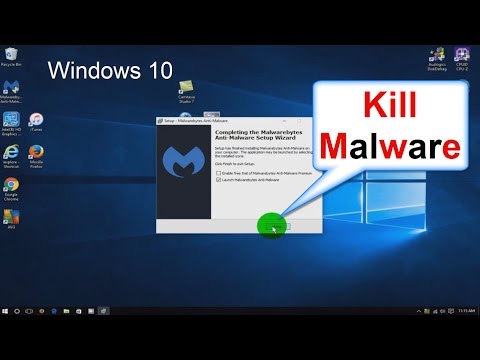
How to Remove a virus from your computer! - How to remove Malware - Windows 10 Free & Easy
ChannelnickscomputerfixDescription from the creator
See in this video how to remove a virus & how to remove malware off your computer. Malwarebytes for Windows 10 is easy to use. Quickly see how to remove a virus from your laptop and/or how to delete a virus from Windows 10. It's the best malware removal tool out there in my assessment. Learn in my video how to delete a virus off your computer fast! Watch how to get rid of malware Windows 10 without any major headache. It's not always easy to learn how to get rid of malware virus in Windows or how to remove a virus from Windows 10 but my video does give you a good guide and a good starting place. Malwarebytes is still in my opinion the best way how to delete a virus on Windows 10/Windows 8.1/Windows 7 as well as delete Malware that slows your computer down.
Updated on 4/15/2018 Here is the download link for the Free Malwarebytes app: malwarebytes.com/mwb-download/
The best part about this video is how I show you how to remove virus from your computer for free and how to remove malware from your computer for free, with just one free software app.
This anti malware / antivirus software Malwarebytes has been around for a good number of years and has a proven track record for finding bloatware, malware, Trojans, viruses and redirect viruses. It is one of the best redirect virus removal tools around too. When the commonly used anti virus protection software apps like: Norton, McAfee, AVG and AVAST let you down, Malwarebytes will help you out and normally get the job of malware removal done. I use Malwarebytes anti-malware for all of my malware buster solutions. Sorry if I sound like a commercial, but this anti-malware anti-virus app from Malwarebytes has gotten me out of some really bad jams on a good number of my clients computers. What else can I say....accept I like it! And I take computer security seriously and removing junk that damages your computer needs to be remove or your computer will become slow and worthless. So watch my video and see how to remove malware and adware for free in this how to 2015/16 guide. It's easy to learn how how to get rid of a virus on your laptop when you watch the right video and use the right virus removal app.
One last thing, I don't work for Malwarebytes and I get no endorsements from them.
Updated on 4/15/2018 Here is the download link for the Free Malwarebytes app: malwarebytes.com/mwb-download/
The best part about this video is how I show you how to remove virus from your computer for free and how to remove malware from your computer for free, with just one free software app.
This anti malware / antivirus software Malwarebytes has been around for a good number of years and has a proven track record for finding bloatware, malware, Trojans, viruses and redirect viruses. It is one of the best redirect virus removal tools around too. When the commonly used anti virus protection software apps like: Norton, McAfee, AVG and AVAST let you down, Malwarebytes will help you out and normally get the job of malware removal done. I use Malwarebytes anti-malware for all of my malware buster solutions. Sorry if I sound like a commercial, but this anti-malware anti-virus app from Malwarebytes has gotten me out of some really bad jams on a good number of my clients computers. What else can I say....accept I like it! And I take computer security seriously and removing junk that damages your computer needs to be remove or your computer will become slow and worthless. So watch my video and see how to remove malware and adware for free in this how to 2015/16 guide. It's easy to learn how how to get rid of a virus on your laptop when you watch the right video and use the right virus removal app.
One last thing, I don't work for Malwarebytes and I get no endorsements from them.
About this tutorial
nickscomputerfix published this 7:21 video tutorial on November 3, 2016. It has been watched 298,742 times on YouTube.
- Channel
- nickscomputerfix
- Category
- Science & Technology
- Duration
- 7:21
- Published
- November 3, 2016
- Views
- 298,742
- Likes
- 2,412
Tags
Share
This tutorial in other languages
- FRComment faire pour supprimer un virus de votre ordinateur! - Comment supprimer les logiciels malveillants - Windows 10 Free & Easy
- ESCómo quitar un virus de su computadora! - ¿Cómo eliminar Malware - Windows 10 Free & Easy
- PTComo remover um vírus do seu computador! - Como remover Malware - Windows 10 Free & Easy
- ITCome rimuovere un virus dal computer! - Come rimuovere il malware - Windows 10 Free & Easy
- DEWie ein Virus von Ihrem Computer zu entfernen! - Microsoft Windows 10 Free & Easy - Wie Malware entfernen
- NLHoe te verwijderen van een virus van uw computer! - Hoe te verwijderen Malware - Windows 10 Free & Easy
- RUКак удалить вирус с вашего компьютера! - Как удалить вредоносные программы - Windows 10 Free & Easy
- PLJak usunąć wirusa z komputera! - Jak do usuwania złośliwego oprogramowania - Windows 10 Free & Easy
- JAお使いのコンピュータからウイルスを削除する方法! - どのようにマルウェアを削除する - Windowsの10フリー&イージー
- ARكيفية إزالة فيروس من جهاز الكمبيوتر الخاص بك! - كيفية إزالة البرامج الضارة - ويندوز 10 مجانية وسهلة
- HIकैसे अपने कंप्यूटर से एक वायरस हटाने के लिए! - कैसे दूर करने के लिए मैलवेयर - विंडोज 10 नि: शुल्क और आसान
- IDCara Hapus virus dari komputer Anda! - Bagaimana menghapus Malware - Windows 10 Free & Easy