Playback starts YouTube’s embedded player (privacy-enhanced mode).
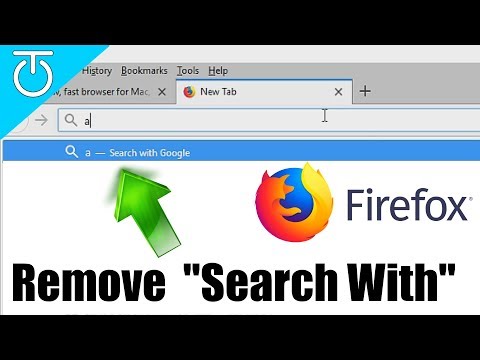
How to Remove "Search With" from FireFox Address Bar (Firefox v58)
ChannelCappTechDescription from the creator
How to Remove "Search With" from FireFox Address Bar (v58).
In This video, I will walk you through how to remove the "Search With" feature from the firefox address bar. This is done in Firefox quantum v58.0.1.
Hit that LIKE button and Subscribe for more!
► Subscribe: goo.gl/V1XoEl
***** Steps *******
1) Create "Chrome" folder under your Firefox Profile
2) Create file named userChrome.css
3) Paste the code below, without quotes:
"#PopupAutoCompleteRichResult richlistitem[type="searchengine"]{ visibility: collapse }"
► Follow on Twitter: twitter.com/capp00
► Follow on Facebook: facebook.com/CappTech/
► Amazon Affiliate: amzn.to/2gwRjgN
► Protect your computers with Eset Security Products:
amazingantivirus.com
Intro by: youtube.com/user/mangegnosis
Production Music courtesy of Epidemic Sound: epidemicsound.com
Want to send me something?
Shipping:
Attn: CappTech
P.O. Box 174136
Arlington, TX. 76003
*GEAR I USE:*
Camera: amzn.to/2FvEGzi
Camera Mic: amzn.to/2xZZwnw
Desktop Mic: amzn.to/2G4lLcO
Capture Card: amzn.to/2FnWZmO
Webcam: amzn.to/2G2CnS2
Mouse: amzn.to/2g8F2Pi
Keyboard: amzn.to/2MbF9Gy
In This video, I will walk you through how to remove the "Search With" feature from the firefox address bar. This is done in Firefox quantum v58.0.1.
Hit that LIKE button and Subscribe for more!
► Subscribe: goo.gl/V1XoEl
***** Steps *******
1) Create "Chrome" folder under your Firefox Profile
2) Create file named userChrome.css
3) Paste the code below, without quotes:
"#PopupAutoCompleteRichResult richlistitem[type="searchengine"]{ visibility: collapse }"
► Follow on Twitter: twitter.com/capp00
► Follow on Facebook: facebook.com/CappTech/
► Amazon Affiliate: amzn.to/2gwRjgN
► Protect your computers with Eset Security Products:
amazingantivirus.com
Intro by: youtube.com/user/mangegnosis
Production Music courtesy of Epidemic Sound: epidemicsound.com
Want to send me something?
Shipping:
Attn: CappTech
P.O. Box 174136
Arlington, TX. 76003
*GEAR I USE:*
Camera: amzn.to/2FvEGzi
Camera Mic: amzn.to/2xZZwnw
Desktop Mic: amzn.to/2G4lLcO
Capture Card: amzn.to/2FnWZmO
Webcam: amzn.to/2G2CnS2
Mouse: amzn.to/2g8F2Pi
Keyboard: amzn.to/2MbF9Gy
About this tutorial
CappTech published this 6:06 video tutorial on November 10, 2018. It has been watched 12,643 times on YouTube.
- Channel
- CappTech
- Category
- Science & Technology
- Duration
- 6:06
- Published
- November 10, 2018
- Views
- 12,643
- Likes
- 78
Tags
Share
This tutorial in other languages
- FRComment faire pour supprimer "Recherche avec" de FireFox Address Bar (Firefox v58)
- ESCómo quitar "Buscar Con" de la barra de direcciones de Firefox (Firefox V58)
- PTComo remover "Pesquisar Com" do FireFox barra de endereços (Firefox V58)
- ITCome rimuovere "ricerca con" da Firefox barra degli indirizzi (Firefox V58)
- DEWie Entfernen von „Suchen Mit“ von FireFox Adressleiste (Firefox v58)
- NLHoe te verwijderen "Zoeken Met" van adresbalk van Firefox (Firefox V58)
- RUКак удалить «Поиск с помощью» из FireFox адресной строки (Firefox V58)
- PLJak usunąć "szukaj od" z Firefoksa Firefox Address Bar (V58)
- JAFireFoxのアドレスバー(FirefoxのV58)から「検索」を削除する方法
- ARكيفية إزالة "بحث مع" فايرفوكس من شريط العنوان (فايرفوكس v58)
- HIकैसे फ़ायर्फ़ॉक्स पता पट्टी (फ़ायरफ़ॉक्स v58) से निकालें करने के लिए "खोज के साथ"
- IDCara Hapus "Cari Dengan" dari FireFox Address Bar (Firefox V58)