Playback starts YouTube’s embedded player (privacy-enhanced mode).
How to Reset Admin (root) Password on MySQL
ChannelwebpwnizedDescription from the creator
Author: Jeremy Druin
Twitter: @webpwnized
Thank you for watching. Please help! Up vote, subscribe or even support this channel at youtube.com/user/webpwnized (Click Support).
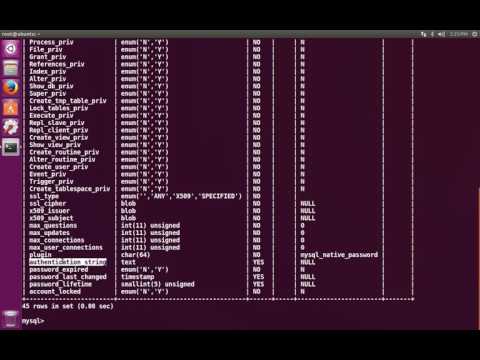
With access to the MySQL server, the MySQL root (administrator) password can be reset. The MySQL administrative user (aka root) stores its password hash in the mysql.user table (as does all MySQL users). By starting the MySQL server with skip grants option and using SQL queries to overwrite the MySQL root/admin password hash, the MySQL root/admin/administrator password can be changed to any value.
The MySQL instance demoed in the video is installed on Ubuntu Linux but the technique works on any Linux or Windows system because the technique interacts with the MySQL server itself. The Windows or Linux operating system is not important.
MySQL Server does not store passwords, but instead stores password hashes. When the user enters a password, the system hashes the password then compares the calculated password hash against the password hash on file in the MySQL user table. If the two password hashes match, the system authenticates the user. The root/admin user has more privileges than other users
The webpwnized YouTube channel is dedicated to information security, security testing and ethical hacking. There is an emphasis on web application security but many other topics are covers. Some of these include forensics, network security, security testing tools and security testing processes. The channel provides videos to encourage software developers and system administrators to perform security testing. Also, the channel educates the next generation of security testers and bug bounty hunters who want to respectfully, legally and ethically help system owners that allow security testing.
Twitter: @webpwnized
Thank you for watching. Please help! Up vote, subscribe or even support this channel at youtube.com/user/webpwnized (Click Support).
With access to the MySQL server, the MySQL root (administrator) password can be reset. The MySQL administrative user (aka root) stores its password hash in the mysql.user table (as does all MySQL users). By starting the MySQL server with skip grants option and using SQL queries to overwrite the MySQL root/admin password hash, the MySQL root/admin/administrator password can be changed to any value.
The MySQL instance demoed in the video is installed on Ubuntu Linux but the technique works on any Linux or Windows system because the technique interacts with the MySQL server itself. The Windows or Linux operating system is not important.
MySQL Server does not store passwords, but instead stores password hashes. When the user enters a password, the system hashes the password then compares the calculated password hash against the password hash on file in the MySQL user table. If the two password hashes match, the system authenticates the user. The root/admin user has more privileges than other users
The webpwnized YouTube channel is dedicated to information security, security testing and ethical hacking. There is an emphasis on web application security but many other topics are covers. Some of these include forensics, network security, security testing tools and security testing processes. The channel provides videos to encourage software developers and system administrators to perform security testing. Also, the channel educates the next generation of security testers and bug bounty hunters who want to respectfully, legally and ethically help system owners that allow security testing.
About this tutorial
webpwnized published this 6:11 video tutorial on October 26, 2017. It has been watched 88,287 times on YouTube.
- Channel
- webpwnized
- Category
- Science & Technology
- Duration
- 6:11
- Published
- October 26, 2017
- Views
- 88,287
- Likes
- 488
Share
This tutorial in other languages
- FRComment réinitialiser l'administrateur (root) Mot de passe MySQL
- ESCómo restablecer la contraseña del administrador (root) en MySQL
- PTComo redefinir senha admin (root) em MySQL
- ITCome reimpostare amministratore (root) Password su MySQL
- DEWie Zurücksetzen Admin (root) Passwort auf MySQL
- NLHoe te Admin (root) wachtwoord op MySQL Reset
- RUКак сбросить администратор (корень) Пароль на MySQL
- PLJak zresetować administratora (root) Hasło na MySQL
- JAMySQLの上で管理者(root)のパスワードをリセットする方法
- ARكيفية إعادة تعيين مشرف (الجذر) كلمة السر في الخلية
- HIरीसेट कैसे MySQL पर व्यवस्थापक (रूट) पासवर्ड
- IDCara Reset Admin (root) Password pada MySQL