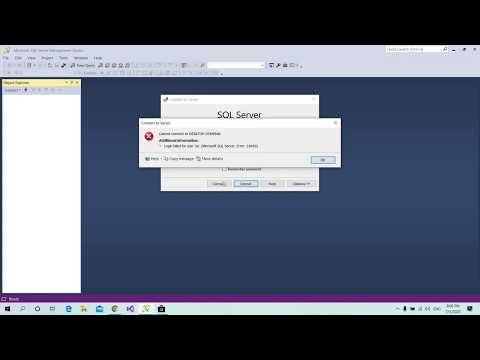
Playback starts YouTube’s embedded player (privacy-enhanced mode).
How to reset system administrator (sa) password in Microsoft SQL Server
ChannelAM7TechDescription from the creator
Before everythting make sure of three options to be selected inside Windows Authentication mode specifically in Server name and Logins (sa) properties:-
1- Go to Server Name and right click on it, choose properties then Security...in "Server authentication" select SQL Server and Windows Authentication mode then press ok.
2- Go to Security then Logins and right click on sa then choose properties and left click on Status, in "Permission to connect to database engine" select Grant. In "Login" select Enabled and press ok.
-------
Forgot your sa password? don't worry just follow the main steps now :-
1- Open Windows Authentication and not SQL Server Authentication.
2- Go to Security and then Logins.
3- Go to sa then right click on it and choose Properties then General.
4- Put your new password twice, in Password field and Confirm password field then press ok.
5- Close server connection and open it again, choose SQL Server Authentication and put for Login sa and for Password your new password.
I hope you enjoy watching the video :)
1- Go to Server Name and right click on it, choose properties then Security...in "Server authentication" select SQL Server and Windows Authentication mode then press ok.
2- Go to Security then Logins and right click on sa then choose properties and left click on Status, in "Permission to connect to database engine" select Grant. In "Login" select Enabled and press ok.
-------
Forgot your sa password? don't worry just follow the main steps now :-
1- Open Windows Authentication and not SQL Server Authentication.
2- Go to Security and then Logins.
3- Go to sa then right click on it and choose Properties then General.
4- Put your new password twice, in Password field and Confirm password field then press ok.
5- Close server connection and open it again, choose SQL Server Authentication and put for Login sa and for Password your new password.
I hope you enjoy watching the video :)
About this tutorial
AM7Tech published this 3:33 video tutorial on July 8, 2020. It has been watched 748 times on YouTube.
- Channel
- AM7Tech
- Category
- Science & Technology
- Duration
- 3:33
- Published
- July 8, 2020
- Views
- 748
- Likes
- 8
Share
This tutorial in other languages
- FRComment réinitialiser l'administrateur système (sa) mot de passe dans Microsoft SQL Server
- ESCómo restablecer el administrador del sistema (sa) de Microsoft SQL Server
- PTComo redefinir administrador do sistema (sa) senha no Microsoft SQL Server
- ITCome ripristinare amministratore di sistema (sa) la password in Microsoft SQL Server
- DEWie Systemadministrator (sa) Kennwort in Microsoft SQL Server zurücksetzen
- NLHoe kan de systeembeheerder (sa) wachtwoord in Microsoft SQL Server te resetten
- RUКак восстановить системный администратор (SA) пароль в Microsoft SQL Server
- PLJak zresetować administratora systemu (SA) hasło w Microsoft SQL Server
- JAマイクロソフトSQL Serverのシステム管理者(sa)パスワードをリセットする方法
- ARكيفية إعادة تعيين مسؤول النظام (SA) كلمة المرور في Microsoft SQL Server
- HIसिस्टम व्यवस्थापक (SA) Microsoft SQL सर्वर में पासवर्ड रीसेट करने के लिए कैसे
- IDCara reset administrator sistem (sa) sandi di Microsoft SQL Server