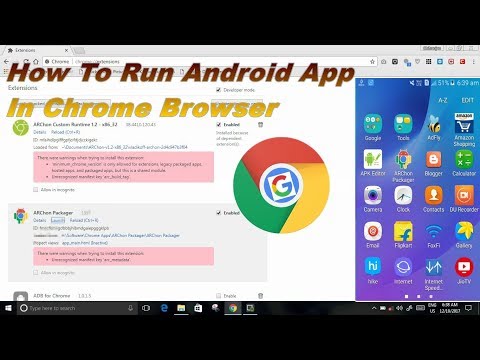
Playback starts YouTube’s embedded player (privacy-enhanced mode).
How To Run Android App In Chrome Browser
ChannelKnow About The TechDescription from the creator
How To Run Android App In Chrome Browser
How to install android app in chrome browser.
How to android app in windows
Apps Which Are Compatible With Archon Runtime Are Given In This Site Please have a look
docs.google.com/spreadsheets/d/1iIbxaftAu_ho5rv…
First Download Archon Runtime .
Link -- archon-runtime.github.io
Second Download Archon Packager App In Your Smartphone from play store.
play.google.com/store/apps/details?id=me.bpear.…
Then Extract archon runtime
afterwards install in chrome browser through
this process
Step 1. -- Open Chrome Browser and type in the search box
" chrome://extensions"
Step 2.-- Check "The developer Mode".
Step 3.-- Click On "Load Unpacked extension".
Step 4.-- Choose The Folder In Which You Have Extracted the
Archon Runtime
you will see that the archon is added.
Then Install The Archon Packager App
After installing open it.
Step 1.-- click on choose application from device or folder.
Step 2.-- Give The Necessary requirements.
It will make a zip file ,then transfer it to pc
after that extract it and do same as it we have done to install archon.
now you can play your app in chrome browser.
knowaboutthetech
Know About The Tech
Contact Me From :
Website: knowaboutthetech.blogspot.com
knowaboutthetech.weebly.com
Facebook-- facebook.com/knowaboutthetec
By Chitranjan Kumar Gupta
How to install android app in chrome browser.
How to android app in windows
Apps Which Are Compatible With Archon Runtime Are Given In This Site Please have a look
docs.google.com/spreadsheets/d/1iIbxaftAu_ho5rv…
First Download Archon Runtime .
Link -- archon-runtime.github.io
Second Download Archon Packager App In Your Smartphone from play store.
play.google.com/store/apps/details?id=me.bpear.…
Then Extract archon runtime
afterwards install in chrome browser through
this process
Step 1. -- Open Chrome Browser and type in the search box
" chrome://extensions"
Step 2.-- Check "The developer Mode".
Step 3.-- Click On "Load Unpacked extension".
Step 4.-- Choose The Folder In Which You Have Extracted the
Archon Runtime
you will see that the archon is added.
Then Install The Archon Packager App
After installing open it.
Step 1.-- click on choose application from device or folder.
Step 2.-- Give The Necessary requirements.
It will make a zip file ,then transfer it to pc
after that extract it and do same as it we have done to install archon.
now you can play your app in chrome browser.
knowaboutthetech
Know About The Tech
Contact Me From :
Website: knowaboutthetech.blogspot.com
knowaboutthetech.weebly.com
Facebook-- facebook.com/knowaboutthetec
By Chitranjan Kumar Gupta
About this tutorial
Know About The Tech published this 10:48 video tutorial on October 29, 2018. It has been watched 28,533 times on YouTube.
- Channel
- Know About The Tech
- Category
- Science & Technology
- Duration
- 10:48
- Published
- October 29, 2018
- Views
- 28,533
- Likes
- 96
Tags
Share
This tutorial in other languages
- FRComment faire pour exécuter Android App dans le navigateur Chrome
- ESCómo ejecutar aplicaciones Android en el navegador Chrome
- PTComo Browser para executar Android App No Chrome
- ITCome eseguire Android App In Chrome Browser
- DEHow To Run Android App im Chrome-Browser
- NLHow To Run Android App In Chrome-browser
- RUКак запустить Android App В Chrome Browser
- PLJak uruchomić aplikację w Android Przeglądarka Chrome
- JAどのようにするために実行AndroidのアプリでChromeブラウザ
- ARكيفية تشغيل الروبوت التطبيق في كروم متصفح
- HIकैसे करने के लिए भागो Android एप्लिकेशन में क्रोम ब्राउज़र
- IDCara Jalankan Android App Di Chrome Browser