Playback starts YouTube’s embedded player (privacy-enhanced mode).
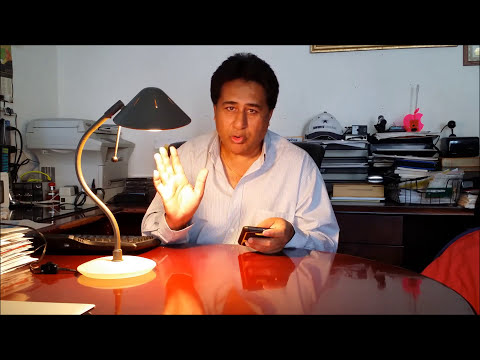
How to Save Activation Fees on iPhone & Android Mobile Phones | MetroPCS | T-Mobile
ChannelEasy StepsDescription from the creator
How to save Activation Fees MetroPCS and T-Mobile in Easy Steps.
CALL - CUSTOMER SERVICE 888-8metro8 (888) 863-8768 *611 from your MetroPCS phone
#HarjinderSidhu #ActivationFeesonMobilePhones #SidhuDIY #EasySteps
B.Y.O.D = Bring Your Own Device
You can change your phone without paying any money (activation fees) to MetroPCS. You can change your phone as many as times you want to change it without paying activation fees.
This is not only one time you can change the phone anytime, as a matter of fact, but you can also change it every day without paying any activation fees.
Sharing is caring that's my belief and I am really happy that my cyber friends can take advantage of it.
Please share with your family and friends so that they can $ave real money and can take advantage of it..............ENJOY!!!
sim card tool - amzn.to/2EGPzOt
sim card cutter - amzn.to/2BrnWXs
nail filer - amzn.to/2HdFKG7
scissors - amzn.to/2Cj1Q66
%%%%%%%%%%%%%%%%%%%%%%%%%%%%%%%%%%%%%%%%%%%%%%%%%%%%%%
Credit goes to Edna Leroy for writing...
Worked for me, I’ve done his method three times. Here are the steps if you have trouble following the video.
Steps:
* Write down the SIM card number & IMEI number of the old phone
* Call customer service and say “I want to switch my phone”
* Give them the account name, password, or security answer & phone number of the old phone
* To verify the owner of the old phone that you would like to switch, customer service will send a verification message that they want you to repeat to them
* Customer service will then ask for the IMEI Number of the old phone, BYOD ( Bring Your Own Device )
* Customer service will then ask for the Sim Card Number of the old phone
* Then put the same SIM card from the old phone into the new phone and then it will be activated for calls, texts, messages, etc
%%%%%%%%%%%%%%%%%%%%%%%%%%%%%%%%%%%%%%%%%%%%%%%%%%%%%%
Thanks for watching, Enjoy, and please don't forget to: LIKE, COMMENT, FAVORITE, SHARE and SUBSCRIBE.
Please SUBSCRIBE, If you haven't done so yet, take a look around. If you like what you see be sure to Subscribe to be notified when new content is posted. Thanks again for visiting!
Easy Steps - easysteps.jimdo.com/
{This video is for educational purposes only, I am NOT a Professional Licensed/Certified Technician and I am not Liable/Responsible in any way for damages caused to YOU or your Computer/Phone due to this video}. Please leave your comments below if you have any questions or concerns. Hope this helps someone out there.
Cheers!
*Disclaimer: This Video is for only for personal and educational purposes.
CALL - CUSTOMER SERVICE 888-8metro8 (888) 863-8768 *611 from your MetroPCS phone
#HarjinderSidhu #ActivationFeesonMobilePhones #SidhuDIY #EasySteps
B.Y.O.D = Bring Your Own Device
You can change your phone without paying any money (activation fees) to MetroPCS. You can change your phone as many as times you want to change it without paying activation fees.
This is not only one time you can change the phone anytime, as a matter of fact, but you can also change it every day without paying any activation fees.
Sharing is caring that's my belief and I am really happy that my cyber friends can take advantage of it.
Please share with your family and friends so that they can $ave real money and can take advantage of it..............ENJOY!!!
sim card tool - amzn.to/2EGPzOt
sim card cutter - amzn.to/2BrnWXs
nail filer - amzn.to/2HdFKG7
scissors - amzn.to/2Cj1Q66
%%%%%%%%%%%%%%%%%%%%%%%%%%%%%%%%%%%%%%%%%%%%%%%%%%%%%%
Credit goes to Edna Leroy for writing...
Worked for me, I’ve done his method three times. Here are the steps if you have trouble following the video.
Steps:
* Write down the SIM card number & IMEI number of the old phone
* Call customer service and say “I want to switch my phone”
* Give them the account name, password, or security answer & phone number of the old phone
* To verify the owner of the old phone that you would like to switch, customer service will send a verification message that they want you to repeat to them
* Customer service will then ask for the IMEI Number of the old phone, BYOD ( Bring Your Own Device )
* Customer service will then ask for the Sim Card Number of the old phone
* Then put the same SIM card from the old phone into the new phone and then it will be activated for calls, texts, messages, etc
%%%%%%%%%%%%%%%%%%%%%%%%%%%%%%%%%%%%%%%%%%%%%%%%%%%%%%
Thanks for watching, Enjoy, and please don't forget to: LIKE, COMMENT, FAVORITE, SHARE and SUBSCRIBE.
Please SUBSCRIBE, If you haven't done so yet, take a look around. If you like what you see be sure to Subscribe to be notified when new content is posted. Thanks again for visiting!
Easy Steps - easysteps.jimdo.com/
{This video is for educational purposes only, I am NOT a Professional Licensed/Certified Technician and I am not Liable/Responsible in any way for damages caused to YOU or your Computer/Phone due to this video}. Please leave your comments below if you have any questions or concerns. Hope this helps someone out there.
Cheers!
*Disclaimer: This Video is for only for personal and educational purposes.
About this tutorial
Easy Steps published this 3:57 video tutorial on November 9, 2014. It has been watched 170,701 times on YouTube.
- Channel
- Easy Steps
- Category
- Science & Technology
- Duration
- 3:57
- Published
- November 9, 2014
- Views
- 170,701
- Likes
- 1,199
Tags
Share
This tutorial in other languages
- FRComment les frais d'activation sur Enregistrer les téléphones mobiles iPhone et Android | MetroPCS | T Mobile
- ESCómo Guardar tasas de activación de iPhone y Android teléfonos móviles | MetroPCS | T-Mobile
- PTComo Taxas Salvar ativação no iPhone e Android Celulares | MetroPCS | T móvel
- ITCome Tasse Salva attivazione su iPhone e Android Cellulari | MetroPCS | T-Mobile
- DEWie speichere ich Aktivierung Gebühren auf iPhone & Android Handys | MetroPCS | T-Mobile
- NLHoe te besparen kosten voor het op de iPhone en Android mobiele telefoons | MetroPCS | T-Mobile
- RUКак сохранить активации пошлин на iPhone и Android мобильных телефонов | MetroPCS | T-Mobile
- PLJak Opłaty Zapisz aktywacyjna iPhone i Android Telefony komórkowe | MetroPCS | T Mobile
- JAどのようにiPhone&Androidの携帯電話に保存アクティベーション料金へ|メトロ| Tモバイル
- ARكيفية رسم حفظ التنشيط على اي فون وأندرويد والهواتف المحمولة | شركة MetroPCS | تي موبايل
- HIकैसे iPhone और Android मोबाइल फोन पर सहेजें एक्टिवेशन शुल्क के लिए | MetroPCS | टी - मोबाइल
- IDCara Biaya Simpan Aktivasi di iPhone & Android Mobile Phones | MetroPCS | T-Mobile