Playback starts YouTube’s embedded player (privacy-enhanced mode).
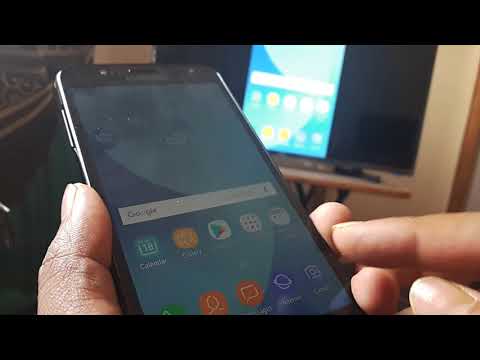
How to screen mirror your phone to TV | Samsung smart view native feature
ChannelMake Knowledge FreeDescription from the creator
How to screen mirror your phone to TV | Samsung smart view native feature
Here is the new video pointing to the the complete process setup on the settings that need to be done to TV ...
Link - youtube.com/watch?v=2WCkNi_Qn2U
TV settings
Firstly assuming it is a non smart TV , we need to attach to the TV a casting device which may be a chromecast , miracast or firestick etc ....the hdmi slots on the TV will help us attach the cast ....(here we have attached a chromecast )
Next when we power on the device, we need select the correct HDMI source for the chromecast .....
Now, we have to set up chromecast ....first turn on the mobile bluetooth and then download the google home app
Here select the option of setting up chromecast ...it will serach for devices and if the bluetooth on the device is turned on, it will succesfully be able to find the chromecast ...the cast on the TV will display a certain number and you will asked to confirm on the mobile ...when you click yes , the device will get connected and needs to be set up
Next are steps for setting the cast ...here you need to set up the wifi network for the chromecast
..while doing that we need to be careful in respect that this is the same wireless network that the mobile has to be connected to as well for the mirroring feature to work
Once cast has been configured , you will get a option to mirror the mobile screen directly from the home app or any of the native mobile features like smart view in samsung and other similar titled things in other phones ......
Hope , it helps , the new tutorial on this link goes explaining all this in a step by step manner
Link - youtube.com/watch?v=2WCkNi_Qn2U
Here is the new video pointing to the the complete process setup on the settings that need to be done to TV ...
Link - youtube.com/watch?v=2WCkNi_Qn2U
TV settings
Firstly assuming it is a non smart TV , we need to attach to the TV a casting device which may be a chromecast , miracast or firestick etc ....the hdmi slots on the TV will help us attach the cast ....(here we have attached a chromecast )
Next when we power on the device, we need select the correct HDMI source for the chromecast .....
Now, we have to set up chromecast ....first turn on the mobile bluetooth and then download the google home app
Here select the option of setting up chromecast ...it will serach for devices and if the bluetooth on the device is turned on, it will succesfully be able to find the chromecast ...the cast on the TV will display a certain number and you will asked to confirm on the mobile ...when you click yes , the device will get connected and needs to be set up
Next are steps for setting the cast ...here you need to set up the wifi network for the chromecast
..while doing that we need to be careful in respect that this is the same wireless network that the mobile has to be connected to as well for the mirroring feature to work
Once cast has been configured , you will get a option to mirror the mobile screen directly from the home app or any of the native mobile features like smart view in samsung and other similar titled things in other phones ......
Hope , it helps , the new tutorial on this link goes explaining all this in a step by step manner
Link - youtube.com/watch?v=2WCkNi_Qn2U
About this tutorial
Make Knowledge Free published this 2:01 video tutorial on November 4, 2018. It has been watched 1,177,030 times on YouTube.
- Channel
- Make Knowledge Free
- Category
- Science & Technology
- Duration
- 2:01
- Published
- November 4, 2018
- Views
- 1,177,030
Tags
Share
This tutorial in other languages
- FRComment votre écran miroir téléphone à la télévision | Samsung vue intelligente fonctionnalité native
- ESComo espejo de la pantalla de su teléfono a la TV | función nativa vista inteligente de Samsung
- PTComo ecrã espelhar o telefone para TV | recurso nativo vista inteligente Samsung
- ITCome schermo dello specchio il telefono al televisore | Samsung caratteristica nativa Smart View
- DEWie man Bildschirm spiegeln Ihr Telefon TV | Samsung Smart-Ansicht nativen Funktion
- NLHoe kan ik het scherm spiegelen je telefoon naar TV | Samsung Smart View inheemse feature
- RUКак экран зеркало телефона к телевизору | Samsung Smart View родной функция
- PLJak lustro ekranie telefonu do telewizora | Samsung Smart View natywna funkcja
- JAどのようにテレビ画面に鏡にお使いの携帯電話|サムスンのスマートビューのネイティブ機能
- ARكيفية الشاشة مرآة الهاتف لTV | سامسونج عرض الذكية ميزة الأم
- HIकैसे स्क्रीन पर टीवी के लिए अपने फोन का आईना | सैमसंग स्मार्ट दृश्य देशी सुविधा
- IDCara layar cermin telepon Anda ke TV | Samsung fitur asli tampilan cerdas