Playback starts YouTube’s embedded player (privacy-enhanced mode).
How To Set Up Personal Hotspot On iPhone
ChannelPayette ForwardDescription from the creator
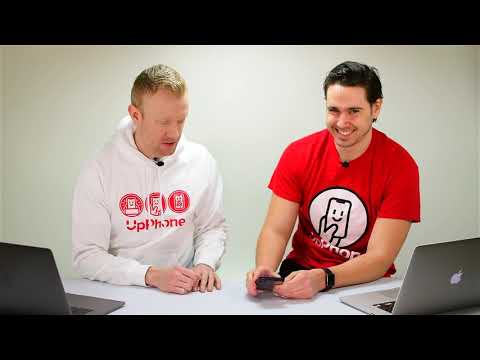
Two Apple experts show you how to set up personal hotspot on your iPhone. This feature turns your iPhone into a Wi-Fi hotspot that you can connect your other devices to so they can access the internet.
To turn on iPhone mobile hotspot, open Settings and tap Personal Hotspot. Turn on the switch next Personal Hotspot. Then, go to the Wi-Fi settings on your other device and find your iPhone. Click on it and enter the password to connect to your iPhone personal hotspot!
To turn on iPhone mobile hotspot, open Settings and tap Personal Hotspot. Turn on the switch next Personal Hotspot. Then, go to the Wi-Fi settings on your other device and find your iPhone. Click on it and enter the password to connect to your iPhone personal hotspot!
About this tutorial
Payette Forward published this 5:25 video tutorial on November 5, 2019. It has been watched 166,989 times on YouTube.
- Channel
- Payette Forward
- Category
- Science & Technology
- Duration
- 5:25
- Published
- November 5, 2019
- Views
- 166,989
- Likes
- 1,159
Tags
Share
This tutorial in other languages
- FRComment faire pour configurer Personal Hotspot sur iPhone
- ESCómo configurar hotspot iPhone en Personal
- PTComo iPhone On Hotspot Pessoal Para Set Up
- ITCome impostare Su iPhone Personal Hotspot
- DEWie Einrichten von Personal Hotspot auf dem iPhone
- NLHoe het opzetten van Personal Hotspot Op de iPhone
- RUКак настроить Личный Hotspot на iPhone
- PLJak skonfigurować Hotspot osobisty na iPhone
- JAどのようにセットすると最大のパーソナルホットスポットをiPhone
- ARكيفية إعداد الشخصية سبوت على أجهزة iPhone
- HIकैसे करने के लिए सेट अप व्यक्तिगत हॉटस्पॉट पर iPhone
- IDCara Set Up Personal Hotspot Pada iPhone