Playback starts YouTube’s embedded player (privacy-enhanced mode).
How To: Snow Leopard Upgrade/Install (Simple)
ChannelMichael SherlockDescription from the creator
Snow Leopard, Mac OS 10.6, was released today, August 28th, 2009. This evolutionary OS improves upon Leopard's success sporting a tagline "The world's most advanced operating system. Finely tuned." For $29 this upgrade is well worth the cash because it's improvements help a lot on the back-end. Sporting grand central dispatch, for better multi-core support, OpenCl, allowing users to to offload work to the GPU, along with other medications makes this version of OS X the "fastest, most reliable, and easiest to use."
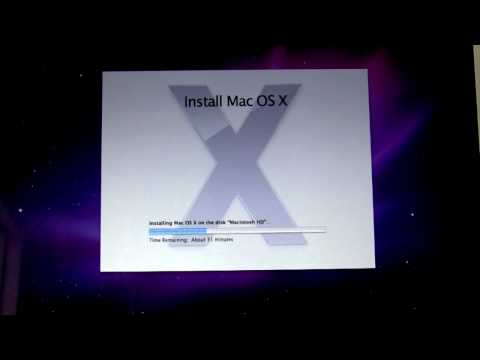
Upgrading is dead simple in snow leopard. Just pop in the disc and follow the on screen directions. This upgrade process will replace leopard system files with snow leopard system keeping all your data intact. However, more advanced users may want to install snow leopard clean. A video will provide you the how to, on just that, in the coming days.
If you haven't already done so, make sure to check out my blog post ensuring that you and your mac are ready for upgrade. michaelsherlock.com/2009/08/27/snow-leopard-pre…
For exclusive content follow me on twitter at twitter.com/blue42richman and check out my blog at michaelsherlock.com
Upgrading is dead simple in snow leopard. Just pop in the disc and follow the on screen directions. This upgrade process will replace leopard system files with snow leopard system keeping all your data intact. However, more advanced users may want to install snow leopard clean. A video will provide you the how to, on just that, in the coming days.
If you haven't already done so, make sure to check out my blog post ensuring that you and your mac are ready for upgrade. michaelsherlock.com/2009/08/27/snow-leopard-pre…
For exclusive content follow me on twitter at twitter.com/blue42richman and check out my blog at michaelsherlock.com
About this tutorial
Michael Sherlock published this 9:43 video tutorial on November 8, 2009. It has been watched 96,127 times on YouTube.
- Channel
- Michael Sherlock
- Category
- Science & Technology
- Duration
- 9:43
- Published
- November 8, 2009
- Views
- 96,127
- Likes
- 208
Tags
Share
This tutorial in other languages
- FRComment faire pour Snow Leopard Mise à jour / installation (Simple)
- ESCómo: Snow Leopard Actualizar / Instalar (simple)
- PTComo: Snow Leopard Atualizar / instalar (Simples)
- ITCome: Snow Leopard di aggiornamento / installazione (semplice)
- DEHow To: Snow Leopard Upgrade / Installation (Simple)
- NLHow To: Snow Leopard Upgrade / Install (Simple)
- RUКак: Snow Leopard Обновление / установка (Simple)
- PLJak: Snow Leopard Upgrade / Install (Simple)
- JA方法:Snow Leopardには、インストール/アップグレード(シンプル)
- ARكيفية: سنو ليوبارد ترقية / تركيب (بسيط)
- HIकैसे: हिम तेंदुए अपग्रेड / स्थापित करें (सरल)
- IDCara: Snow Leopard Tingkatkan / Install (Sederhana)