Playback starts YouTube’s embedded player (privacy-enhanced mode).
How to take screenshot on your MacBook Air, pro or Mac capture screen image
ChannelLokeshwaranDescription from the creator
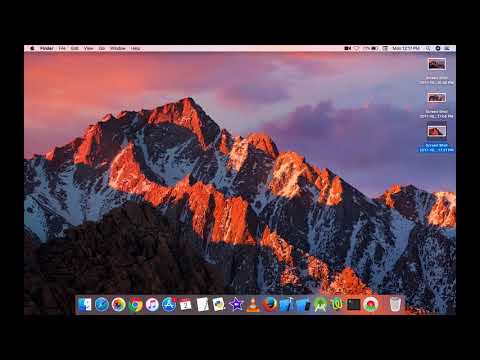
3 different easy ways How to Capture or Take a Screen Shot on your MacBook. The steps will work on MacBook Air and MacBook Pro along with their desktops.
The first way if you want to capture the entire screen Press Command + Shift + 3 together and that will take a screenshot of the entire screen
The second way to take a picture of just a specific item or box, Press Command + Shift + 4, then Press Space Bar and when you see the Camera icon, click on the window you want to capture.
The third way is Press Command + Shift + 4 and you will use the cross hairs to select the portion you want to capture. Click on where to start and kep holding the mouse while moving to cover the entire item and when you release it will complete the screen shot.
Hope you like this video.!
like and subscribe!!
The first way if you want to capture the entire screen Press Command + Shift + 3 together and that will take a screenshot of the entire screen
The second way to take a picture of just a specific item or box, Press Command + Shift + 4, then Press Space Bar and when you see the Camera icon, click on the window you want to capture.
The third way is Press Command + Shift + 4 and you will use the cross hairs to select the portion you want to capture. Click on where to start and kep holding the mouse while moving to cover the entire item and when you release it will complete the screen shot.
Hope you like this video.!
like and subscribe!!
About this tutorial
Lokeshwaran published this 1:51 video tutorial on October 25, 2018. It has been watched 5,688 times on YouTube.
- Channel
- Lokeshwaran
- Category
- Science & Technology
- Duration
- 1:51
- Published
- October 25, 2018
- Views
- 5,688
- Likes
- 15
Tags
Share
This tutorial in other languages
- FRComment prendre capture d'écran sur votre MacBook Air, l'image de l'écran Capture Pro ou Mac
- ESCómo tomar su pantalla, la imagen de pantalla Pro o Mac captura de MacBook Air en
- PTComo tomar captura de tela no seu imagem da tela do MacBook Air, Pro ou Mac captura
- ITCome prendere screenshot MacBook Air, immagine sullo schermo Capture Pro o Mac
- DEWie Screenshot auf Ihrem MacBook Air, Pro oder Mac-Capture-Bildschirm Bild nehmen
- NLHoe te screenshot nemen MacBook Air je afbeelding, pro of Mac capture scherm op
- RUКак взять скриншот на свой MacBook Air, Mac Pro или захвата изображения экрана
- PLJak wziąć zrzut ekranu na komputer MacBook Air, Mac Pro lub przechwytywania obrazu na ekranie
- JAMacBook AirのプロまたはMacのキャプチャ画面上のスクリーンショットを撮る方法
- ARكيفية اتخاذ قطة على ماك بوك اير، المؤيد أو ماك التقاط صورة الشاشة
- HIअपने मैकबुक एयर, समर्थक या मैक पर कब्जा स्क्रीन छवि पर स्क्रीनशॉट लेने के लिए कैसे
- IDCara mengambil screenshot di MacBook Air, gambar layar pro atau Mac menangkap Anda