Playback starts YouTube’s embedded player (privacy-enhanced mode).
How to Tell if Your Operating System is 32-Bit or 64-Bit
ChannelYouseftube1Description from the creator
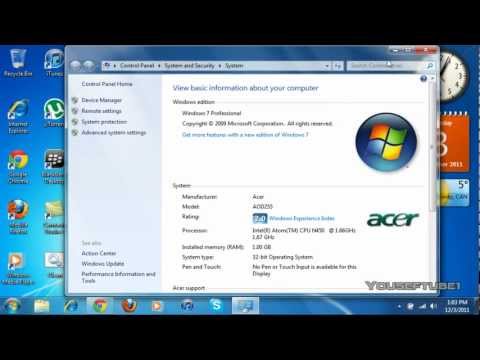
In this video I'll be showing you if you Operating System is 32-Bit or 64-Bit, it also shows your computer's information, like what firmware your on like Windows 7 Ultimate, and it also shows your Processor info and RAM. Just follow what I do in the video and it will work. This works on Windows 7 (All Firmwares) and i think it will work on Windows Vista and XP.
Thanks for watching make sure to Like, Comment, Favourite and Subscribe!
Thanks for watching make sure to Like, Comment, Favourite and Subscribe!
About this tutorial
Youseftube1 published this 1:48 video tutorial on November 1, 2012. It has been watched 379,376 times on YouTube.
- Channel
- Youseftube1
- Category
- Science & Technology
- Duration
- 1:48
- Published
- November 1, 2012
- Views
- 379,376
- Likes
- 2,647
Share
This tutorial in other languages
- FRComment savoir si votre système d'exploitation est 32 bits ou 64 bits
- ESCómo saber si su sistema operativo es de 32 bits o 64 bits
- PTComo saber se seu sistema operacional é 32 bits ou 64 bits
- ITCome sapere se il sistema operativo è a 32 bit o 64 bit
- DEWie erkennen Sie, wenn Sie das Betriebssystem 32-Bit oder 64-Bit
- NLHoe te vertellen als uw besturingssysteem 32-bits of 64-bits
- RUКак сказать, если ваша операционная система 32-разрядная или 64-разрядная
- PLJak sprawdzić, czy Twój system operacyjny jest 32-bitowy czy 64-bitowy
- JAお使いのオペレーティングシステムが32ビットまたは64ビットである場合に見分ける方法
- ARكيفية معرفة ما إذا كان نظام التشغيل الخاص بك هو 32 بت أو 64 بت
- HIकैसे पता लगाएं कि आपका ऑपरेटिंग सिस्टम 32-बिट या 64-बिट है बताओ करने के लिए
- IDBagaimana Mengenalinya jika Sistem Operasi Anda 32-Bit atau 64-Bit