Playback starts YouTube’s embedded player (privacy-enhanced mode).
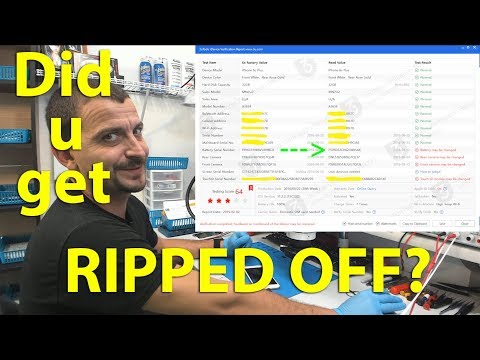
How to tell what has been replaced inside an iPhone (Without opening it)
ChannelSTS TelecomDescription from the creator
If you like this, please consider contributing:
▶ Tip via PayPal: paypal.me/helpjason
▶ Become a Patron: patreon.com/ststelecom
▶ Tip via Bitcoin: 1D8zAG9XMrr2mwGowpd9zQDMHNjm3PsQkG
This is a quick video to demonstrate how easy it is to see what parts inside of an iPhone have been replaced without even opening the phone.
3uTools: 3utools.com
Need repair or data recovery? ststele.com/mail-in
Here are my tools:
Soldering:
New hot air station: amzn.to/2GNsTOK
Old hot air station: amzn.to/2q5t1Ot
Soldering Station #1: amzn.to/2pZyfLy
Soldering Station #2: amzn.to/2CrDjzs
Micro-Pencil Iron: amzn.to/2pZnYim
Micro-Pencil Tip: amzn.to/2pVDjjW
Curved Tip: amzn.to/2RWl0rJ
Long Bent Tip: amzn.to/2pPwqiK
Bevel Tip: amzn.to/2nFk105
Mini Hot Tweezers: amzn.to/2pZmogy
Flux: amzn.to/2pXOGrL
Solder Paste: amzn.to/2pXPWuZ
Microscope Stuff:
Microscope: amzn.to/2pZLjk0
Ring light: amzn.to/2CPz4il
Camera: amzn.to/2Ckxiot
Electrical:
DC Power Supply: amzn.to/2NGMhuV
Multimeter: amzn.to/2CNdGdu
USB Current Meter: amzn.to/2yvd8VY
Thermal Camera: amzn.to/2QONjuq
Software for Board View & Schematics:
Easy Draw: bit.ly/2vqTT0C
FlexBV: pldaniels.com/flexbv/
ZXW Tool: amzn.to/2NMw5s6
Phoneboard: phoneboard.co/
Other Tools:
Strait Tweezers: bit.ly/2pN3okz
Curved Tweezers: bit.ly/2E1Boik
PCB Holder: bit.ly/2GDdA9V
Recording Gear:
Microscope Camera: amzn.to/2Ckxiot
Camera on my hands: amzn.to/2SrOxcu
Main Camera: amzn.to/2LJ1tII
Headset: amzn.to/2nIWWeI
STS Telecom is a participant in the Amazon Services LLC Associates Program, an affiliate advertising program designed to provide a means for sites to earn advertising fees by advertising and linking to amazon.com
~
~
~
#iphone #repair #tech
▶ Tip via PayPal: paypal.me/helpjason
▶ Become a Patron: patreon.com/ststelecom
▶ Tip via Bitcoin: 1D8zAG9XMrr2mwGowpd9zQDMHNjm3PsQkG
This is a quick video to demonstrate how easy it is to see what parts inside of an iPhone have been replaced without even opening the phone.
3uTools: 3utools.com
Need repair or data recovery? ststele.com/mail-in
Here are my tools:
Soldering:
New hot air station: amzn.to/2GNsTOK
Old hot air station: amzn.to/2q5t1Ot
Soldering Station #1: amzn.to/2pZyfLy
Soldering Station #2: amzn.to/2CrDjzs
Micro-Pencil Iron: amzn.to/2pZnYim
Micro-Pencil Tip: amzn.to/2pVDjjW
Curved Tip: amzn.to/2RWl0rJ
Long Bent Tip: amzn.to/2pPwqiK
Bevel Tip: amzn.to/2nFk105
Mini Hot Tweezers: amzn.to/2pZmogy
Flux: amzn.to/2pXOGrL
Solder Paste: amzn.to/2pXPWuZ
Microscope Stuff:
Microscope: amzn.to/2pZLjk0
Ring light: amzn.to/2CPz4il
Camera: amzn.to/2Ckxiot
Electrical:
DC Power Supply: amzn.to/2NGMhuV
Multimeter: amzn.to/2CNdGdu
USB Current Meter: amzn.to/2yvd8VY
Thermal Camera: amzn.to/2QONjuq
Software for Board View & Schematics:
Easy Draw: bit.ly/2vqTT0C
FlexBV: pldaniels.com/flexbv/
ZXW Tool: amzn.to/2NMw5s6
Phoneboard: phoneboard.co/
Other Tools:
Strait Tweezers: bit.ly/2pN3okz
Curved Tweezers: bit.ly/2E1Boik
PCB Holder: bit.ly/2GDdA9V
Recording Gear:
Microscope Camera: amzn.to/2Ckxiot
Camera on my hands: amzn.to/2SrOxcu
Main Camera: amzn.to/2LJ1tII
Headset: amzn.to/2nIWWeI
STS Telecom is a participant in the Amazon Services LLC Associates Program, an affiliate advertising program designed to provide a means for sites to earn advertising fees by advertising and linking to amazon.com
~
~
~
#iphone #repair #tech
About this tutorial
STS Telecom published this 5:08 video tutorial on November 4, 2019. It has been watched 236,737 times on YouTube.
- Channel
- STS Telecom
- Category
- Science & Technology
- Duration
- 5:08
- Published
- November 4, 2019
- Views
- 236,737
- Likes
- 6,588
Share
This tutorial in other languages
- FRComment savoir ce qui a été remplacé dans un iPhone (sans l'ouvrir)
- ESCómo saber lo que se ha reemplazado el interior de un iPhone (sin abrirlo)
- PTComo saber o que foi substituída dentro de um iPhone (sem abri-lo)
- ITCome dire che cosa è stato sostituito all'interno di un iPhone (senza aprirlo)
- DEWie kann man sagen, was in einem iPhone ersetzt wurde (ohne Öffnen it)
- NLHoe om te vertellen wat is vervangen binnen een iPhone (zonder het te openen)
- RUКак сказать, что было заменено внутри iPhone (не открывая его)
- PLJak stwierdzić, co zostało zastąpione wewnątrz iPhone (bez otwierania)
- JA(それを開かずに)iPhoneの内部で交換されているものを伝える方法
- ARكيفية معرفة ما تم استبدال داخل فون (بدون فتحه)
- HIकैसे पता करें कि क्या एक iPhone के अंदर बदल दिया गया है (खोलने के बिना यह)
- IDBagaimana untuk memberitahu apa yang telah diganti dalam sebuah iPhone (Tanpa membukanya)