Playback starts YouTube’s embedded player (privacy-enhanced mode).
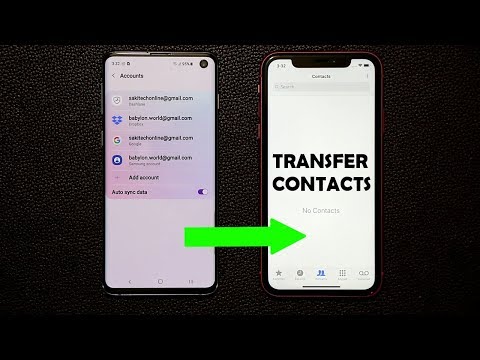
How to Transfer Contacts from Android to iPhone (Fast and Easy)
ChannelsakitechIn brief
You’ll transfer your Android contacts to a new iPhone quickly and without apps, using just a computer and browser. This method works for anyone switching phones and avoids third-party tools.
Questions & answers
Do I need any special software or apps?
No, only a PC or Mac with a browser is required.
Will all my Android contacts transfer?
Yes, the method transfers all contacts from your Android device.
Description from the creator
Requirements:
Android phone contacts are coming from
iPhone contacts are going to
PC or a MAC (need to use browser)
No need for useless apps.
Let's transfer all your contacts from your Android smartphone to your new iPhone.
--------------- FOLLOW ME ON SOCIAL MEDIA -----------------
Follow me on twitter : twitter.com/sakitechonline
Follow me on Instagram: instagram.com/sakitechonline
Follow me on facebook: facebook.com/sakitechonline
Follow me on Google+ plus.google.com/+sakitech
My Website: sakitechonline.com
Companies can send product to the following address if using a PO BOX:
Attn: SAKITECH
PO Box 681
CLIFTON HEIGHTS, PA 19018
If you cannot ship to a PO BOX, and need a physical address, ship it here:
Attn: SAKITECH
135 S Springfield Rd. Unit #681
Clifton Heights, PA 19018
About this tutorial
sakitech published this 6:56 video tutorial on October 26, 2019. It has been watched 3,516,068 times on YouTube.
- Channel
- sakitech
- Category
- Science & Technology
- Duration
- 6:56
- Published
- October 26, 2019
- Views
- 3,516,068
- Likes
- 37,833
Tags
Share
Further reading
-
Transfer Contacts from Android to iPhone the Easy Way
osxdaily.com
Moving all contacts from an Android to an iPhone may sound complicated, but it’s actually really easy. What you’ll need to do is sync the entire address book from the Android device to Google’s cloud Contacts service, a…
-
Several easy ways to transfer contacts from Android to iPhone
androidauthority.com
There are also ways to transfer your contacts from Android devices to iOS ones manually. You can make a VCF file, transfer it over to the iPhone and then open it to grab all your contact data.
-
How to Transfer Your Contacts From Android to iPhone
lifewire.com
Use an app: Download the Move to iOS app at the Google Play Store and use it to transfer your contacts. Use the Android SIM card: On Android, open Contacts. Tap Settings > Import/Export > Export > SIM card. Put the SIM…
This tutorial in other languages
- FRComment transférer des contacts depuis Android pour iPhone (rapide et facile)
- ESCómo transferir contactos de Android a iPhone (Rápido y Fácil)
- PTComo transferir os contatos do Android para iPhone (Fast and Easy)
- ITCome trasferire i contatti da Android ad iPhone (facile e veloce)
- DEWie Kontakte von Android auf iPhone (schnell und einfach) übertragen
- NLHoe te Contacten van Android Transfer naar iPhone (Snel en eenvoudig)
- RUКак перенести контакты из Android на iPhone (легко и быстро)
- PLJak skopiować kontakty ze Androida do iPhone (Szybkie i proste)
- JAiPhoneにAndroidのから連絡先を転送する方法(迅速かつ簡単に)
- ARكيفية نقل جهات الاتصال من الروبوت الى اي فون (سريع وسهل)
- HIकैसे iPhone करने के लिए एंड्रॉयड से संपर्क करने के लिए स्थानांतरण (फास्ट और आसान)
- IDCara Transfer Kontak dari Android ke iPhone (Cepat dan Mudah)