Playback starts YouTube’s embedded player (privacy-enhanced mode).
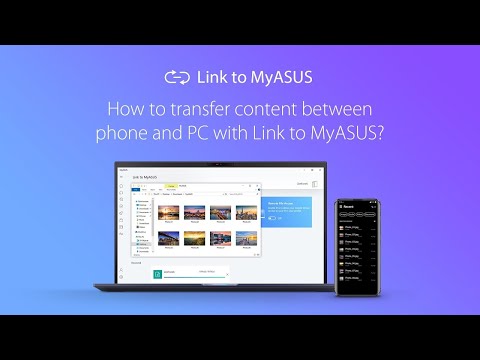
How to transfer content between phone and PC with Link to MyASUS? | ASUS
ChannelASUSDescription from the creator
Link to MyASUS seamlessly integrates your ASUS PC with your mobile devices, boosting your productivity and allowing easier multitasking. With the File Transfer and the URL Transfer function, you can enjoy the easy and flexible file sharing experience. Download the Link to MyASUS App now and discover how Link to MyASUS can simplify your life!
Learn more information: bit.ly/LinkToMyASUS
Download Link to MyASUS mobile app:
Google Play: play.google.com/store/apps/details?id=com.asus.…
App Store: apps.apple.com/app/link-to-myasus/id1481035824
Learn more information: bit.ly/LinkToMyASUS
Download Link to MyASUS mobile app:
Google Play: play.google.com/store/apps/details?id=com.asus.…
App Store: apps.apple.com/app/link-to-myasus/id1481035824
About this tutorial
ASUS published this 1:48 video tutorial on April 29, 2020. It has been watched 116,489 times on YouTube.
- Channel
- ASUS
- Category
- Science & Technology
- Duration
- 1:48
- Published
- April 29, 2020
- Views
- 116,489
- Likes
- 658
Tags
Share
This tutorial in other languages
- FRComment transférer le contenu entre le téléphone et le PC avec un lien vers MyASUS? | ASUS
- ESCómo transferir contenido entre el teléfono y el PC con un enlace a MyASUS? | ASUS
- PTComo transferir conteúdos entre o telefone eo PC com link para MyASUS? | ASUS
- ITCome trasferire i contenuti tra telefono e PC con collegamento a MyASUS? | ASUS
- DESo übertragen Sie Inhalte zwischen Telefon und PC mit Link zu MyASUS? | ASUS
- NLHoe kan ik de inhoud tussen de telefoon en de pc overzetten met link naar MyASUS? | ASUS
- RUКак передать содержимое между телефоном и компьютером с Ссылка на MyASUS? | ASUS
- PLJak przenieść zawartość między telefonem a komputerem z Link do MyASUS? | ASUS
- JAMyASUSへのリンクとの電話とPCの間でコンテンツを転送するには? | ASUS
- ARكيفية نقل المحتوى بين الهاتف وجهاز الكمبيوتر مع رابط لMyASUS؟ | ASUS
- HIकैसे MyASUS के लिए लिंक के साथ फोन और पीसी के बीच सामग्री के हस्तांतरण के लिए? | ASUS
- IDBagaimana untuk mentransfer konten antara ponsel dan PC dengan Link ke MyASUS? | ASUS