Playback starts YouTube’s embedded player (privacy-enhanced mode).
How to Transfer Photos from iPhone to Computer
ChannelKevin StratvertIn brief
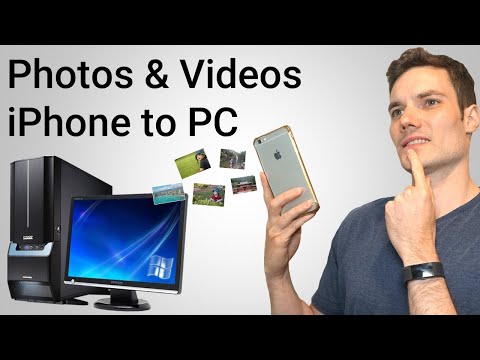
Move your iPhone photos to a Windows 10 PC using three methods: the built-in Photos app or File Explorer (both needing a Lightning cable) or Google Photos (wireless). This works for anyone with an iPhone and a Windows 10 computer.
Key steps
- Connect iPhone to PC with a Lightning cable
- Open Windows 10 Photos app or File Explorer to locate iPhone
- Open Google Photos on iPhone and PC, sync photos via WiFi or data
Questions & answers
Do I need a cable for all methods?
No, only the Photos app and File Explorer require a Lightning cable. Google Photos works wirelessly.
Description from the creator
1) The Photos app that comes included as part of Windows 10
2) File Explorer
3) Google Photos
The Photos app and File Explorer both require connecting the iPhone to the PC via a Lightning cable. The Google Photos technique only requires a data connection, either through Wifi or cellular data.
🙌 SUPPORT THE CHANNEL
- Hit the THANKS button in any video!
- Amazon affiliate link: amzn.to/3kCP2yz (Purchasing through this link gives me a small commission to support videos on this channel -- the price to you is the same)
🔽 CONNECT WITH ME
- Official web site: kevinstratvert.com
- LinkedIn: linkedin.com/in/kevinstratvert/
- Discord: discord.gg/kHuujY2pZf
- Twitter: twitter.com/kevstrat
- Facebook: facebook.com/Kevin-Stratvert-101912218227818
- TikTok: tiktok.com/@kevinstratvert
- Instagram: instagram.com/kevinstratvert/
🎒 MY COURSES
- Excel for Beginners in under 2 hours: kevinstratvert.thinkific.com/
🙏 REQUEST VIDEOS
forms.gle/BDrTNUoxheEoMLGt5
🔔 SUBSCRIBE ON YOUTUBE
youtube.com/user/kevlers?sub_confirmation=1
#stratvert
About this tutorial
Kevin Stratvert published this 6:02 video tutorial on October 25, 2019. It has been watched 3,432,784 times on YouTube.
- Channel
- Kevin Stratvert
- Category
- Science & Technology
- Duration
- 6:02
- Published
- October 25, 2019
- Views
- 3,432,784
- Likes
- 32,273
Share
Further reading
-
Transfer photos and videos from your iPhone, iPad, or iPod touch ...
support.apple.com
Either select the photos you want to import and click Import Selected, or click Import All New Photos. Wait for the process to finish, then disconnect your device from your Mac. Learn what to do if you can't import phot…
-
How to Transfer Photos From an iPhone to a PC
howtogeek.com
Import Photos With Windows Photos (or Other Applications) Any application that can import photos from a digital camera or USB device can also import photos from an iPhone or iPad. The iPhone exposes a DCIM folder, so it…
-
How to Transfer Photos from iPhone to PC (with Pictures) - wikiHow
wikihow.com
To transfer photos from your iPhone to a PC, start by using your phone’s USB cable to connect your iPhone to the PC. Once your devices are connected, unlock your phone and tap “Trust” or “Allow” when you see the message…
This tutorial in other languages
- FRComment transférer des photos de l'iPhone à l'ordinateur
- ESCómo transferir fotos desde el iPhone a la computadora
- PTComo transferir fotos do iPhone ao computador
- ITCome trasferire foto da iPhone al computer
- DEWie Fotos vom iPhone auf Computer übertragen
- NLHoe kan ik foto's overzetten van iPhone naar Computer
- RUКак перенести фотографии с iPhone на компьютер
- PLJak przenieść zdjęcia z iPhone do komputera
- JAコンピュータにiPhoneから写真を転送する方法
- ARكيفية نقل صور من اي فون إلى الكمبيوتر
- HIकैसे iPhone से कंप्यूटर के लिए स्थानांतरण करने के लिए तस्वीरें
- IDCara Transfer Foto dari iPhone ke Komputer