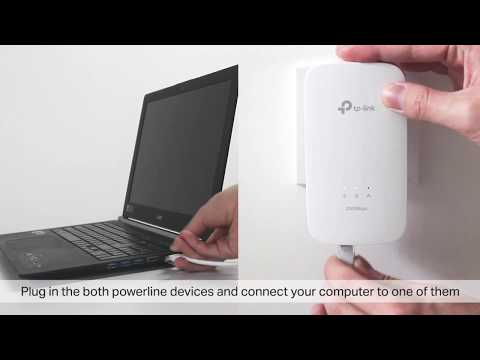
Playback starts YouTube’s embedded player (privacy-enhanced mode).
How to Troubleshoot a TP-Link Powerline Product
ChannelTP-LinkDescription from the creator
Plug, Pair and Play – Set up your powerline network in minutes and enjoy fast, seamless wired and wireless internet wherever you need it.
This video will help you identify and solve common problems that may prevent your powerline adapters from working as expected. It includes:
•Troubleshooting when the Powerline LED is on. •Troubleshooting when the Powerline LED is off.
THIS VIDEO APPLIES TO:
• TP-Link Powerline Adapters
To download the latest firmware for your powerline adapter, please visit www.tp-link.com and search for your model.
FIND AND FOLLOW US ON:
Facebook: facebook.com/TPLINK.NA
Twitter: twitter.com/tplinkna, @TPLINKNA
Instagram: instagram.com/tplink/
LinkedIn: linkedin.com/company/tp-link-usa
Website: tp-link.com
Be the first to hear about the latest news and products from TP-Link.
Subscribe here: youtube.com/channel/UCSzRN67gT_B7oYPG0NMx7sA
This video will help you identify and solve common problems that may prevent your powerline adapters from working as expected. It includes:
•Troubleshooting when the Powerline LED is on. •Troubleshooting when the Powerline LED is off.
THIS VIDEO APPLIES TO:
• TP-Link Powerline Adapters
To download the latest firmware for your powerline adapter, please visit www.tp-link.com and search for your model.
FIND AND FOLLOW US ON:
Facebook: facebook.com/TPLINK.NA
Twitter: twitter.com/tplinkna, @TPLINKNA
Instagram: instagram.com/tplink/
LinkedIn: linkedin.com/company/tp-link-usa
Website: tp-link.com
Be the first to hear about the latest news and products from TP-Link.
Subscribe here: youtube.com/channel/UCSzRN67gT_B7oYPG0NMx7sA
About this tutorial
TP-Link published this 4:15 video tutorial on November 13, 2017. It has been watched 655,711 times on YouTube.
- Channel
- TP-Link
- Category
- Science & Technology
- Duration
- 4:15
- Published
- November 13, 2017
- Views
- 655,711
- Likes
- 1,294
Tags
Share
This tutorial in other languages
- FRComment faire pour dépanner un courant porteur TP-Link Produit
- ESCómo solucionar un TP-Link Powerline Producto
- PTComo solucionar um TP-Link Powerline Produtos
- ITCome risolvere un TP-Link Powerline prodotto
- DEWie Beheben eines TP-Link Powerline Produkt
- NLHoe maak je een TP-Link Powerline Product Problemen
- RUКак провести диагностику TP-Link Powerline продукт
- PLJak rozwiązywać problemy z TP-Link Powerline produkt
- JATP-Linkの電力線製品のトラブルシューティング方法
- ARكيفية استكشاف أخطاء TP لينك باورلاين المنتج
- HIसमस्याओं का निवारण कैसे एक टी.पी.-लिंक Powerline उत्पाद
- IDBagaimana Masalah TP-Link Powerline Produk